4-32 UTILITIES Biodex Medical Systems, Inc. © 2014
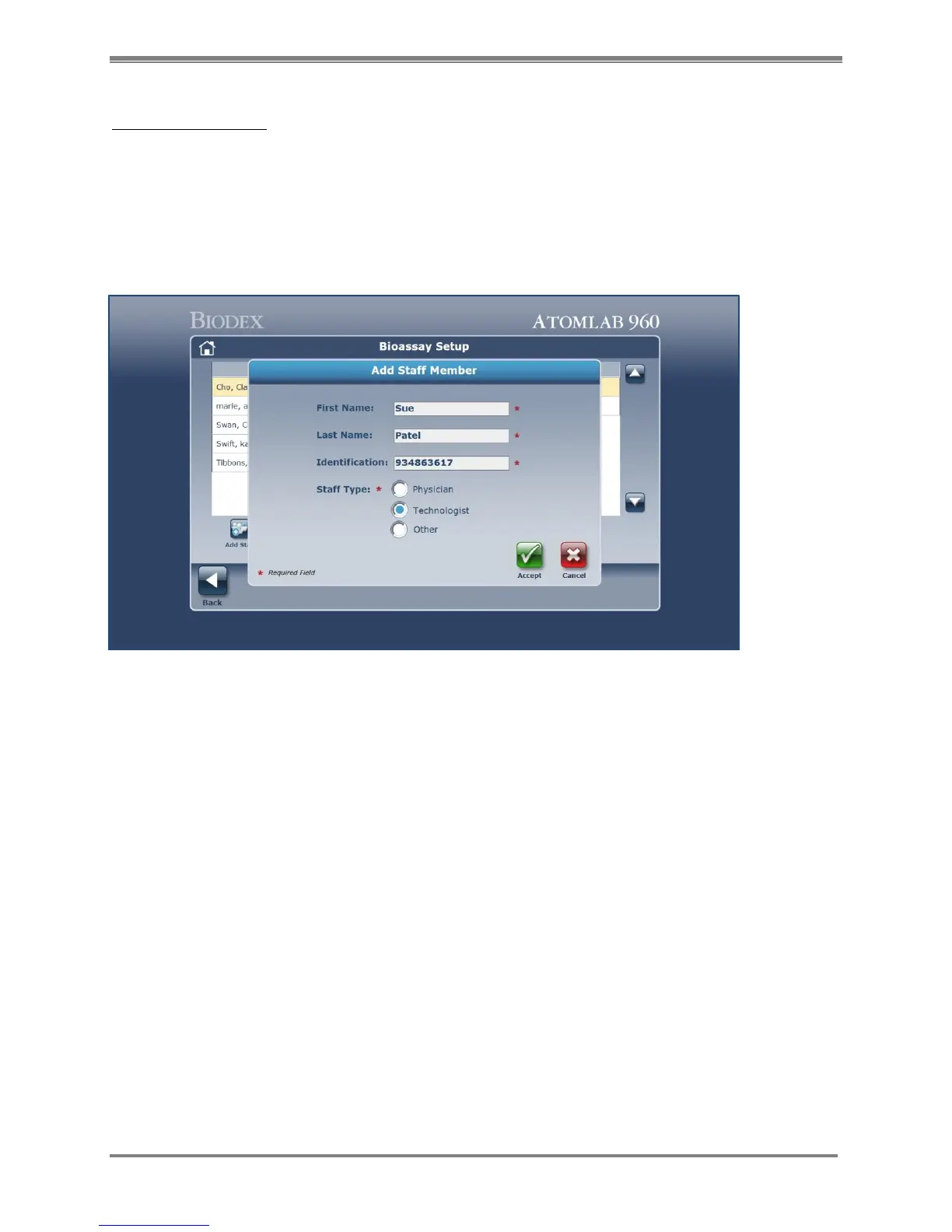
Add a Staff Member:
1. Select the <Add Staff> icon from the Bioassay Setup screen. (See Figure 3.5.)
2. Enter the staff member’s first name in the First Name field.
3. Enter the staff member’s last name in the Last Name field.
4. Enter a unique, valid identification code for the staff member being added.
5. Select the appropriate staff type by clicking in the appropriate radio box as illustrated in the
example below:
Figure 4.29. New Staff Member Information screen.
6. Click the <Cancel> icon to exit back to the Bioassay Setup menu without creating the new
staff member record.
7. When data has been entered in all of the required fields, click the <Accept> icon to create
the record for the new staff member.
8. The staff member’s name is displayed on the Bioassay Setup menu as soon as the system
returns to the screen as illustrated below:
NOTE: Now you can add your staff and the isotope you are going to perform a Bioassay test
for. You select which isotopes for each person to be tested.



 To Next Page