MDA (Minimum Detectable Activity)
MDA is a calculation of the minimum detectable activity for the counting system, including the
detector. The MDA varies for each isotope based on the isotope’s efficiency and the count time
used for both background count and the time used for counting the sample. Lengthening the
count times lowers the MDA.
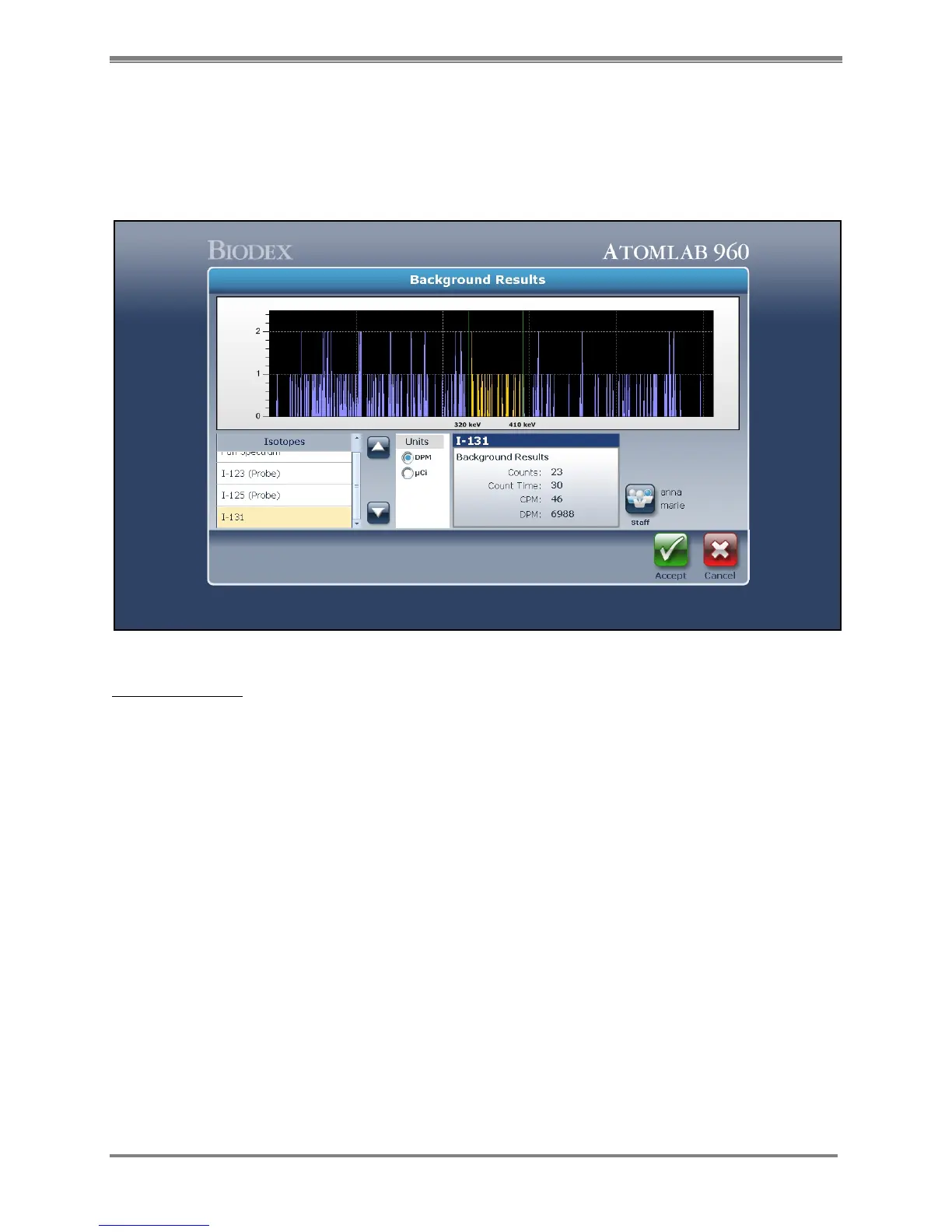
Figure 5.19. The MDA Background Results screen.
Perform An MDA:
1. From the system Home page, select <Quality Assurance>. The Quality Assurance screen is
now displayed. Press the <right arrow>.
2. Select <MDA>. The Select Detector screen is now displayed. Highlight the desired detector
and select <Accept>.
3. Select the units you wish the MDA to be displayed in from the right side of the screen
(DPM, µCi/kBq).
4. Select <Background> and the system displays the MDA Background Collection Counting
screen. Ensure there are no sources near the detector and select <Accept>.
NOTE: The only isotopes that will be available for use in MDA will be isotopes that have
Efficiencies that are set in the isotope Efficiency portion of the System Setup for isotopes
that are checked for use with Bioassay or Wipe Counting.
NOTE: Isotopes that have an Efficiency, but are not checked for Bioassay or for Wipe
Counting will NOT be used when performing MDA calculations.



 To Next Page