6. Thyroid Uptake
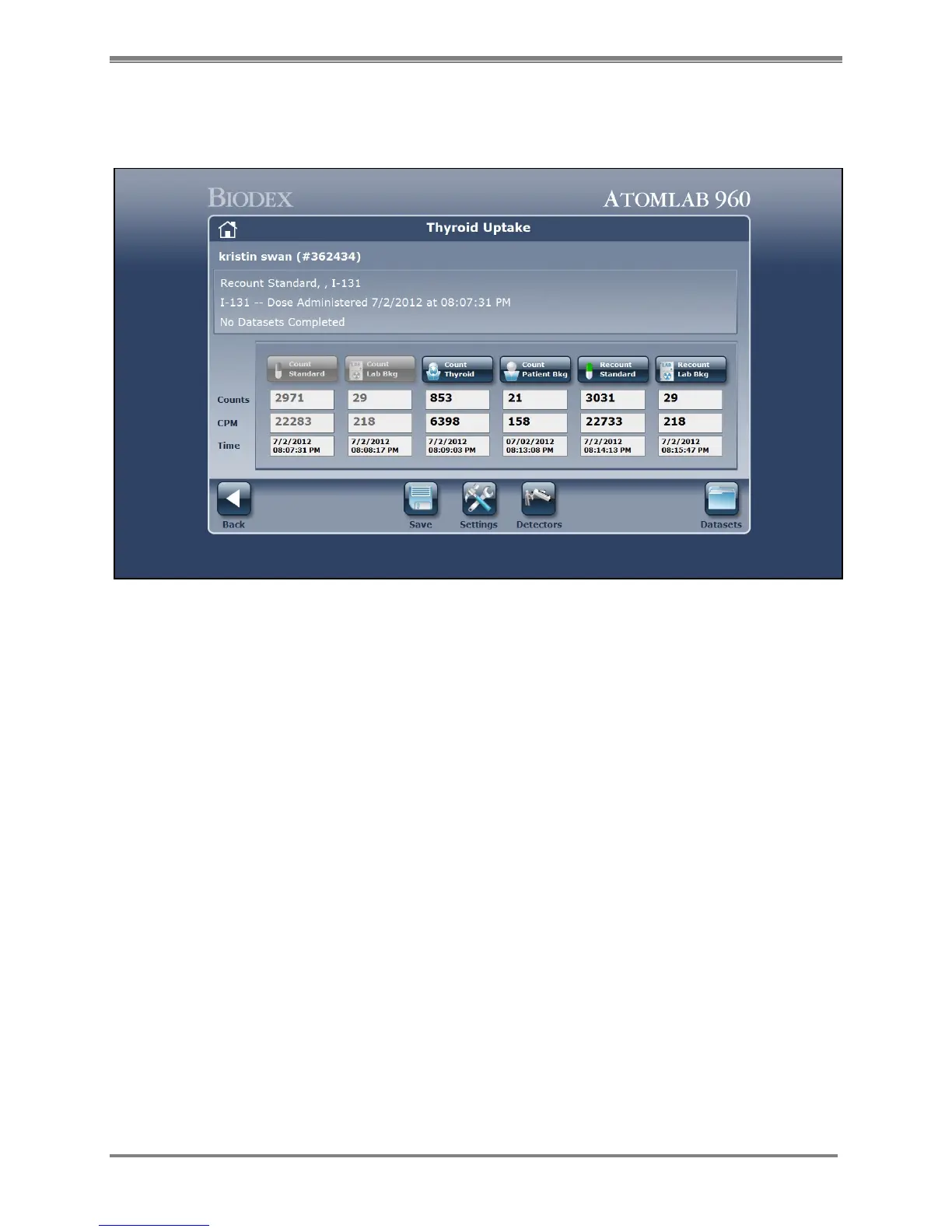
Figure 6.1. The Thyroid Uptake screen.
Selecting <Thyroid Uptake> from the Testing Menu allows the user to perform a radioactive
uptake study. The system guides the user through a step-by-step procedure that includes
counting the following: standard, lab background, patient thyroid, patient background, and
finally the computation of the uptake percentage. The uptake percentage, which is calculated
from an automatically decay corrected dose count or recounted standard, can then be printed
in a format designed to provide complete information on the patient study.
The system allows multiple data sets for different times for the patient. Once you have created
or selected a patient, you can come back and perform several uptakes (example: 2 hr, 4 hr, 6 hr
or 24 hour.) The system assumes when you have counted the dose and lab background that
you are immediately giving this dose to the patient. If the dose is not immediately given to the
patient, you can enter the administered time into the system.
When the patient comes back at the appropriate time to count thyroid, the system calculates
the elapsed time between when the dose was counted and when the thyroid is being counted.
This is listed in tenths of an hour used for the calculation. With the system performing an
automatic decay correction, you do not need to bring the patient back at exactly six hours. The
time could, for example, be 6.2 hours because the system will calculate for the elapsed time.
Each of the data sets that are counted are displayed in the status window on the Thyroid Uptake
screen.



 To Next Page