Send Uptake Report to Storage Server
NOTE: Only the test results for Patients downloaded from the Worklist can be sent back to the
DICOM system with the thyroid uptake report. Patient test results created locally with the
Atomlab 960 software, cannot be uploaded to the DICOM system.
Procedure:
1. Go to Home screen of Atomlab 960 software. Then select <Testing>. Select <Thyroid
Uptake> button. This will bring up the existing list of Patients stored in the Atomlab 960
software.
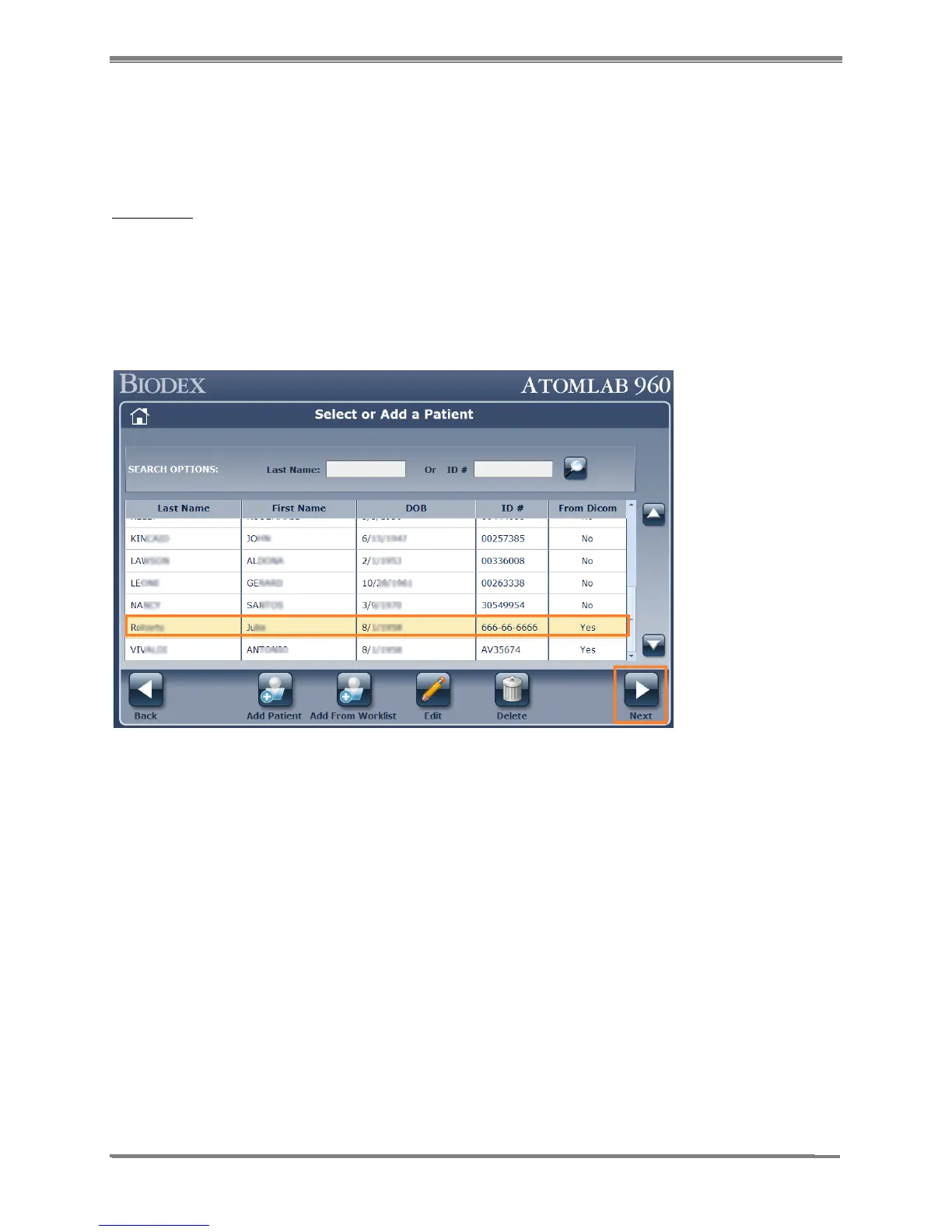
2. Select and highlight the Patient from the list that was added from the Worklist. Any patient
downloaded from Worklist will be marked as “Yes” in the “From DICOM” column. This will
help to easily identify the patients that were created locally vs. downloaded from DICOM.
Select the <Next> button.
Figure 10.17.
3. Select and highlight the study that needs to be uploaded to the DICOM system.
Select the < DICOM Report> button.



 To Next Page