7. Manual Mode
The MCA Manual mode is used as a rate counter that functions in either Preset Time, Preset
Count or Continuous Counting mode. For any count you take in this mode, you can analyze the
spectrum and create reports from the data obtained. The standard ROI is determined by the
isotope that you selected for counting and the spectrum analysis page will allow you to create
multiple ROI’s or change the ROI displayed.
The Manual Mode Screen
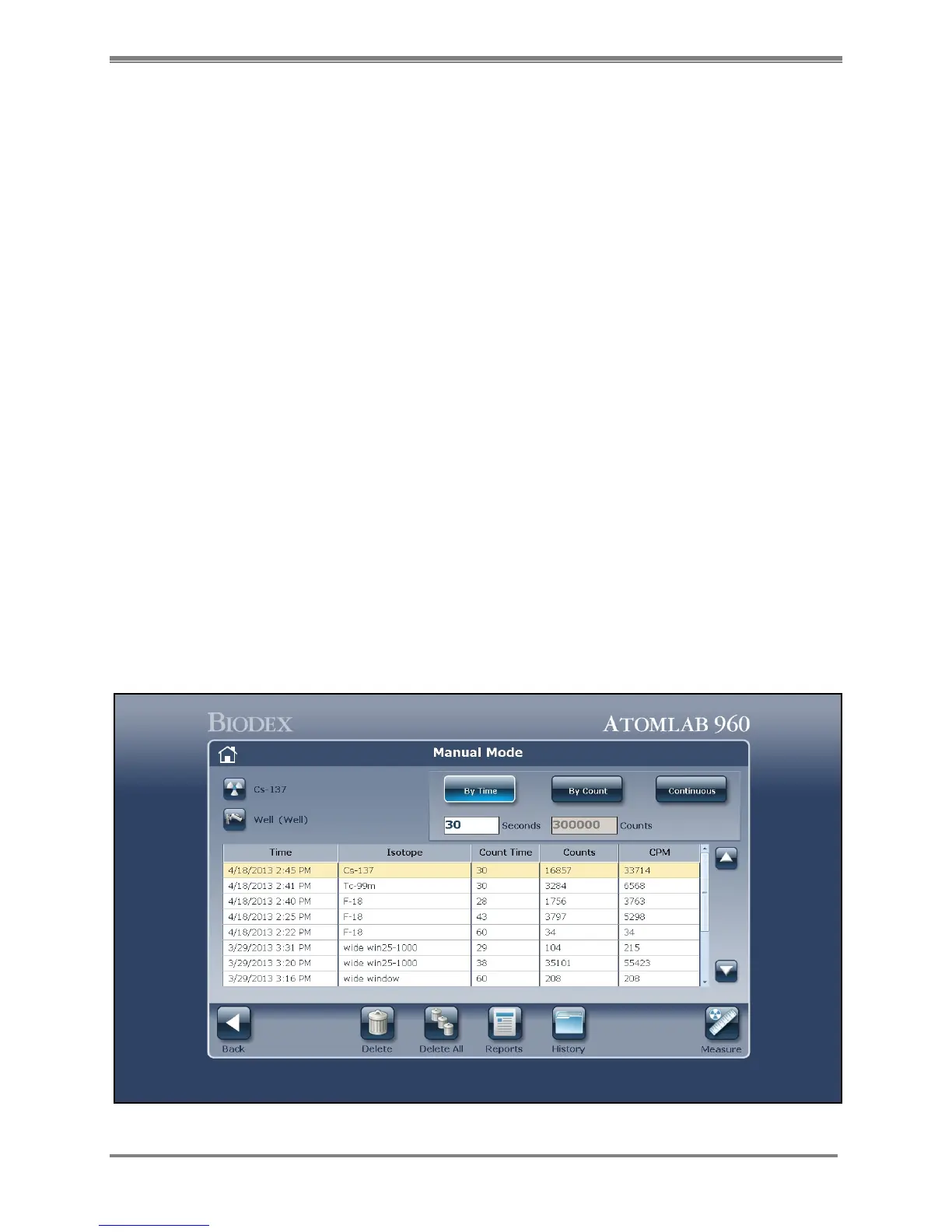
The Manual Mode screen features several icons including <Delete>, <Delete All>, <Reports>
and <Measure>.
• < Delete>: Select this icon to remove the highlighted counting result from the displayed list
of previous counts.
• < Delete All>: Select this icon to remove all the previous counts displayed for Manual Mode
for the selected detector.
• <Reports>: Select this icon to display the counts in a report mode for the user defined date
range that can be printed.
• <History>: Select this icon then choose detector to display the Manual Mode History screen.
This allows the user to view current results stored and results from other detectors.
• <Measure>: Use this icon to begin the count for the isotope and detector selected.
Count In Manual Mode
(See Figure 7.1.)
Figure 7.1. The Manual Mode screen.



 To Next Page