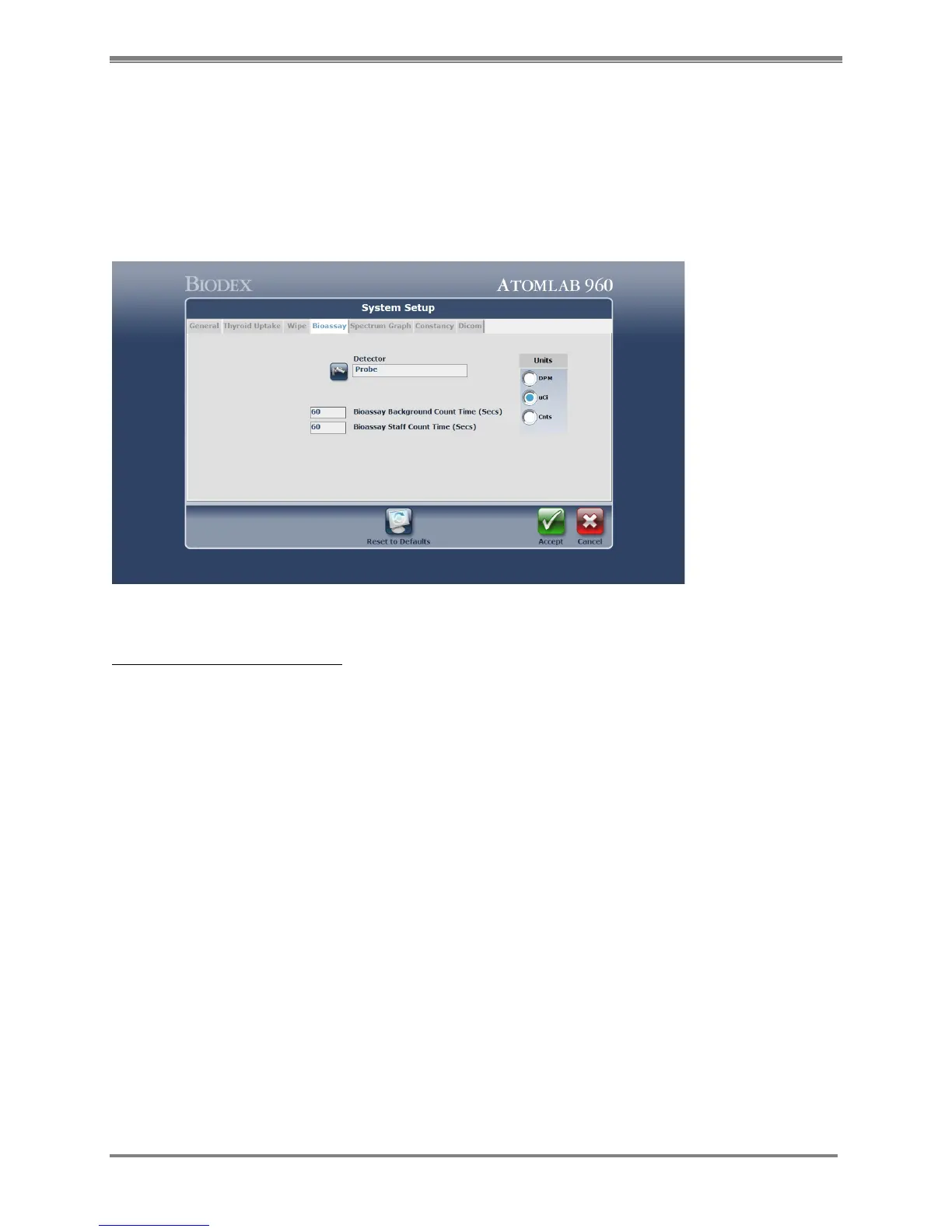
Bioassay Screen
This section is used to set the parameters for performing a Bioassay test. You select the
detector and set the counting time for both Bioassay Background Counting and Bioassay Staff
Count Time.
You must also select the units that the results will be shown in. The default unit(s) is µCi and
the default count time is 60 seconds.
Figure 4.6. The System Setup Bioassay Setup screen.
System Setup-Bioassay Screen:
1. At the <Home Page>, select <Utilities>. The Utilities screen is now displayed.
2. Select <System Setup> and then choose the <Bioassay> tab. The System Bioassay Setup
screen is now displayed.
3. Choose <Select A Detector> and select the probe. Select <Accept>.
NOTE: If there is only one probe detector available, once it is chosen, the program will auto
select that probe.
4. Enter Bioassay Background Count Time in seconds. The Bioassay Background Time should
not be less than 30 seconds. The default is 60 seconds.
5. Enter Bioassay Staff Count Time in seconds. The default is 60 seconds.
6. Select the default units for Bioassay results
(DPM = Disintegrations per Minute, µCi = Microcuries, Cnts = Counts per Minute)
NOTE: If your system is set to Bequerels, the choice will be: DPM, Bqs, Cnts
NOTE: See Chapter 4, section titled “Efficiency For The Selected Detector” for details on setting
detector efficiency.
7. Select <Accept> to apply the Bioassay settings and return to the Utilities Menu.



 To Next Page