4-6 UTILITIES Biodex Medical Systems, Inc. © 2014
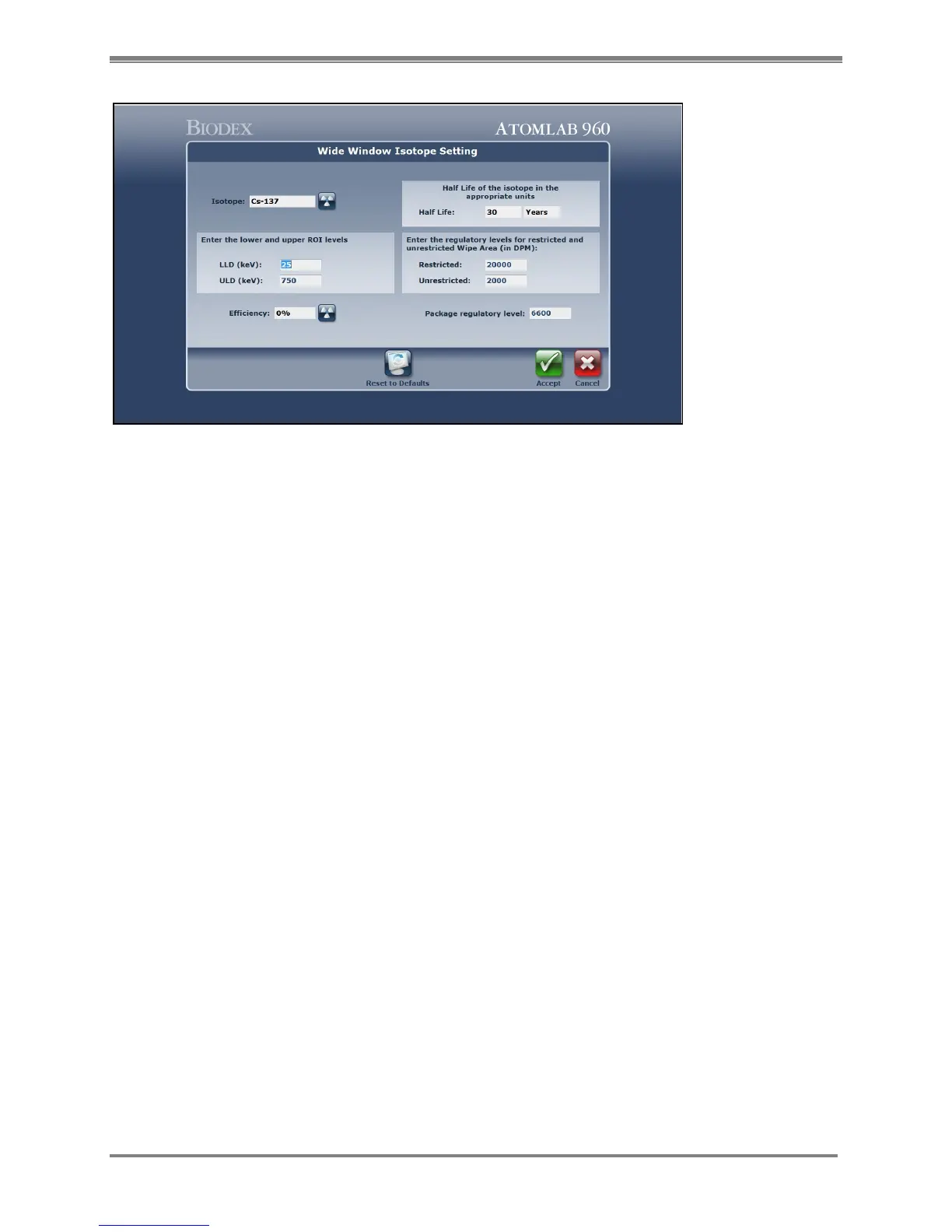
Figure 4.5. The Wide Window Isotope Setting screen.
7. Select <Wide Window Isotope/Efficiency Settings>. The Wide Window Isotope Setting window
is now displayed.
8. Cs-137 is the default isotope for the wide window isotope setting. You can change the lower
and upper ROI levels by selecting them and entering the desired values. This is preset to the
most commonly used and recommended wide window setting.
NOTE: The user can change the regulatory levels or choose a different isotope for the wide
window isotope by selecting the specific item, choosing a new isotope from the isotope list
displayed, and then entering the desired value.
9. The wide window efficiency percentage must be set in order to use the wipe program. Select
<Efficiency> and choose to measure a standard, use the factor-defined value, or enter
efficiency in percent.
NOTE: See Chapter 4 section titled “Efficiency For The Selected Detector” for details on
selecting detector efficiency.
10. Select <Accept> to apply the wide window settings and return to the Wide Window Isotope
Setting screen. Select <Accept> to return to the System Setup Wipe screen. Select <Accept>
again to return to the Utilities menu.



 To Next Page