After calibration is completed, the source is removed and a background measurement is
performed. Once the background measurement is completed and saved, the unit advances to
the wipe test program. The count wipe is then selected and the system automatically performs
a wide window count if no location is selected. If the user selects one of the locations and then
presses count wipe, the system counts the wipe and completes all the determinations required
for the test. The Wipe Program allows the user to print the test results.
NOTE: The user can setup the system so the Daily Calibration is also a Constancy. You
must use the same source in the same Geometry every time the Constancy is performed.
Perform A Wipe Test
1. From the <Home> page, select <Testing>. The Testing screen is now displayed.
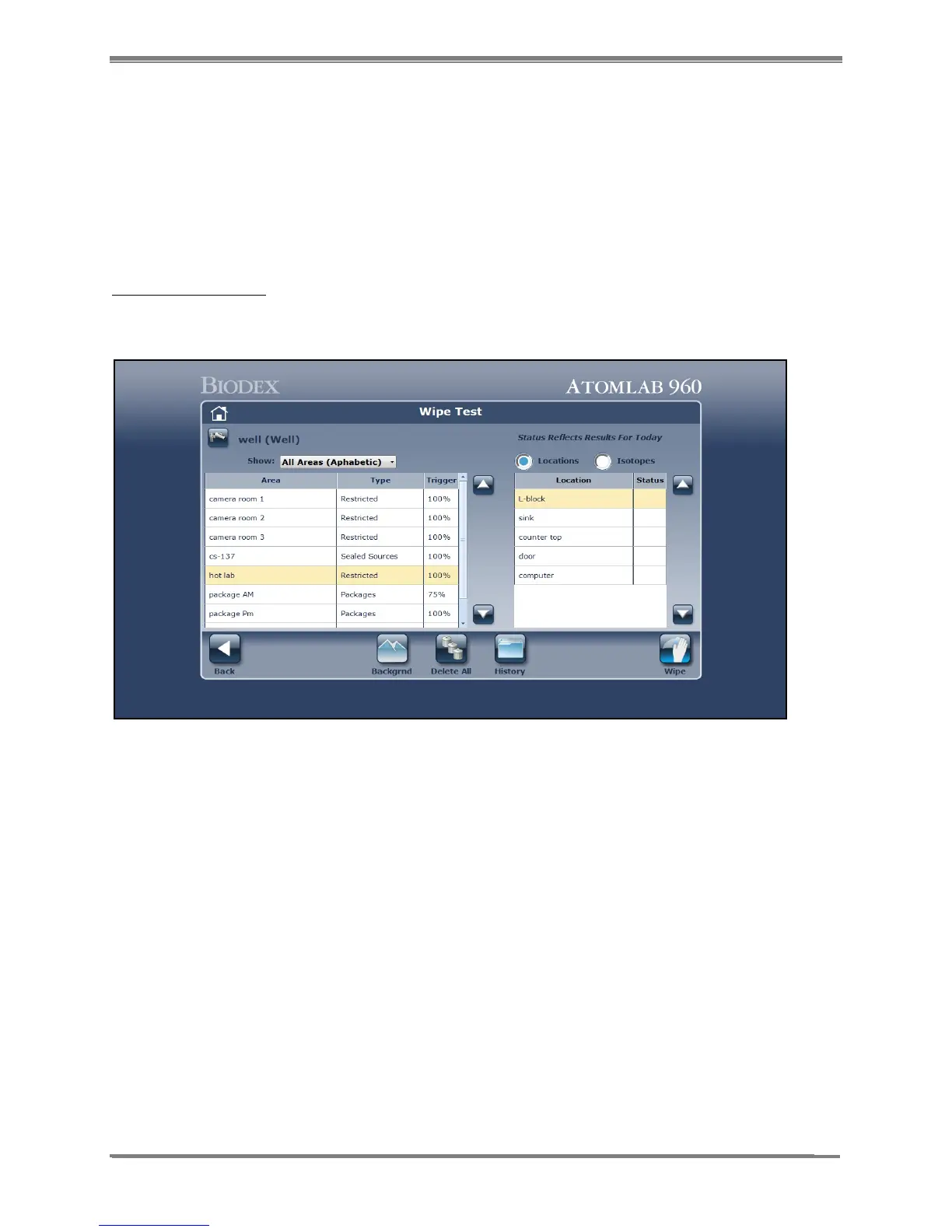
2. Select <Wipe>. The Wipe Test screen is now displayed.
Figure 8.1. The Wipe Test screen.
NOTE: If some isotope efficiencies have yet to be entered, a Wipe Error message will be
displayed. Select <Accept> to go to the specific isotope window to enter efficiency for each
missing isotope as previously described in the Chapter 4 section titled “Efficiency For The
Selected Detector.”



 To Next Page