ATOMLAB 960 MEDICAL SPECTROMETER REPORTS 11-3
Print QA Reports Daily Calibration/Constancy
1. Obtained by going to reports and selecting the Administrative Reports and selecting QA.
Within the QA Reports you can select <Daily Calibrations/Constancy>.
2. This opens up the date range screen. This allows you to select the <from> date (starting
date of your report) and use the arrows to adjust the date. Select <accept> once set and
return to the date range screen, and select the <to> which allows you to adjust the ending
date you want to view or print on your report. When the range is acceptable, select
<accept>.
3. This report will be displayed on the screen. You can make the image larger or smaller using
the +/- buttons. To print the report, select <printer> icon and then select <OK> to print.
This follows a standard Windows format.
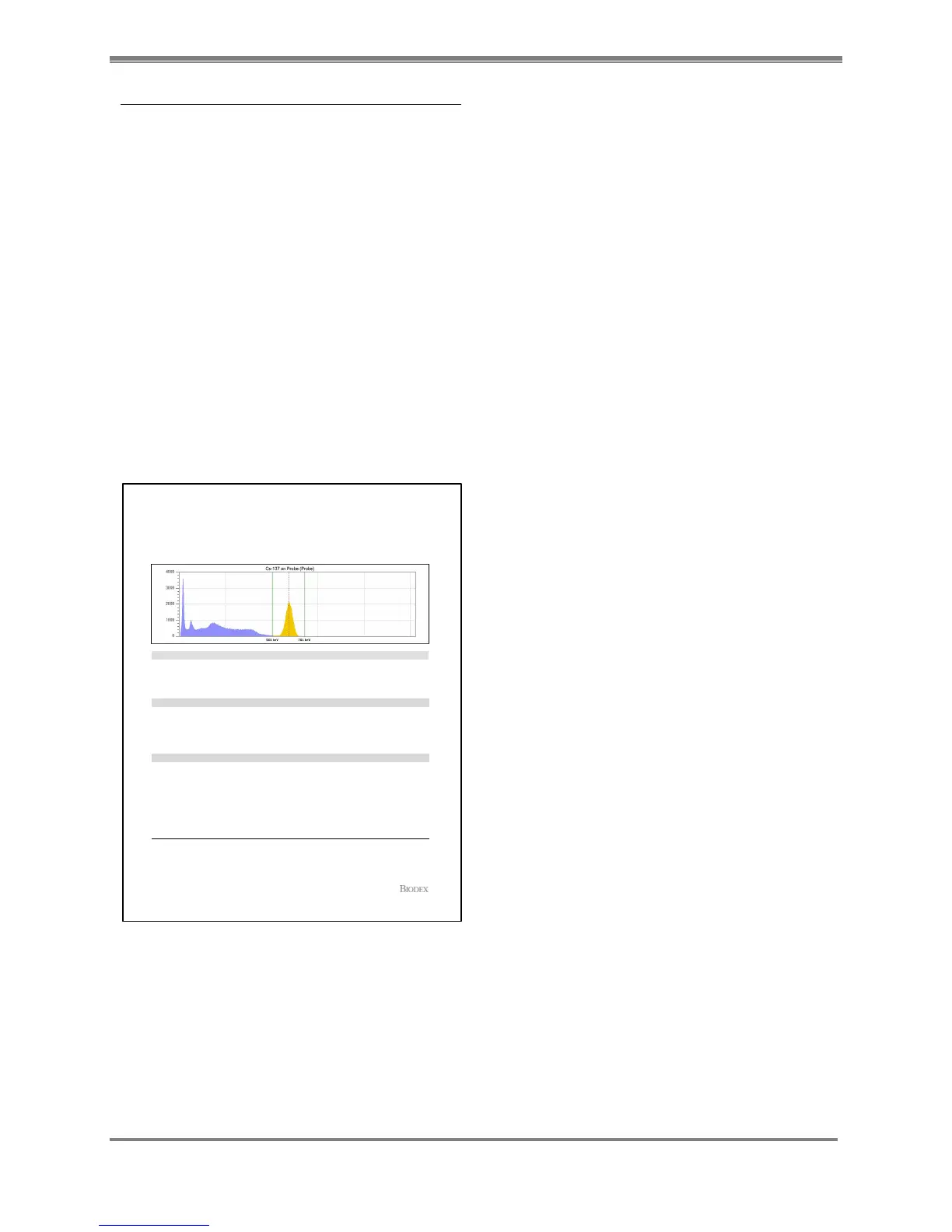
4. Select <back> to return to the QA Reports screen. (See reports below.)
NOTE: To print a Calibration Spectrum Report you must go to the QA Mode and select
<Calibration History> or <Cal/Constancy History>.
Figure 11.4. Daily Calibration Spectrum Report from the QA Mode.
NOTE: You can view and print the Calibration, Calibration/Constancy History from the
QA Calibration/Constancy button in the QA Mode.
Daily Calibration Detail Report
Printed on: 1/25/2013 10:16:20 AM
Spectrum Statistics
ROI Statistics
Counting Parameters
Probe:Detector NameIsotope : Cs-137
Detector S/N : 121
66:Count Time (sec)
Calibration Date : 1/25/2013 10:16:10 AM
253,347:Total Count Rate (CPM)
Peak Counts : 3,586
Peak Energy (keV) : 21
3,260:Peak Count Rate (CPM)5 - 1454:Range (keV)
Outside Range (CPM) : 0
278,682:Total Counts
70,781:ROI Rate (CPM)Peak Counts : 1
Peak (keV) : 562 0:Peak CPM
561 - 761:Energy Window (keV) ROI Counts : 77,859
475:Calibration Channel FWHM : 7.16 %
Performed By : thomas simpson
JOHNSON MEMORIAL CLINIC
NUCLEAR MED DEPT.
123 HOSPITAL ROAD,
PORT JEFFERSON, NY 11778
+1(631)-924-4455
Page 1 of 1Software Ver: 1.0.56.0
Comments :
Signature : Date Signed :



 To Next Page