URSA Cine Overview
This section of the manual describes all the features on your URSA Cine.
Camera Front
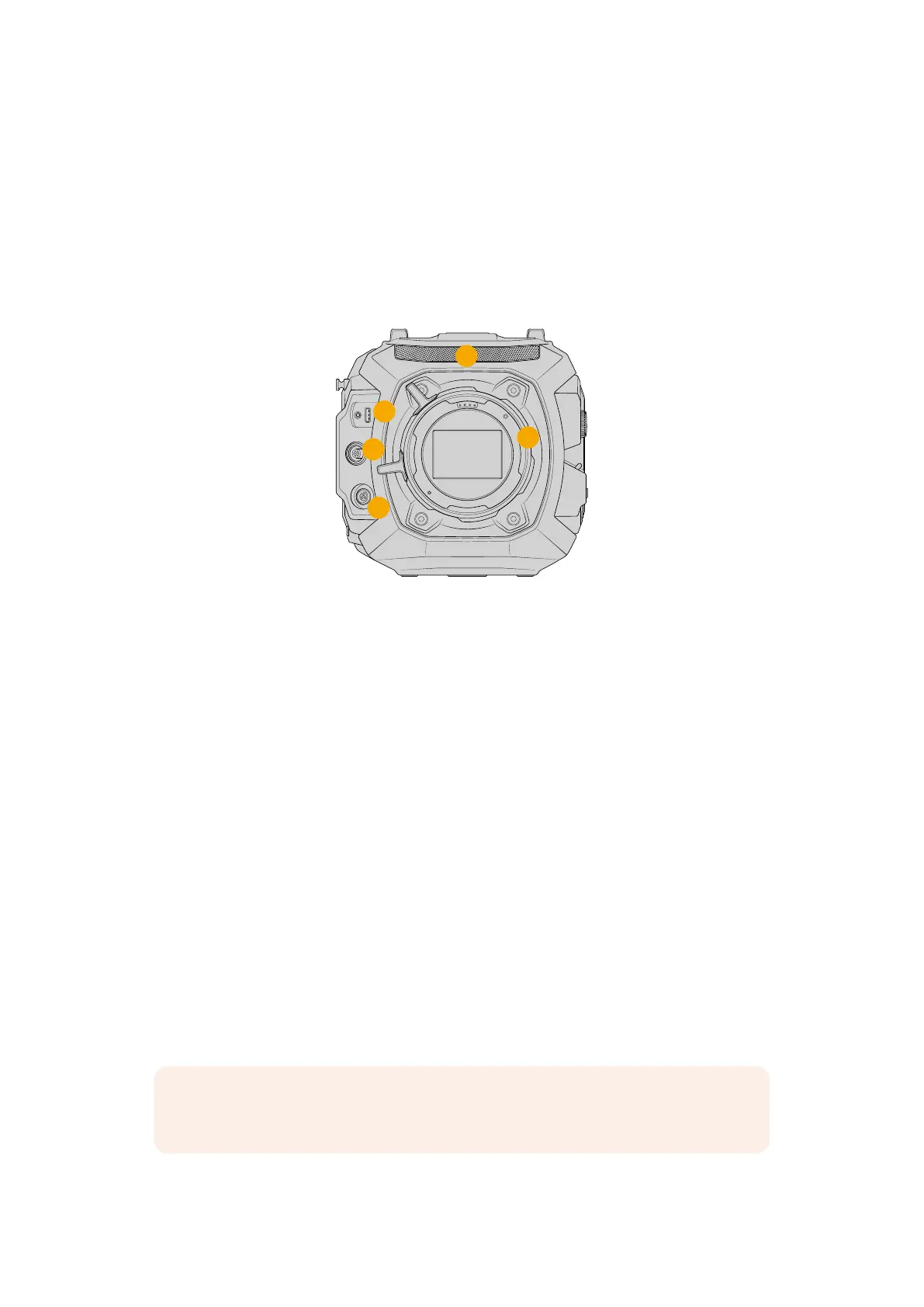
URSA Cine’s front panel features a stereo microphone, interchangeable lens mount, lockable
viewfinder USB port, plus 7 pin and 3 pin connectors for plugging in lens motors and
accessories.
VIEWFINDER
EXT
RS
3
1
2
4
5
URSA Cine 12K LF
1 Stereo Microphone
Built in high quality stereo microphone. Refer to the ‘settings’ section for information on
microphone audio settings.
2 Lens Mount
URSA Cine features an interchangeable lens mount and is shipped with the PL mount
already attached. The interchangeable mount allows switching between PL, locking EF
andLPL mounts. Refer to the ‘interchangeable lens mount’ section for more information.
3 Viewfinder USB-C
This USB-C port provides power and video for Blackmagic URSA Cine EVF. Control signals
are also carried so viewfinder function buttons can control features such as starting or
stopping recording.
4 EXT Connector
This 7 pin connector provides power, simple record run stop and serial control
communication for working with focus motors, motor drive units and other systems.
5 RS Connector
This 3 pin Fischer connector provides power and allows simple record run stop trigger
from focus motor systems, Blackmagic URSA Cine Grips and other standard record
trigger buttons.
NOTE The EXT and RS connectors provide 24 volt power output at up to 2 amps
shared between them.
12URSA Cine Overview



 To Next Page