Your computer will now automatically navigate to your media module in Finder on a Mac and
Windows Explorer in Windows. The utility will remember your Ethernet setup so you only need
to do this once when setting up for the first time and then the next time you plug in your camera
via Ethernet, you will be able to access the media module straight away without touching any of
these settings.
For information on Blackmagic Camera Setup and what all the settings are for, go to the
‘Blackmagic Camera Setup’ section in this manual.
Unloading Blackmagic Media Module
The Blackmagic Media Module is designed to be quickly loaded and unloaded when you need
to transfer clips to external storage or to swap to an empty module so you can keep recording.
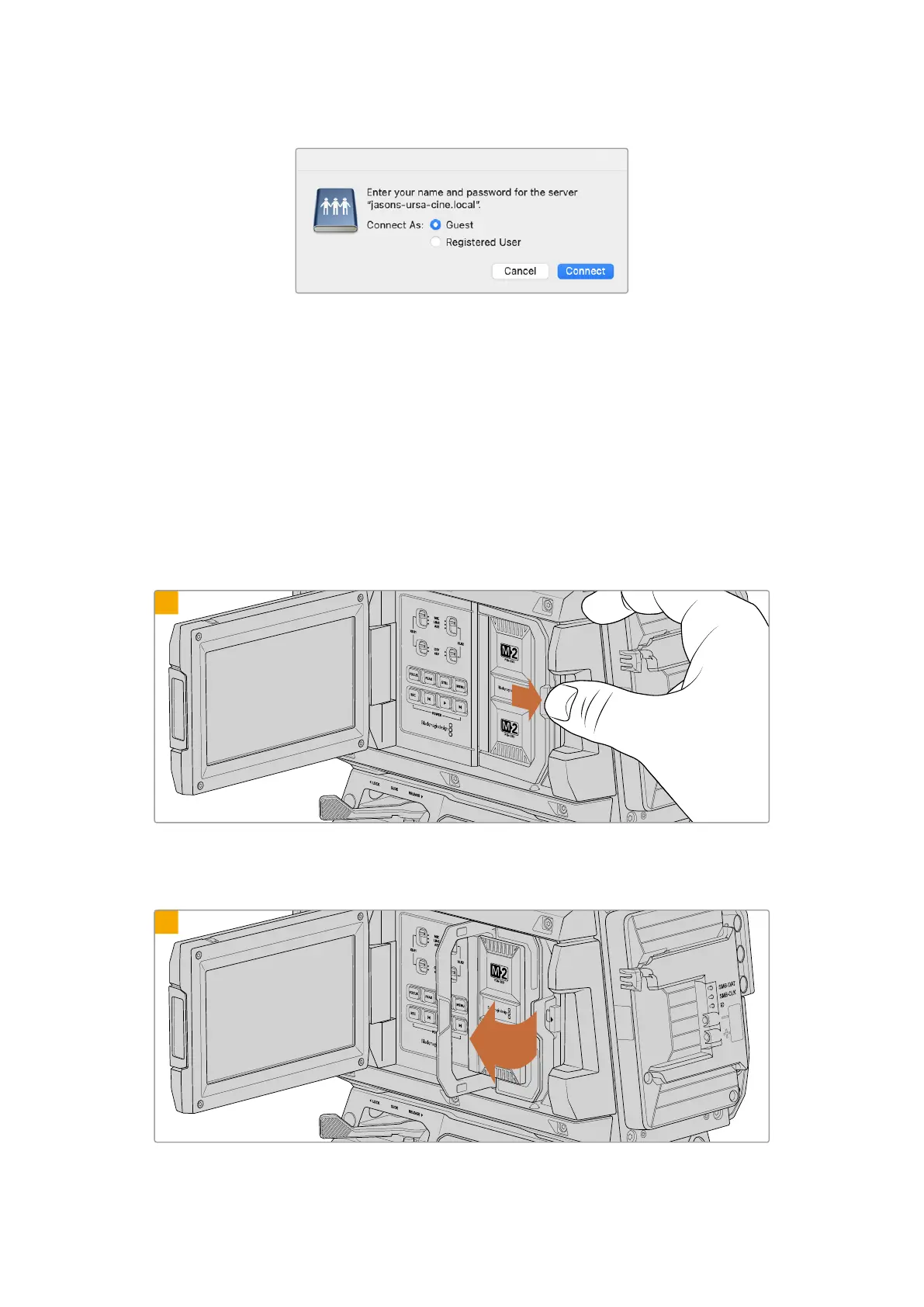
To unload the Blackmagic Media Module:
1
First make sure your camera has stopped recording. Slide the module release latch marked with an arrow
towards the rear of the camera. The spring loaded media module will eject a small distance, allowing you
to access the module’s handle.
2
Gently swing open the media module’s handle.
41Blackmagic Media Module



 To Next Page