LOCKBACKMENU
H PHONE
MONITOR
IRIS
SHUTTERISO / GAIN WHITE BAL
REC
FOCUS
XLR1 XLR2
MIC
LINE
AES
OFF
48V
PEAK
POWER
STILL MENU
MENU
REC
F1 F2 HFR
OFF ON
7
65
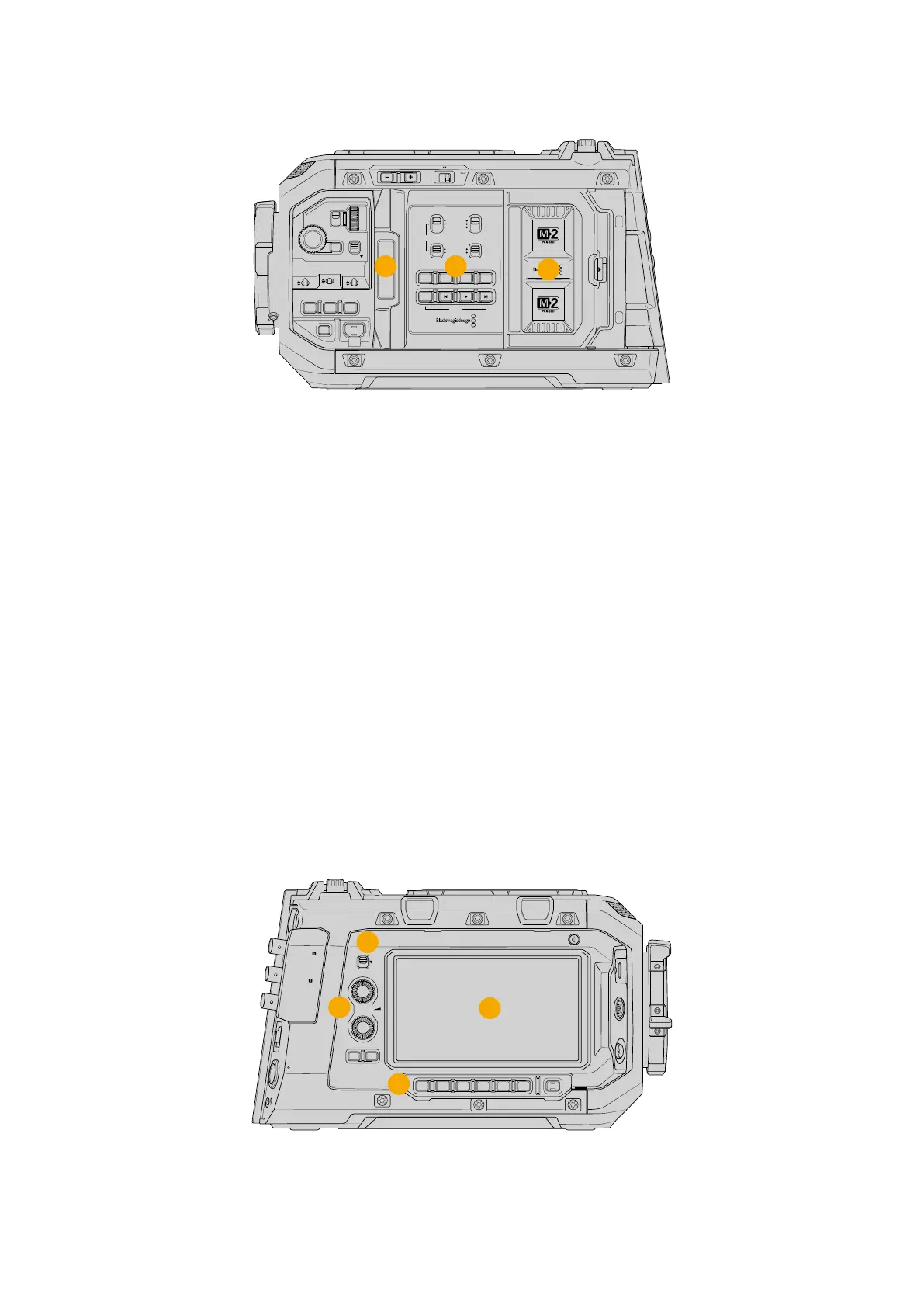
URSA Cine with foldout touchscreen open
5 LCD Touchscreen
The 5” touchscreen can be rotated 360 degrees letting you face the LCD towards the
talent, or rotate and fold the screen back against the camera body for fast monitoring
andsetting changes.
6 Internal Control Panel
When your URSA Cine’s foldout monitor is open, you have access to the internal control
panel. Use the controls here to set your audio inputs as well as phantom power settings.
You can also access auto focus, focus peaking, still image capture, menu, record and
playback controls. See the section ‘control buttons’ for more information.
7 Blackmagic Media Module Bay
Blackmagic Media Module allows you to change the media types you use with URSA Cine
cameras. The module bay is where these modules can be mounted as URSA Cine’s internal
media. Refer to the ‘Blackmagic Media Module’ section for information on how to load and
unload M.2 and CFexpress media modules.
Camera Right
URSA Cine’s right side panel features a dedicated assist station with an LCD touchscreen,
audiocontrol knobs, settings and record buttons, a focus tape measure pin and a safety lock
switch for preventing accidental settings changes.
12G SDI OUT
CH1/3
LOCK
EXT
RS
VIEWFINDER
CH1/2 CH3/4
DISP LENS SLATE AUD
STRM
…
REC
CH2/4
USB
12G SDI OUT
REF IN/ TC IN
10G
12V/24V
1
2
3
4
URSA Cine features a dedicated assist touchscreen and audio control knobs for
focusing, changing settings, monitoring and adjusting levels
14URSA Cine Overview



 To Next Page