Media Pool
Your Blackmagic URSA Cine features a media pool that lets you play back, search and sort your
recorded clips using a browser interface. You can also delete clips and sync clips to Blackmagic
Cloud via the Internet. For example, uploading clips to DaVinci Resolve projects or directly to
your own private Blackmagic Cloud storage.
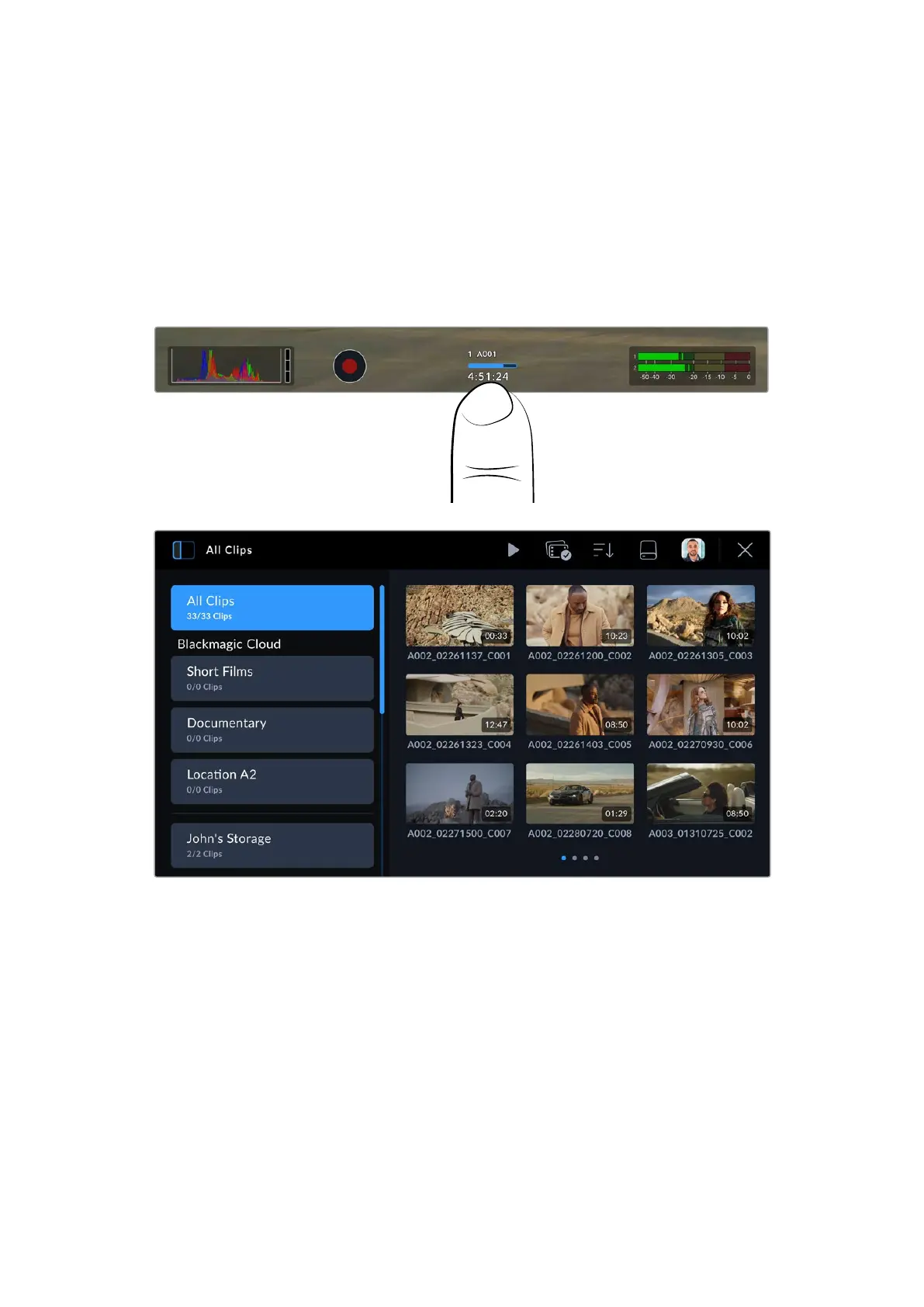
To open the media pool, tap one of the storage indicators at the bottom of your camera’s
touchscreen display.
Tap a storage indicator to open the media pool
The browser is the main page of the media pool
The main page browser displays thumbnails of all the recorded clips on all media connected to
your camera. There are three rows of thumbnails and as more clips are added, you can swipe to
the next page of thumbnails using the touchscreen. Page indicators at the bottom of the display
show how many pages of clips are available.
27Media Pool



 To Next Page