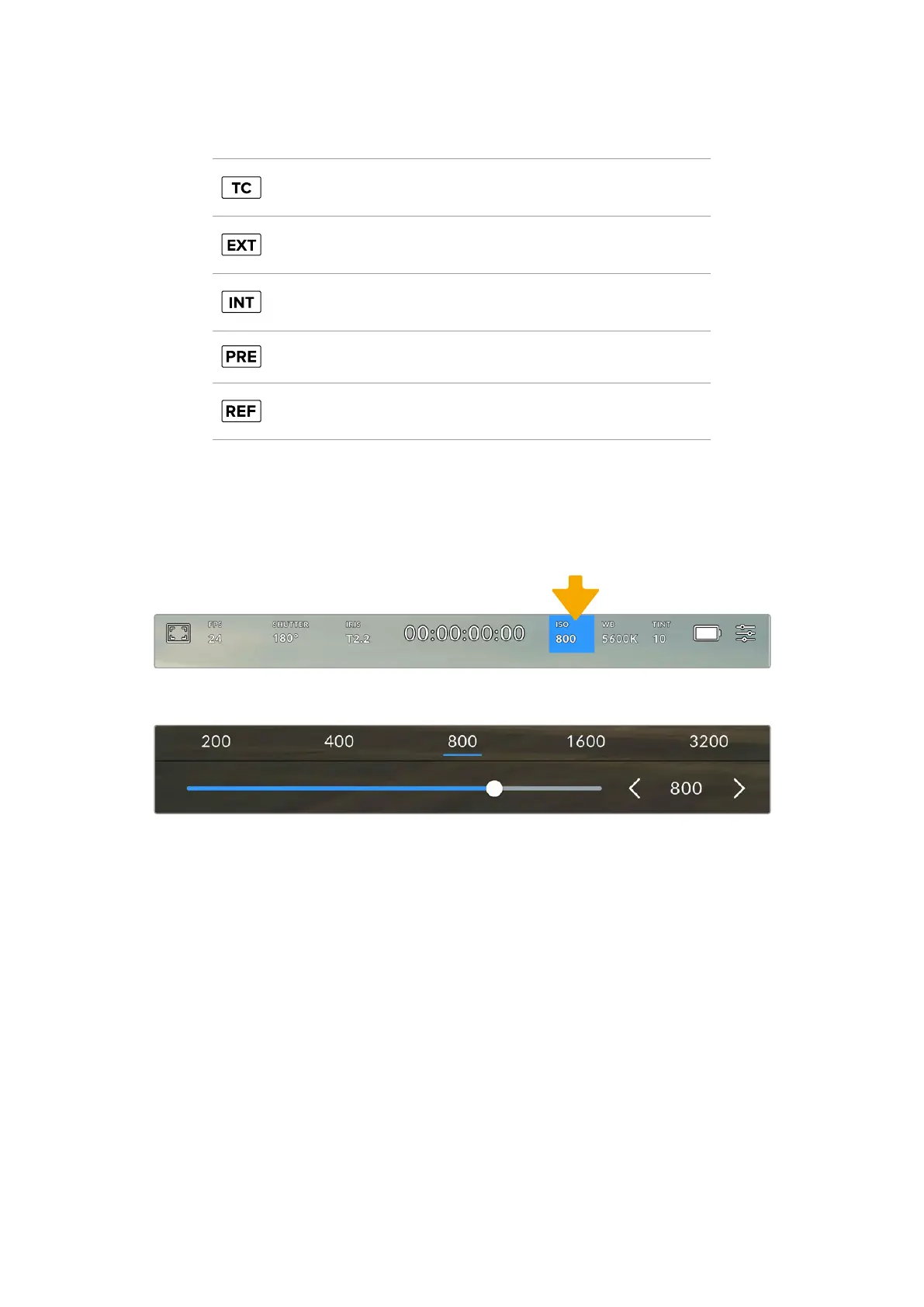
Additional status indicators that may appear around the duration display include:
Appears to the right of the duration display when showing timecode.
Appears to the right of the duration display if an externaltimecode
is connected and valid.
Appears to the right of the duration display if the camera is running
off an internal timecode after being ‘jam synced’ anddisconnected.
Appears to the right of the duration display when you are viewing
'preset record run' timecode.
Appears when a valid reference source is connected andlocked,
based on the reference input settings.
ISO
The ‘ISO’ indicator displays your camera’s current ISO setting, or light sensitivity. Tapping
this indicator lets you adjust your ISO to suit varying lighting conditions. The ISO range on
URSACine is from ISO 200 to 3200. The optimum ISO is 800.
Tap your URSA Cine’s ISO indicator to access ISO settings
While in the ‘ISO’ menu, your URSA Cine’s ISO settings appear along the bottom ofthe LCD touchscreen, with a
slider below the presetsfor adjusting your ISO in 1/3 stop increments
Numerical presets provide the option to select an ISO setting in full stop increments by tapping
on the number. The slider below the presets allows you to fine tune your ISO setting in between
these presets in 1/3 stop increments.
Depending on your situation, you may choose a lower or higher ISO setting. For example,
inlowlight conditions ISO 1600 can be suitable but may introduce some visible noise. In bright
conditions ISO 200 can provide richer colors.
94Touchscreen Controls



 To Next Page