3 Program
Similar to the F1 and F2 buttons, the program button can be set to use any function
available in the setup menu settings.
4 Playback Control Buttons
The playback buttons let you start and stop playback, plus skip to the next or previous clip.
When using an EF lens, the forward and reverse skip buttons can also be used to open
or close the iris when using compatible lenses. Refer to the ‘playback’ section for more
information on how to use the playback buttons.
Internal Control Panel
With your URSA Cine’s foldout monitor open, you can access the internal control panel. Usethe
controls here to set your audio inputs as well as phantom power settings, iris, focus, menu,
playback controls and more.
LOCKBACKMENU
H PHONE
MONITOR
IRIS
SHUTTERISO / GAIN WHITE BAL
REC
FOCUS
XLR1 XLR2
MIC
LINE
AES
OFF
48V
PEAK
POWER
STILL MENU
MENU
REC
F1 F2 HFR
OFF ON
LOCKBACKMENU
H PHONE
MONITOR
IRIS
SHUTTERISO / GAIN WHITE BAL
REC
FOCUS
XLR1 XLR2
MIC
LINE
AES
OFF
48V
PEAK
POWER
STILL MENU
MENU
REC
F1 F2 HFR
OFF ON
2
1
3
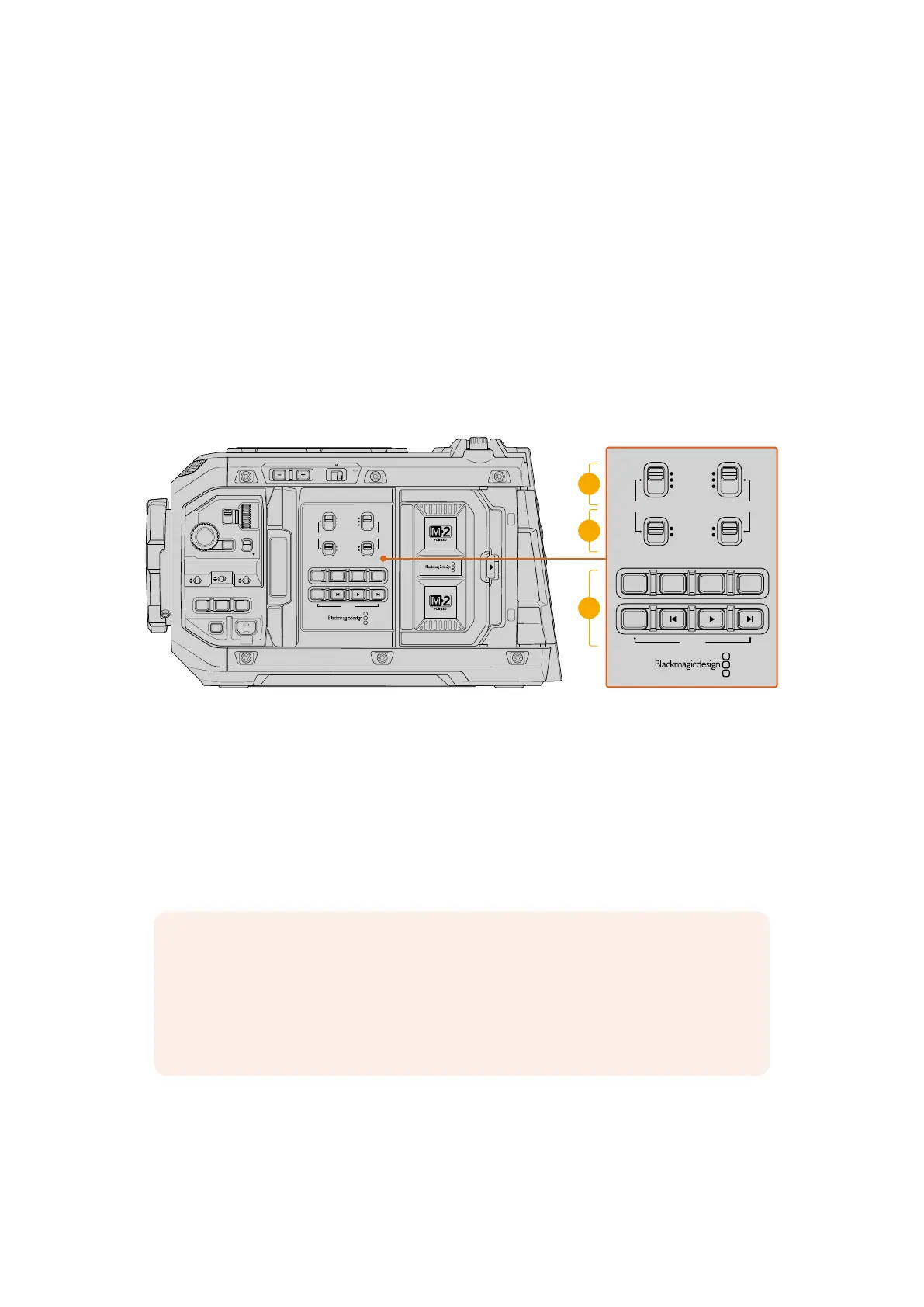
URSA Cine’s internal control panel
1 XLR1 / XLR2
Use these switches to set how your URSA Cine’s XLR inputs behave when selected as an
input source. The options available are mic audio, line level audio and AES digital audio.
2 Phantom Power
Your URSA Cine’s XLR inputs can provide 48V phantom power so you can use
microphones that aren’t self powered. Move this switch to ‘48V’ to enable phantom power
for any microphone connected to the XLR above, or ‘off’ to disable phantom power.
NOTE It is standard practice to plug in your XLR cable before switching phantom
power on. It is also important to switch phantom power to ‘off’ when you no longer
have a phantom powered microphone connected. Connecting devices that don’t have
phantom power protection built into their AES XLR outputs whilst still sending phantom
power from the camera’s XLR audio inputs may damage your equipment. Always
ensure that the 48V switch is turned ‘off’ when you disconnect your microphone.
3 Control and Playback Buttons
In addition to playback controls, these buttons also include:
73Control Buttons



 To Next Page