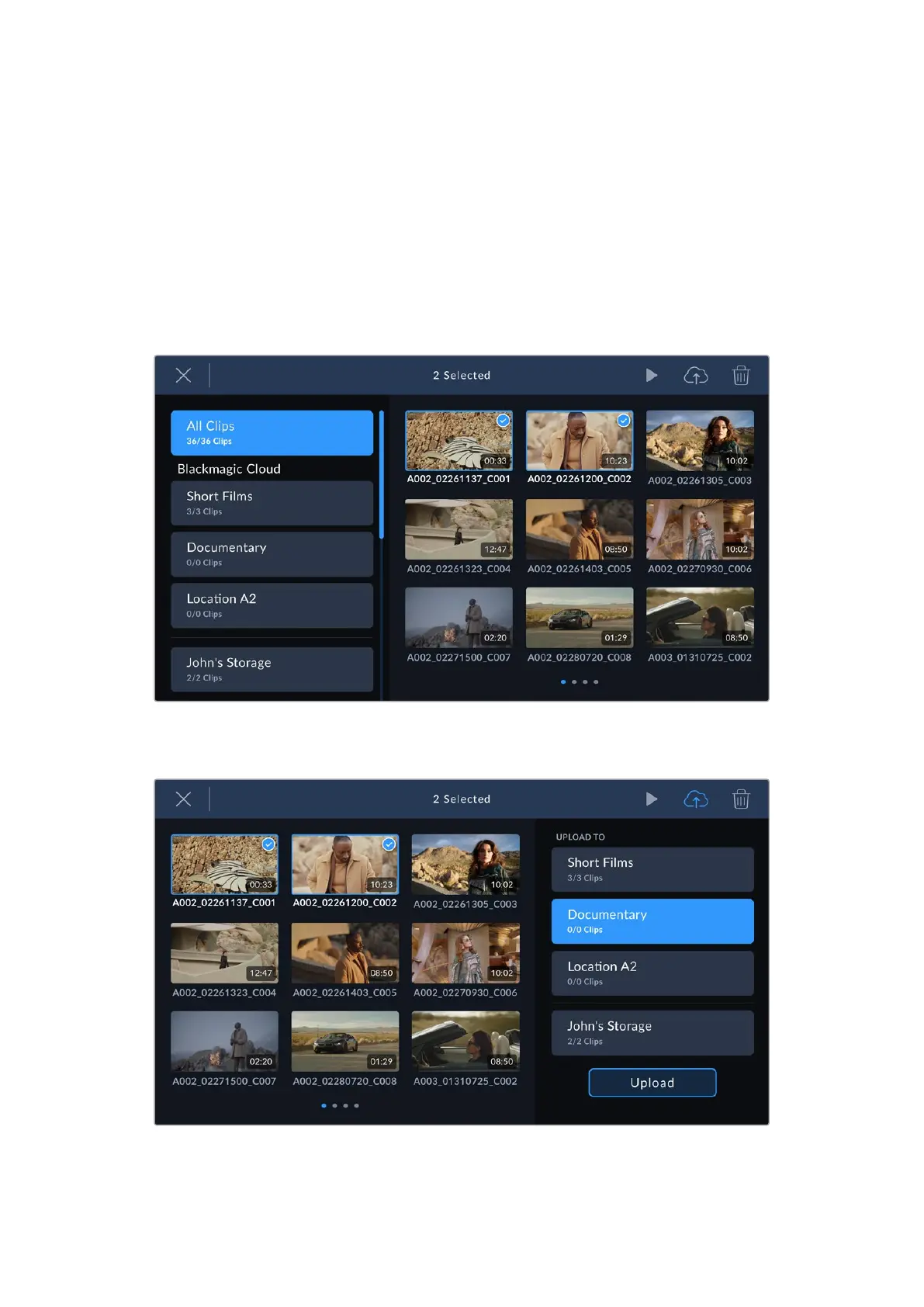
Selectively Uploading Clips to Projects
If you prefer, you can choose not to upload to a project until after your shoot and then upload a
single clip to a project, more than one project, or even your private storage all at once. You can
also use the group select tool to select multiple clips to upload at once to one or many locations.
To upload recorded clips to a Blackmagic Cloud project:
1 Log in to your Blackmagic Cloud account.
2 Tap the sidebar icon and select ‘all clips’.
3 Tap the ‘group select’ icon in the controls menu and select the clips that you want to upload.
4 Tap the ‘cloud upload’ icon. Select the Blackmagic Cloud projects that you want to upload
your clips to by tapping the project names.
5 Tap ‘upload’.
36Uploading Clips to Blackmagic Cloud



 To Next Page