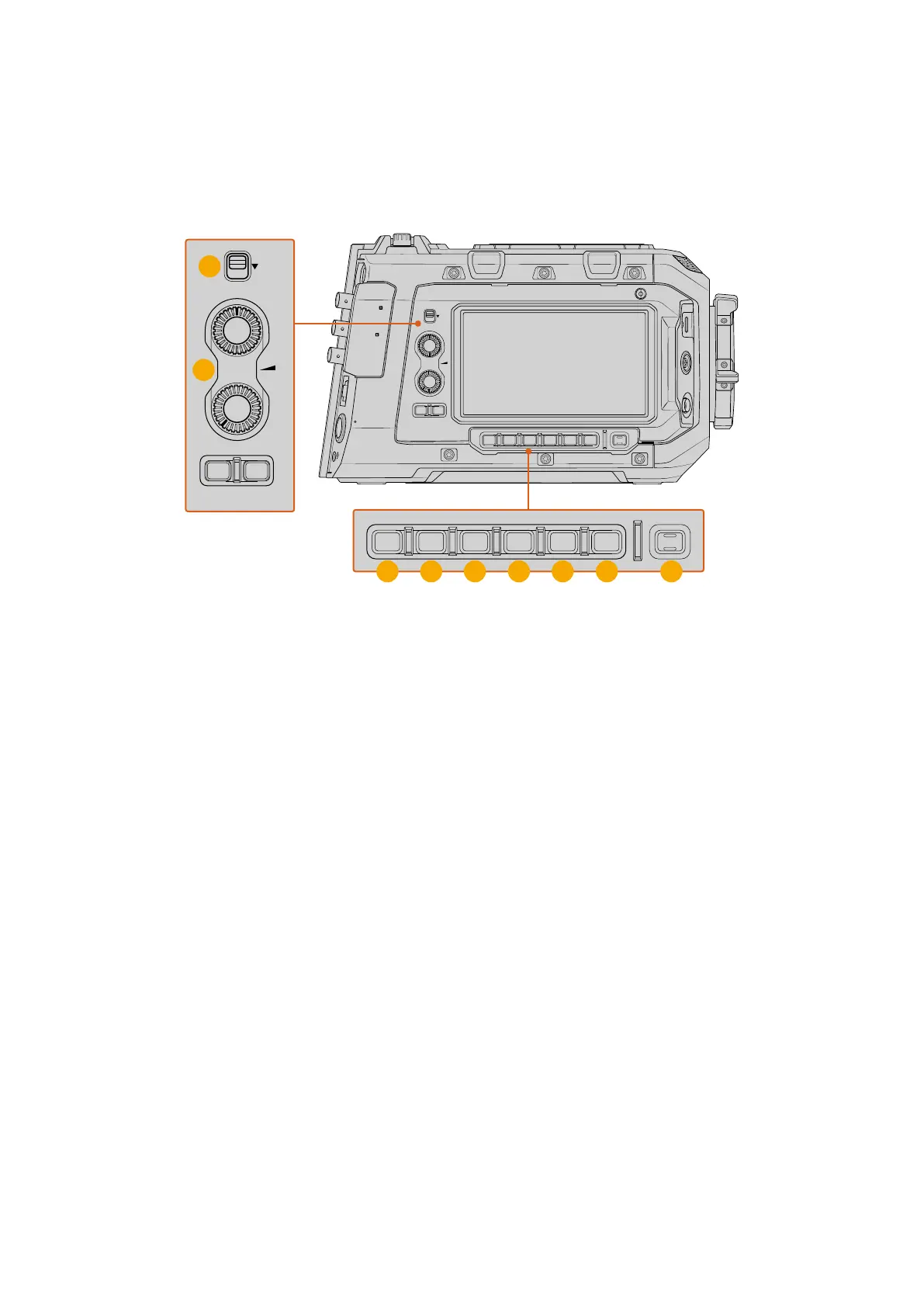
Assist Station
The right side assist station provides a touchscreen LCD for picture and audio monitoring and
changing settings, plus you can use the focus page to set custom focus and iris marks for
maintaining perfect focus and exposure.
12G SDI OUT
CH1/3
LOCK
EXT
RS
VIEWFINDER
CH1/2 CH3/4
DISP LENS SLATE AUD
STRM
…
REC
CH2/4
USB
12G SDI OUT
REF IN/ TC IN
10G
12V/24V
DISP LENS SLATE AUD
STRM
…
REC
CH1/3
LOCK
CH1/2 CH3/4
CH2/4
1
5
2
63 74 8 9
1 Lock
Set the ‘lock’ switch to disable the assist station. This prevents any accidental changes
during your shoot.
2 Audio Knobs
Rotate the audio knobs clockwise to increase the levels or counter clockwise to decrease.
When adjusting the knobs, the LCD will automatically display levels so you can see the
changes. After 10 seconds of inactivity, the LCD will return to the main display.
3 Display Button
Press the ‘display’ button to toggle the LCD touchscreen between meters, codec and
resolution or clean feed display options.
Press and hold the ‘display’ button for 3 seconds to turn the assist station LCD off and
disable the touchscreen. This can be useful when working in a dark environment, or if
you are moving position and want to avoid making accidental changes to your camera’s
settings. Pressing any of the assist station buttons will switch the LCD display back on and
re-enable the touchscreen
If you are handling the camera a lot and do not wish the buttons to re-activate the screen
you can use the ‘lock’ switch when the screen is dimmed for further protection.
4 Lens
Press the ‘lens’ button to cycle through different views on the 1st AC screen. Options
include maximized, minimal and clean. The maximized view includes both exposure and
focus scale, minimal view displays only the focus scale.
75Control Buttons



 To Next Page