Touchscreen Controls
Your Blackmagic URSA Cine’s fold out LCD touchscreen pivots for shooting high and low
angles. You can face the display towards the talent, or even fold the LCD back against the
camera with the touchscreen facing out. Buttons on the outside of the LCD panel let you control
your URSA Cine when shooting on the shoulder using the URSA Cine EVF and the LCD closed.
The touchscreens feature a touch and gesture based interface that is specifically designed for
fast and intuitive user operation. By touching and swiping on different areas of URSA Cine’s
LCD touchscreens, you can quickly access the camera’s functions while shooting.
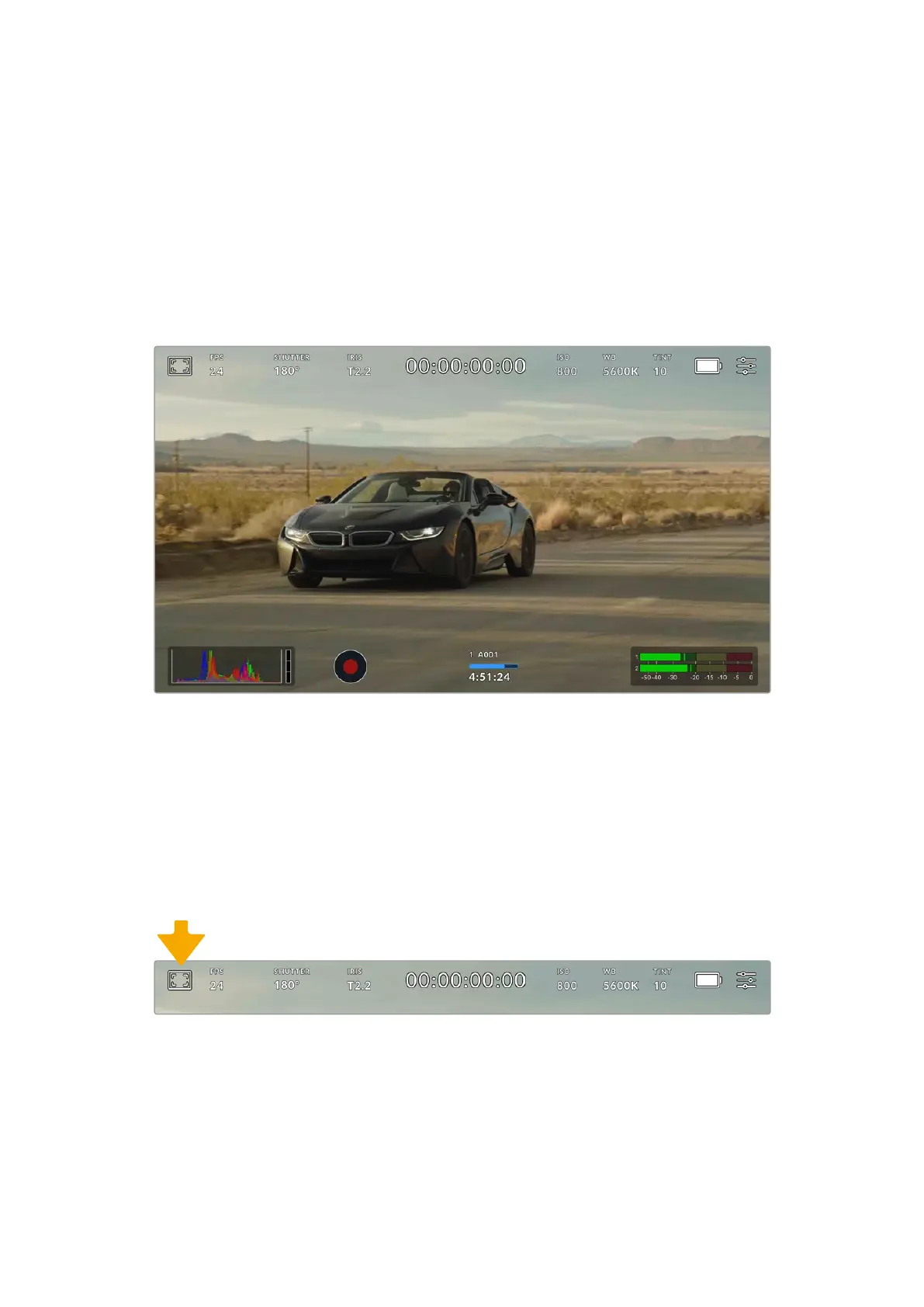
Your URSA Cine’s LCD touchscreens have a comprehensive head up and status display and givesyou easy
access to your camera’s most used settings
LCD Monitor Options
Tap the ‘monitor’ icon at the top left of your URSA Cine’s LCD touchscreen to access the
LCDmonitor settings. These settings let you toggle and adjust the appearance of your
URSACine’s monitoring features, including zebra, focus assist, frame guide, and grids. When
accessing LCDmonitor options, the controls for these features appear in a tabbed menu along
the bottom edge of the touchscreen.
Tap the icon at the top left of your URSA Cine’s touchscreen to access LCD monitor options
79Touchscreen Controls



 To Next Page