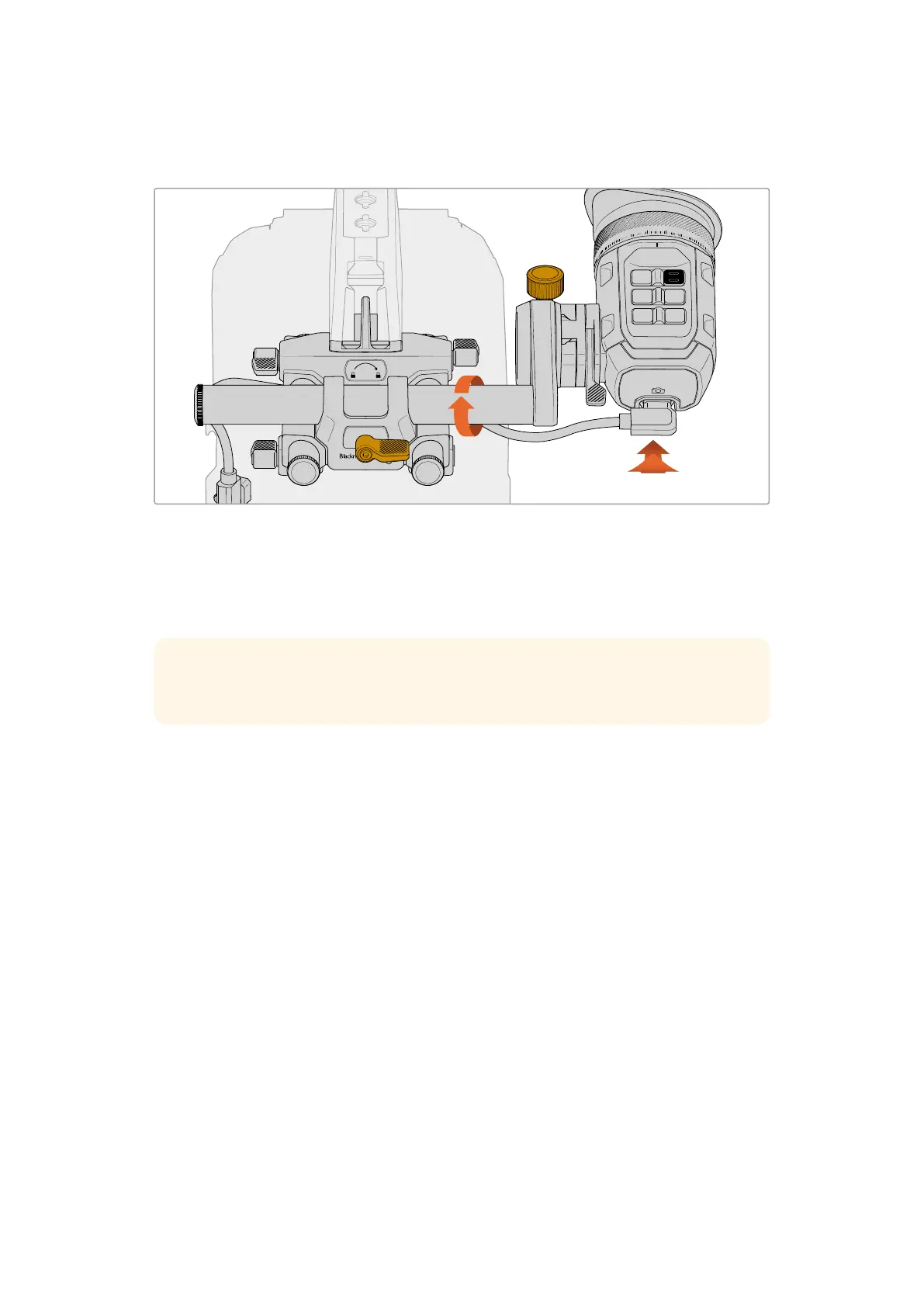
Another method is to loosen the URSA Cine EVF Bracket Rod Mount’s clamp plus the EVF and
swivel them both to achieve a precise position.
20
19
18
17
0
1
2
3
4
VF1ZOOM
VF2EXP
VF3REC
Adjusting the Eyepiece
To rotate the eyepiece, turn the URSA Cine EVF Rotating Bracket’s adjustment knob
counter clockwise to loosen. Rotatethe eyepiece and secure in position by tightening the
adjustment knob.
TIP Using a combination of all adjustment options is helpful when positioning the
eyepiece for shooting with the camera on your shoulder.
Adjusting the Eye Cup and Glass Diopter
Rotating the EVF adjustment ring clockwise or counter clockwise lets you focus the glass
diopter to suit your own vision and the detachable rubber eye cup can be rotated to fit your left
or right eye.
URSA Cine EVF and the URSA Cine 12K LF + EVF kit both contain a fabric eyepiece chamois
as an alternative to the rubber eye cup. This provides a more comfortable option for pressing
your eye against and can work quite well for dissipating heat in very cold or hot situations.
Ifyou have purchased it as part of the camera kit you will locate the fabric chamois in the cavity
underneath the URSA EVF Extension. The fabric eye chamois has an elastic sleeve that fits
around the EVF eyecup mount to secure it in place.
EVF Buttons and Features
On the top of the viewfinder you’ll find a group of buttons. These buttons include 3 function
buttons, plus a separate record, exposure and zoom button.
Function Buttons
Three programmable backlit viewfinder function buttons are labeled VF1, VF2 and VF3. These
buttons can be set to a range of functions, however the default settings for each button are:
56Blackmagic URSA Cine EVF



 To Next Page