3
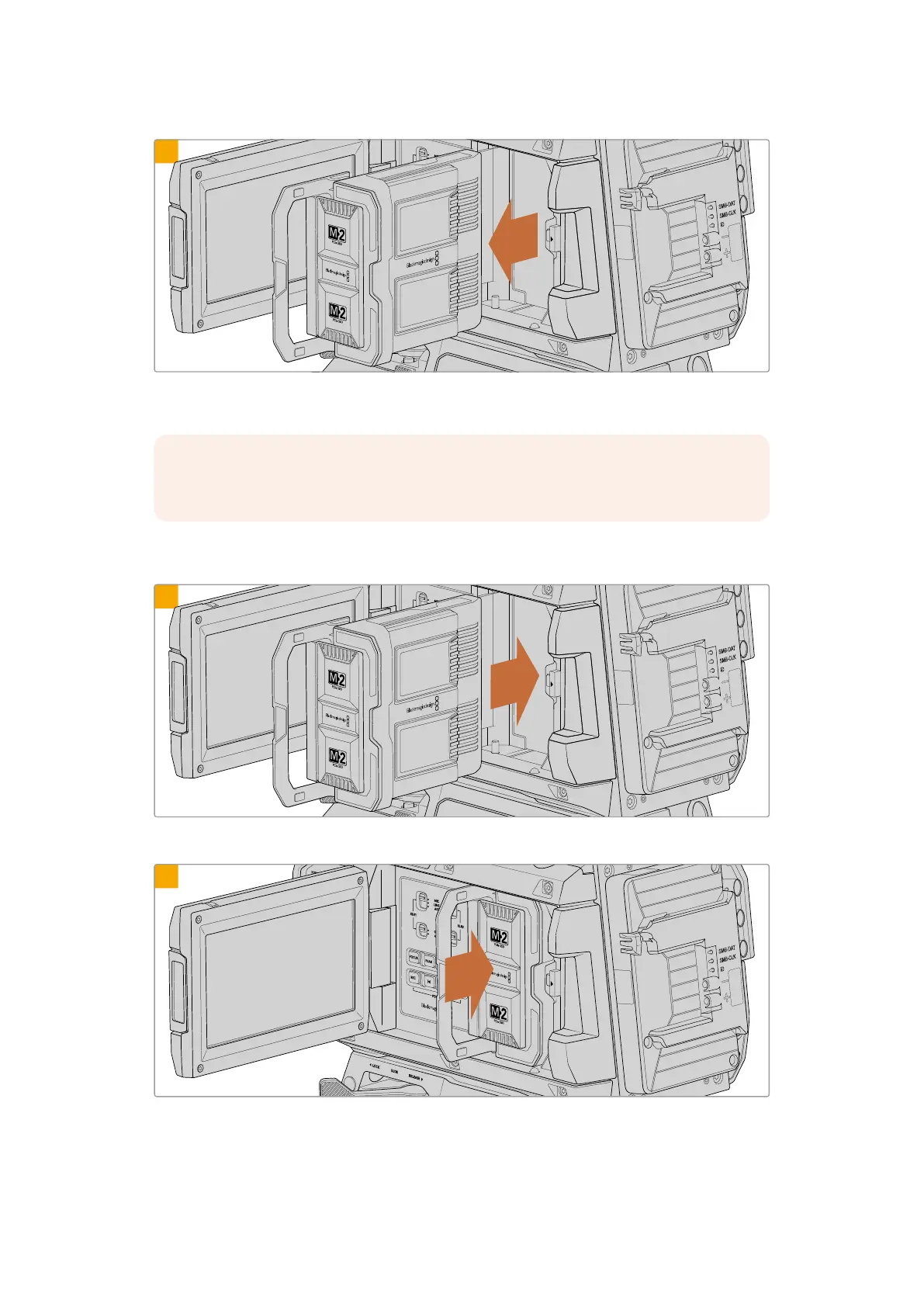
With the handle completely open, the module will be released from the camera’s terminal and you can
now remove the module from the module bay.
NOTE When unloading a media module, it’s important to always check the camera is
not recording.
Loading Blackmagic Media Module
1
Align the Blackmagic Media Module with the camera’s module bay.
2
Slide the module into the bay until it touches the inner terminal.
42Blackmagic Media Module



 To Next Page