Control Buttons
Blackmagic URSA Cine has control panels on each side of the camera for quick and easy
access to all of its essential functions and provides powerful monitoring tools. These panels are
designed to be close to hand when shooting from a tripod or on the shoulder.
Forward Control Panel
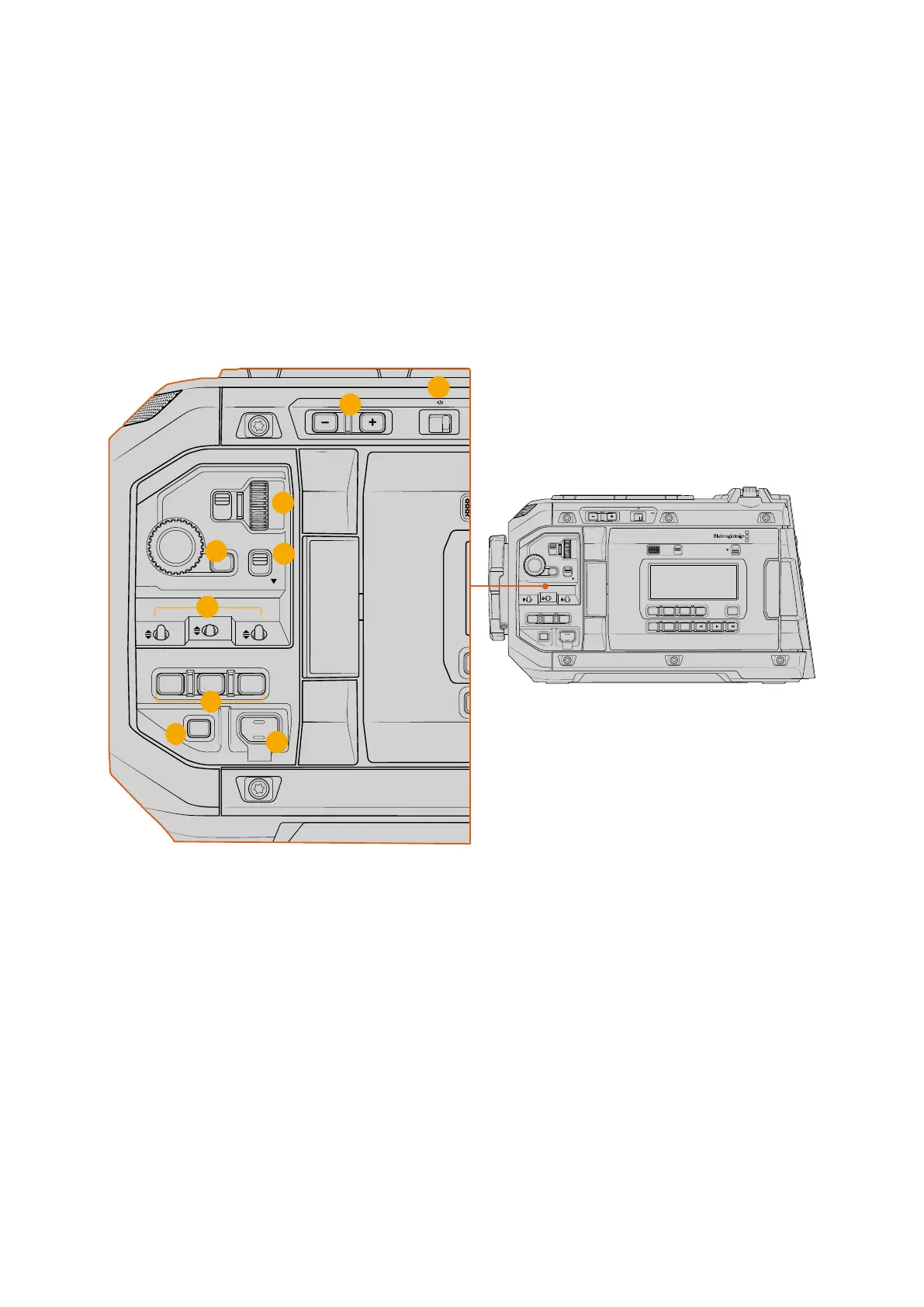
Your URSA Cine’s forward control panel groups together all of the controls you might need
to adjust when setting up a shot and recording. These are all designed for easy access while
shooting with the foldout monitor closed, such as when operating the camera on the shoulder.
LOCKBACKMENU
H PHONE
MONITOR
IRIS
SHUTTERISO / GAIN WHITE BAL
MENU
REC
F1 F2 HFR
OFF ON
LOCK
CH1/2
CH3/4
IRIS FOCUS
PGM
RESET
HOLD TC BRGT
STILL
LOCKBACKMENU
H PHONE
MONITOR
IRIS
SHUTTERISO / GAIN WHITE BAL
MENU
REC
F1 F2 HFR
OFF ON
LOCK
CH1/2
CH3/4
IRIS FOCUS
PGM
RESET
HOLD TC BRGT
STILL
7
9
6
4
5
3
1
2
8
Forward control panel
1 ND Filters
Your URSA Cine has three internal neutral density filters. Together with a clear filter, the
available settings are ‘2,’ ‘4’ and ‘6’ stops. These filters allow you to reduce the amount of
light reaching your camera’s sensor by a preset number of exposure ‘stops’. By reducing
the exposure, you can continue shooting at wide apertures in bright conditions such as
outdoors on sunny days.
To adjust your neutral density setting, press the ‘-’ and ‘+’ buttons to move through each
filter. The ‘clear’ setting means there is no ND filter being used. From settings 0.6 to 1.8, the
ND filters gradually increase in density so you can decrease light if you need to.
Because different people prefer to use different terms for each ND filter, the measurement
of your ND settings can be customized in the LCD menu. You can identify the ND filter
number, amount of stops in light reduction, or the fraction representing the amount of light
reduced for the filters to suit your preference.
65Control Buttons



 To Next Page