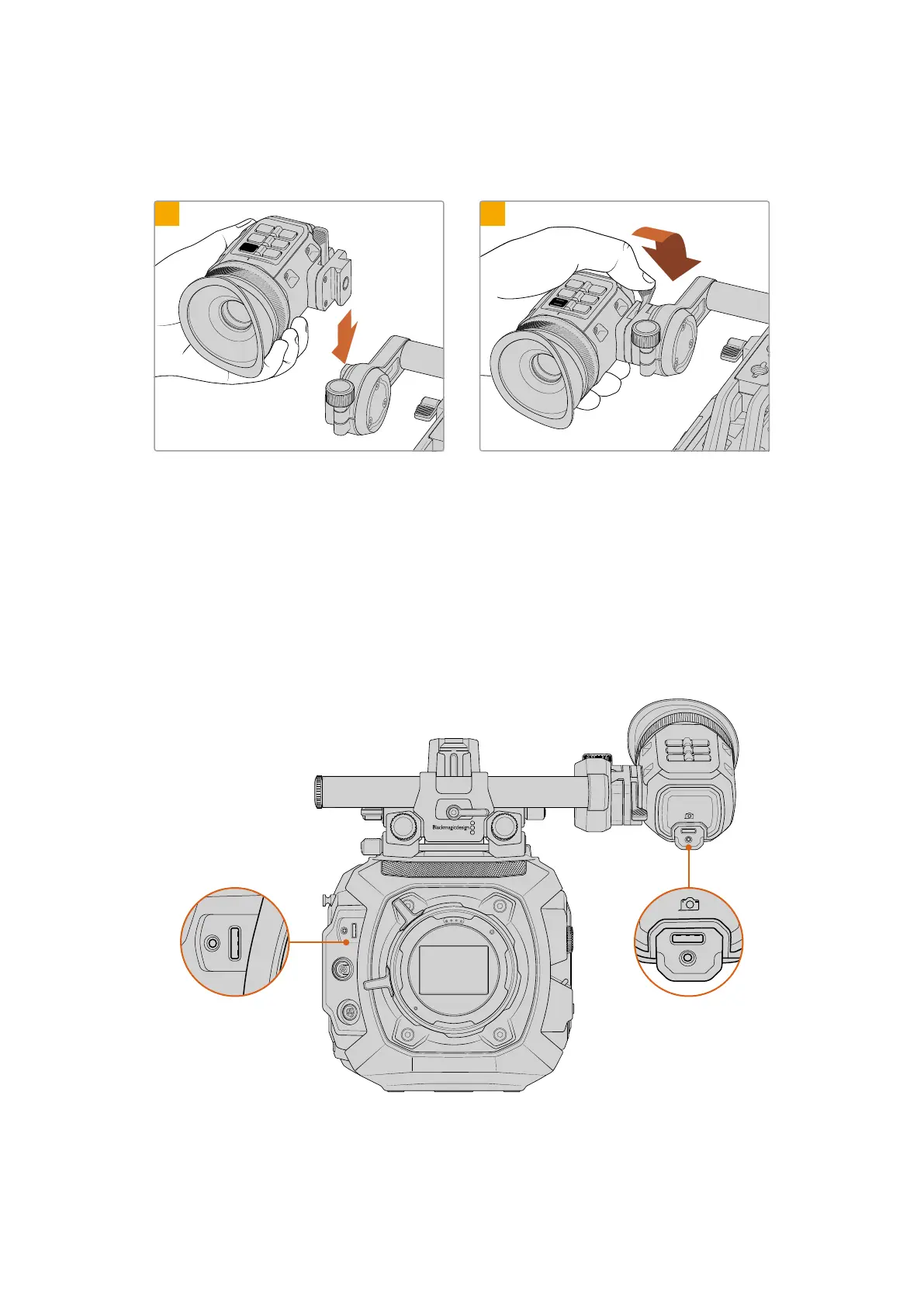
Attaching the Eyepiece to URSA Cine EVF Rotating Bracket
To attach the eyepiece:
REC
VF3
EXP
VF2
ZOOM
VF1
0
1
20
19
18
17
16
15
2
3
1
REC
VF3
EXP
VF2
ZOOM
VF1
0
1
20
19
18
17
16
15
2
3
2
Slide the eyepiece into URSA Cine EVF
RotatingBracket’s mini dovetail slot.
Once firmly seated, push the eyepiece’s
locking lever forward to secure
URSACineEVF.
URSA Cine EVF is now fully assembled! The next step is to connect the eyepiece to your
camera via USB.
Connecting URSA Cine EVF to your Camera
Connect your URSA Cine EVF to the ‘viewfinder’ USB port on the camera’s front panel using
the supplied short USB cable. Your URSA Cine EVF will turn on automatically when your camera
is powered.
VIEWFINDER
EXT
RS
ZOOM
EXP
REC
VF1
VF2
VF3
VIEWFINDER
EXT
RS
ZOOM
EXP
REC
VF1
VF2
VF3
VIEWFINDER
EXT
RS
ZOOM
EXP
REC
VF1
VF2
VF3
Connect the EVF to your URSA Cine via the front panel ‘viewfinder’ USB-C port
54Blackmagic URSA Cine EVF



 To Next Page