URSA Cine Baseplates
There are two types of URSA Cine Baseplate. Both models have a built in shoulder pad for
handheld shooting with the same attachment and adjustment mechanism. This makes it quick
and easy to mount your camera to a tripod and balance it quickly and easily using a standard
dovetail plate.
URSA Cine is shipped with an URSA Cine Baseplate 19. This plate has built in rosettes on each
side for attaching accessories and rod holes for 15mm lightweight and 19mm studio rods for
attaching and positioning cinema accessories like matte boxes or follow focus equipment.
URSA Cine Baseplate 15 is an optional accessory which is a little smaller and lighter. It offers
similar functionality with a provision for 15mm lightweight rod accessories but does not have the
rosettes or the ability to use 19mm rods.
Both baseplates offer a wide range of forward and backwards adjustment for balancing the
camera on your shoulder and have a small kickstand at the rear which can be flipped down to
achieve a flat position when sitting the URSA Cine on a desktop without a dovetail plate.
TIP To fit your baseplate back into the custom moulded pelican case, flipping the
kickstand back into the baseplate before stowing it away helps to fit it nicely into the
moulded cut-out.
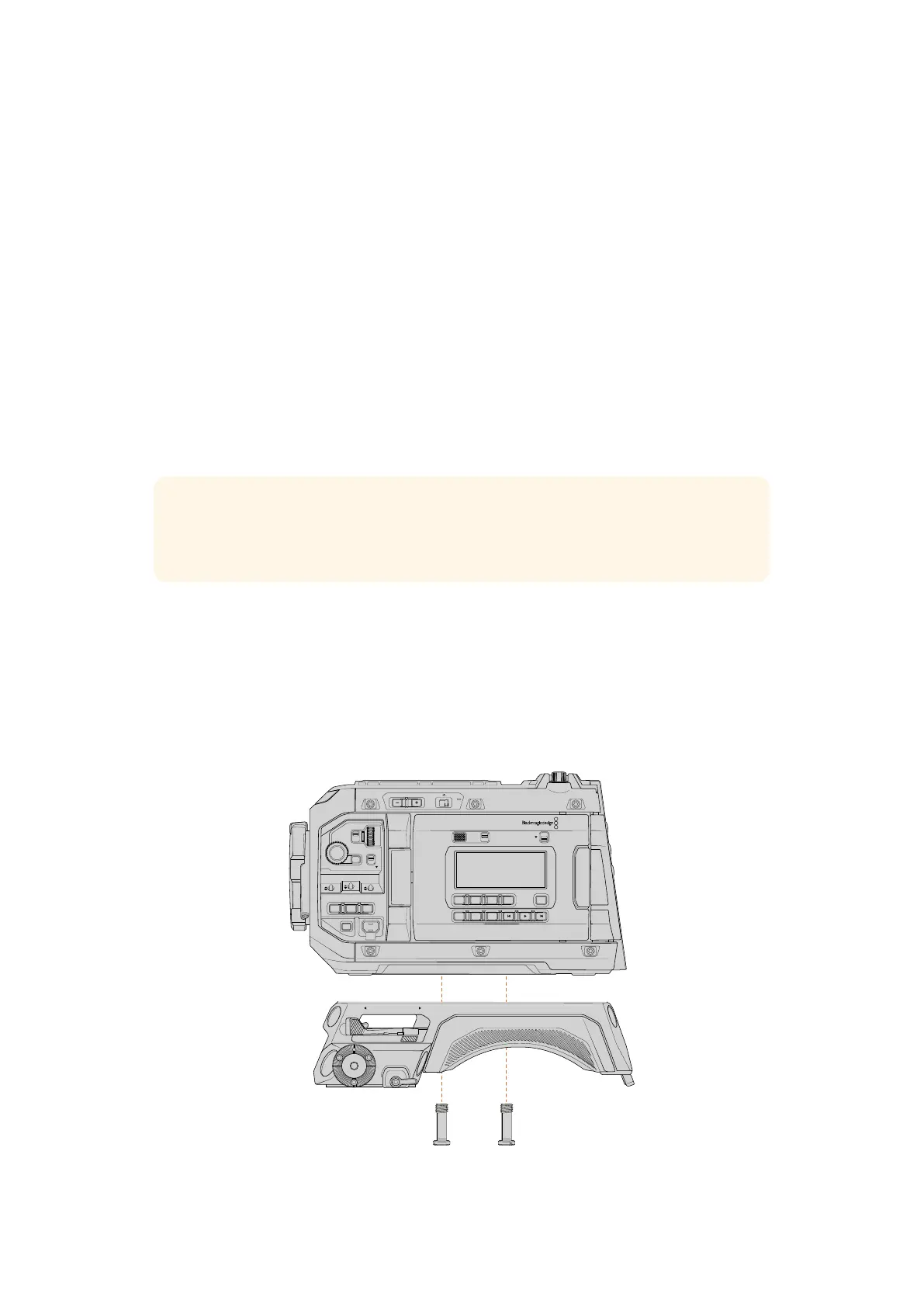
Attaching the Baseplate
If you have purchased the URSA Cine 12K + EVF kit, the baseplate is already attached to your
camera. If you have purchased the standard kit which doesn’t include the EVF then you will
need to attach the baseplate plate after removing the camera from the case.
To attach URSA Cine Baseplates to your camera:
RELEASESLIDELOCK
LOCK
LOCK
CH1/2
CH3/4
BACKMENU
H PHONE
MONITOR
IRIS
SHUTTERISO / GAIN WHITE BAL
IRIS FOCUS
PGM
RESET
HOLD TC BRGT
STILL
MENU
REC
F1 F2 HFR
OFF ON
Secure the attached baseplate screws into the mounting points on
the underside of your camera using a large flathead screwdriver
167Attaching the Baseplate



 To Next Page