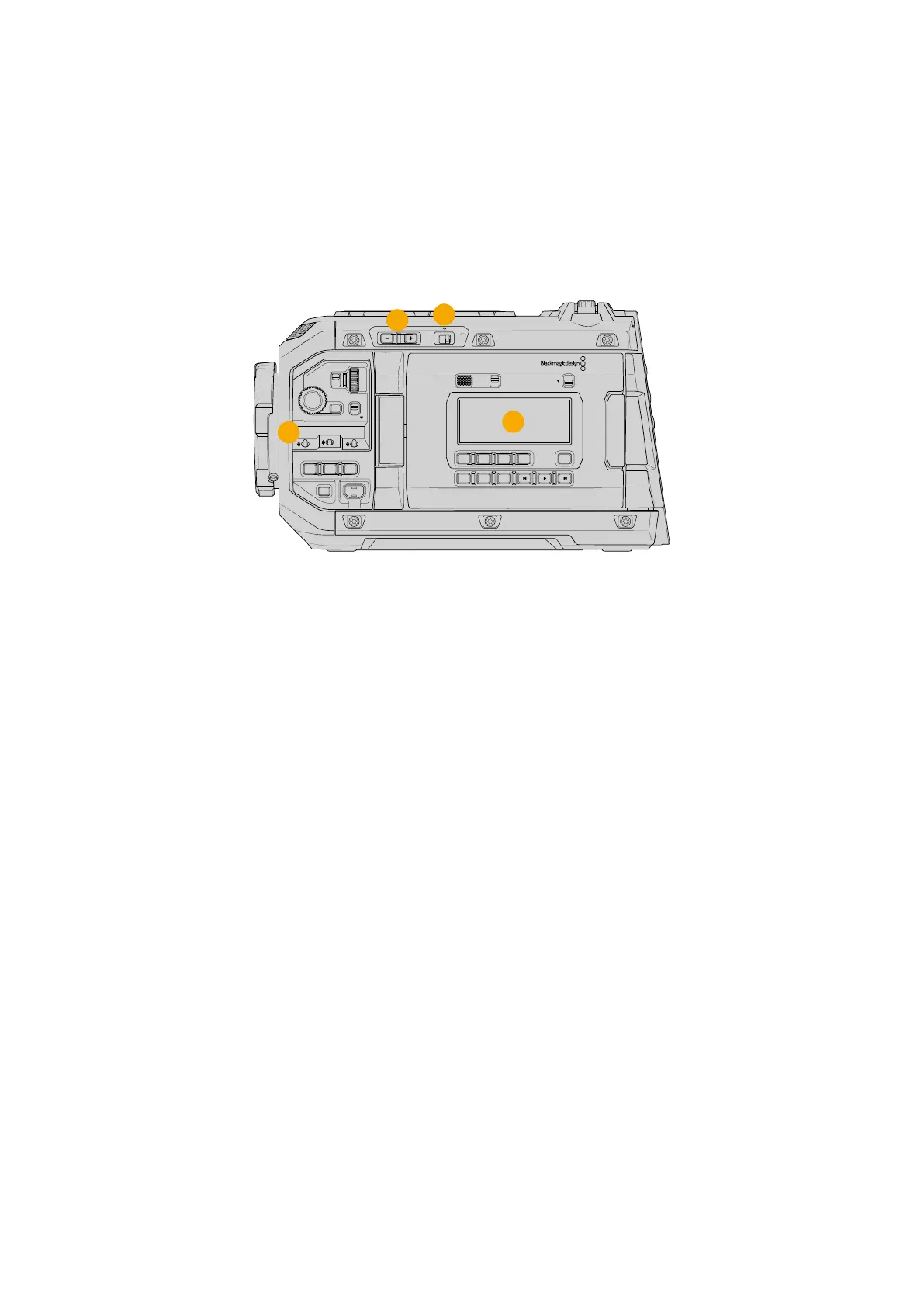
Camera Left
URSA Cine’s left side panel lets you access the control panels and features ergonomic controls
for easy access to all of your camera’s essential functions. These controls are shared between
the forward control panel, the ergonomic control panel located on the outside of the foldout
touchscreen monitor, plus an internal control panel on the left side of the camera when the
foldout monitor is open.
The Blackmagic Media Module bay is accessible with the foldout monitor open.
LOCKBACKMENU
H PHONE
MONITOR
IRIS
SHUTTERISO / GAIN WHITE BAL
MENU
REC
F1 F2 HFR
OFF ON
LOCK
CH1/2
CH3/4
IRIS FOCUS
PGM
RESET
HOLD TC BRGT
STILL
2
3
4
1
URSA Cine with the foldout touchscreen closed
1 Power Switch
Power switch for turning on the camera on and off.
2 ND Filters
Your URSA Cine has three internal neutral density filters to adjust the amount of light
reaching the sensor. Four settings are available, ranging from clear to six stops of light
reduction. Simply press the ‘+’ and ‘-’ buttons to move through the available settings.
The filters are electronically controlled and will click into place for each setting. For more
information see the section ‘control buttons’ in this manual.
3 Forward Control Panel
The forward control panel provides quick access to all of your URSA Cine’s essential
functions. These controls are located for easy access when shooting on a tripod or on the
shoulder and you can use them to adjust settings such as ISO, shutterangle or shutter
speed, iris, white balance, frame rate, and more. See the section ‘control buttons’ for more
information.
4 Ergonomic Control Panel
On the outside of the foldout touchscreen monitor, you’ll find an LCD status monitor
and a variety of controls for fast, powerful monitoring control. Here you can see all of
your camera’s status information at a glance, as well as controlling a variety of powerful
monitoring functions. See the section ‘control buttons’ for more information.
13URSA Cine Overview



 To Next Page