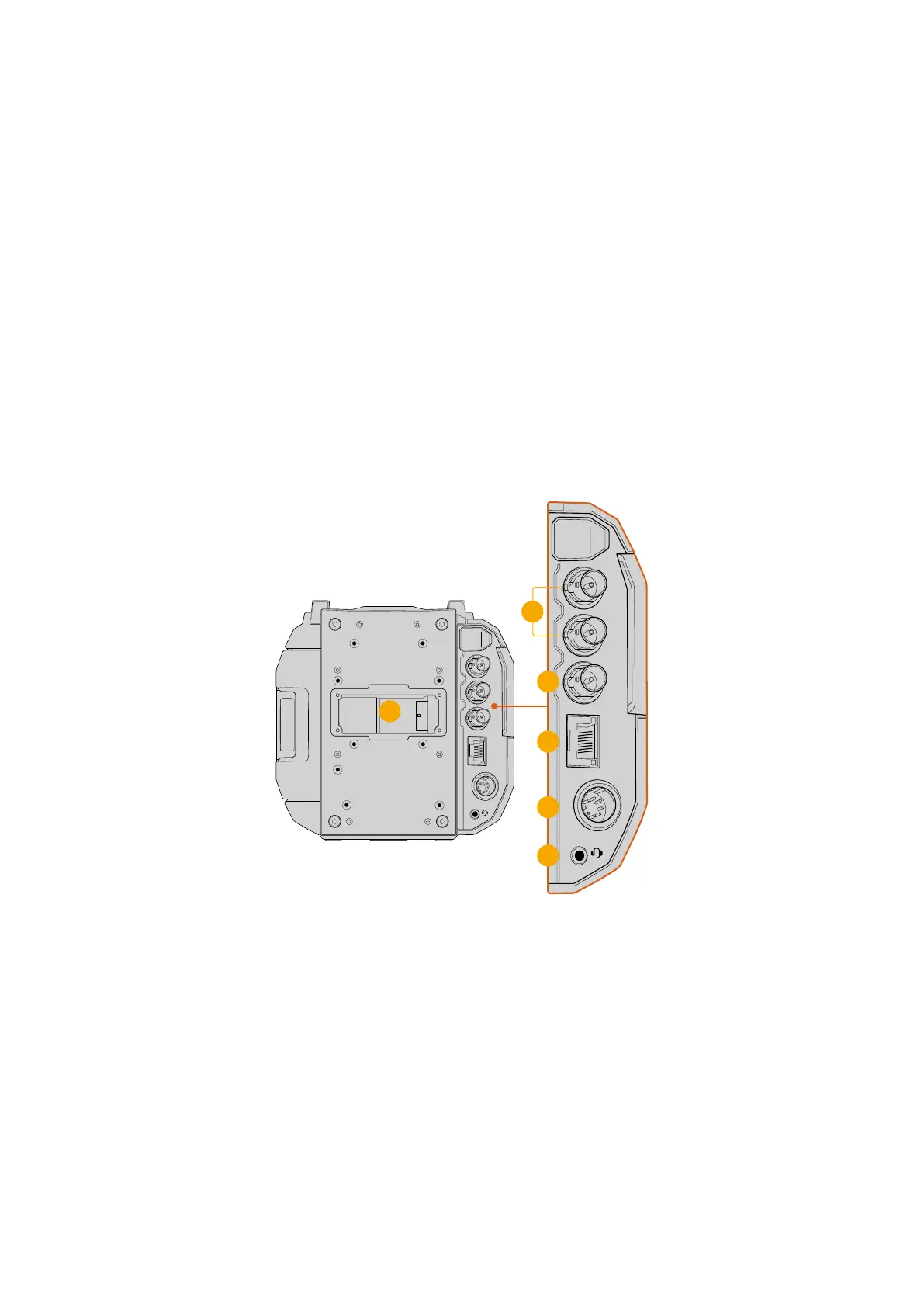
Rear Panel
The rear panel features two 12G-SDI connectors that let you plug separate SDI video outputs
into monitors and other SDI equipment with optional overlays. The BNC reference connector
provides the abiliity to lock the camera to external reference and timecode. The 10G Ethernet
port is used to connect to a computer or network for transferring files and streaming video.
Both10G Ethernet and 1G Ethernet is supported.
Power is connected via the 8 pin connector with a locking plug to prevent accidental removal
and a 3.5mm headphones jack lets you plug in headphones or a smartphone headset for live
production talkback when streaming to an ATEM switcher.
The B mount battery plate arrives already attached to your camera, however you can remove
and replace with third party plates via rear panel mounting points and a Molex power connector.
1 Battery Mount Plate
Your Blackmagic URSA Cine has plate mounting points and a recessed Molex connector to
supply power to and from the camera as well as carrying some data information. When in
use, the Molex connector can accept a 12 to 34 Volt input although the 24 to 34 Volt range
is recommended. It can also output a regulated 12 Volts at up to 1.5 Amps.
3
1
4
5
6
2
2 12G-SDI Outputs
Connect the 12G-SDI outputs to SDI equipment such as Blackmagic SmartView monitors,
HyperDeck disk recorders and live grading suites. Each SDI output can be set to display
separate overlays using your camera’s ‘monitor’ page ‘SDI A’ and ‘SDI B’ menu settings.
16URSA Cine Overview



 To Next Page