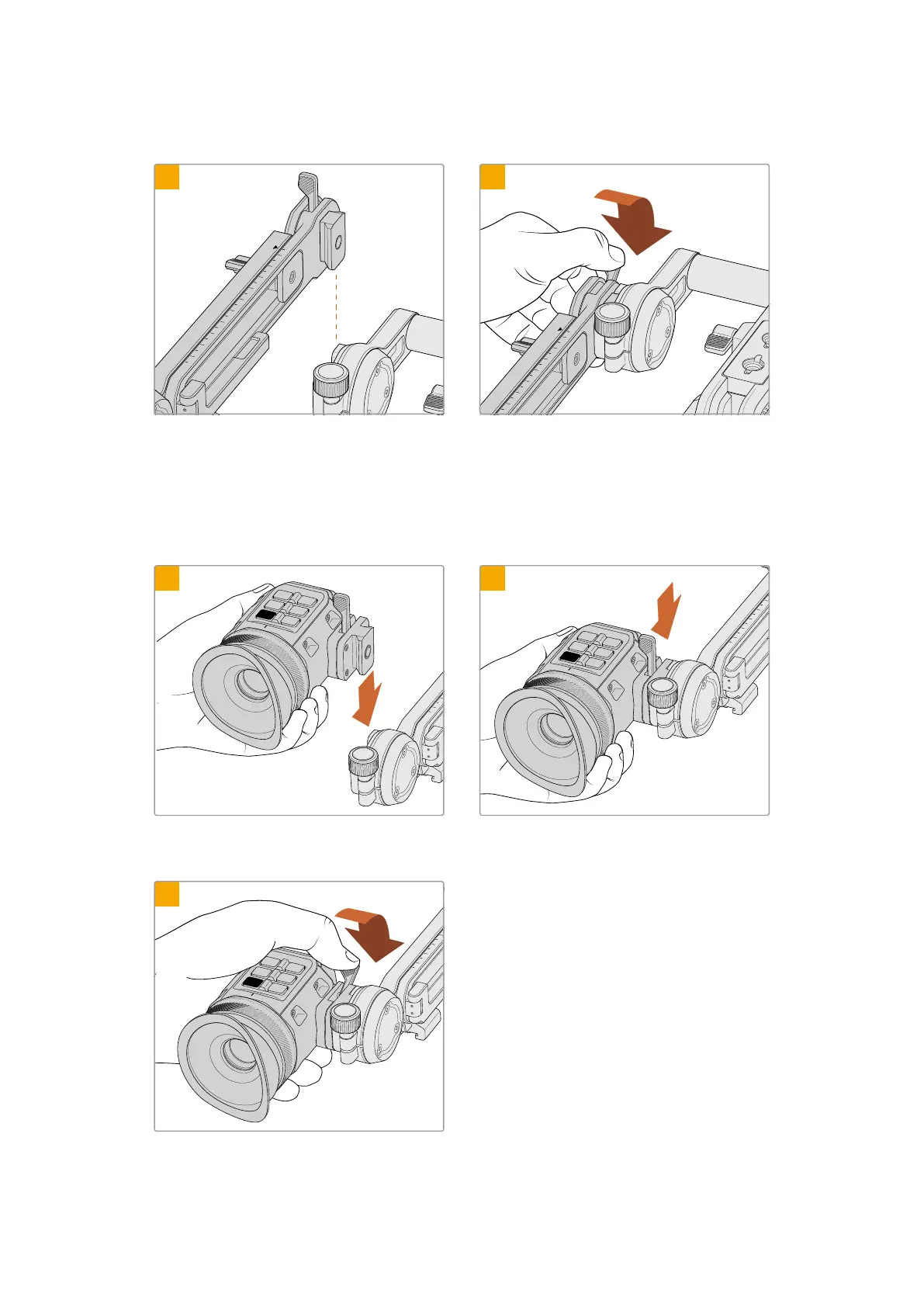
Attaching URSA Cine EVF Extension
2
3
4
5
6
7
8
9
10
1
0
1
2
3
4
5
6
7
1
0
2
Align URSA Cine EVF Extension’s dovetail bracket
with URSA Cine EVF Rotating Bracket’s mini
dovetailslot.
Lower URSA Cine EVF Extension’s dovetail
bracket into URSA Cine EVF Rotating Bracket’s
mini dovetail slot and push the eyepiece’s
locking lever forward to secure.
Attaching the EVF to URSA Cine EVF Extension
9
10
REC
VF3
EXP
VF2
ZOOM
VF1
0
1
20
19
18
17
16
15
2
3
1
REC
VF3
EXP
VF2
ZOOM
VF1
0
1
20
19
18
17
16
15
2
3
6
7
8
9
10
2
Align URSA Cine EVF’s dovetail bracket with
URSA Cine EVF Extension’s mini dovetail slot.
Lower the URSA Cine EVF into URSA Cine EVF
Extension’s mini dovetail slot.
REC
VF3
EXP
VF2
ZOOM
VF1
0
1
20
19
18
17
16
15
2
3
7
8
9
10
3
Once firmly seated, push the eyepiece’s
lockinglever forward to secure the EVF.
59Blackmagic URSA Cine EVF



 To Next Page