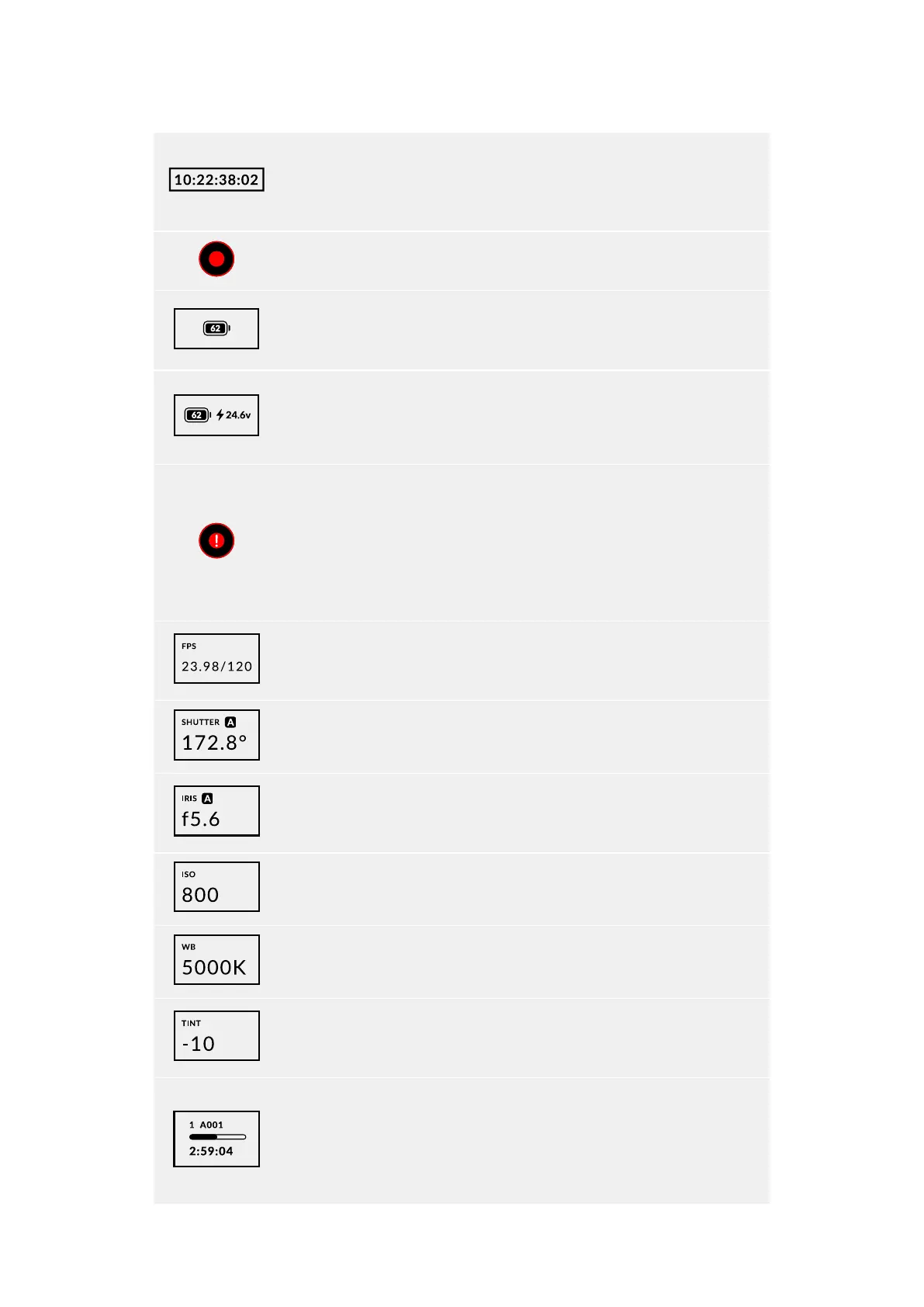
Timecode
Your URSA Cine’s timecode indicator displays your current timecode as either
clip duration or timecode. You can switch between these two display modes by
pressing the ‘timecode’ button underneath the status LCD.
Record Indicator
While recording, the circular indicator will illuminate red.
Battery indicator
If your Blackmagic URSA Cine is running on battery power, this indicator displays
remaining battery life as a percentage.
Power Indicator
This indicator displays the current amount of charge in voltage when using a
battery, or displays percentage of charge remaining. If the mains power connector
is plugged into your camera, the battery indicator shows as full.
Dropped Frame Indicator
The ‘record’ indicator will flash a warning symbol when your camera detects
dropped frames. Once you stop recording, the indicator will remain on the screen
to let you know that the previous clip detected dropped frames. This warning
disappears the next time you start recording, or if you power cycle the camera.
For more information on avoiding dropped frames, see the ‘storage media’
section in this manual.
Frames Per Second
This indicator displays the currently set frames per second for the project frame
rate and sensor off speed frame rate.
Shutter
URSA Cine’s shutter angle will be displayed here.
Iris
Displays your current lens aperture. Depending on your lens type, thiswill be
displayed asan ‘f’ or ’T’ stop.
ISO
Displays your camera’s currently set ISO.
White Balance
The white balance setting will be displayed here in degrees kelvin.
Tint
Displays URSA Cine’s tint setting value. Negative values show green tint and
positive values show increased magenta.
Storage Indicator
Displays a storage bar that shows how much storage space has been used on
your camera’s media module and the remaining available record time.
The storage indicator will illuminate red while recording a clip. If you don’t have a
media module inserted, ‘no module’ will be displayed under thestorage bar.
70Control Buttons



 To Next Page