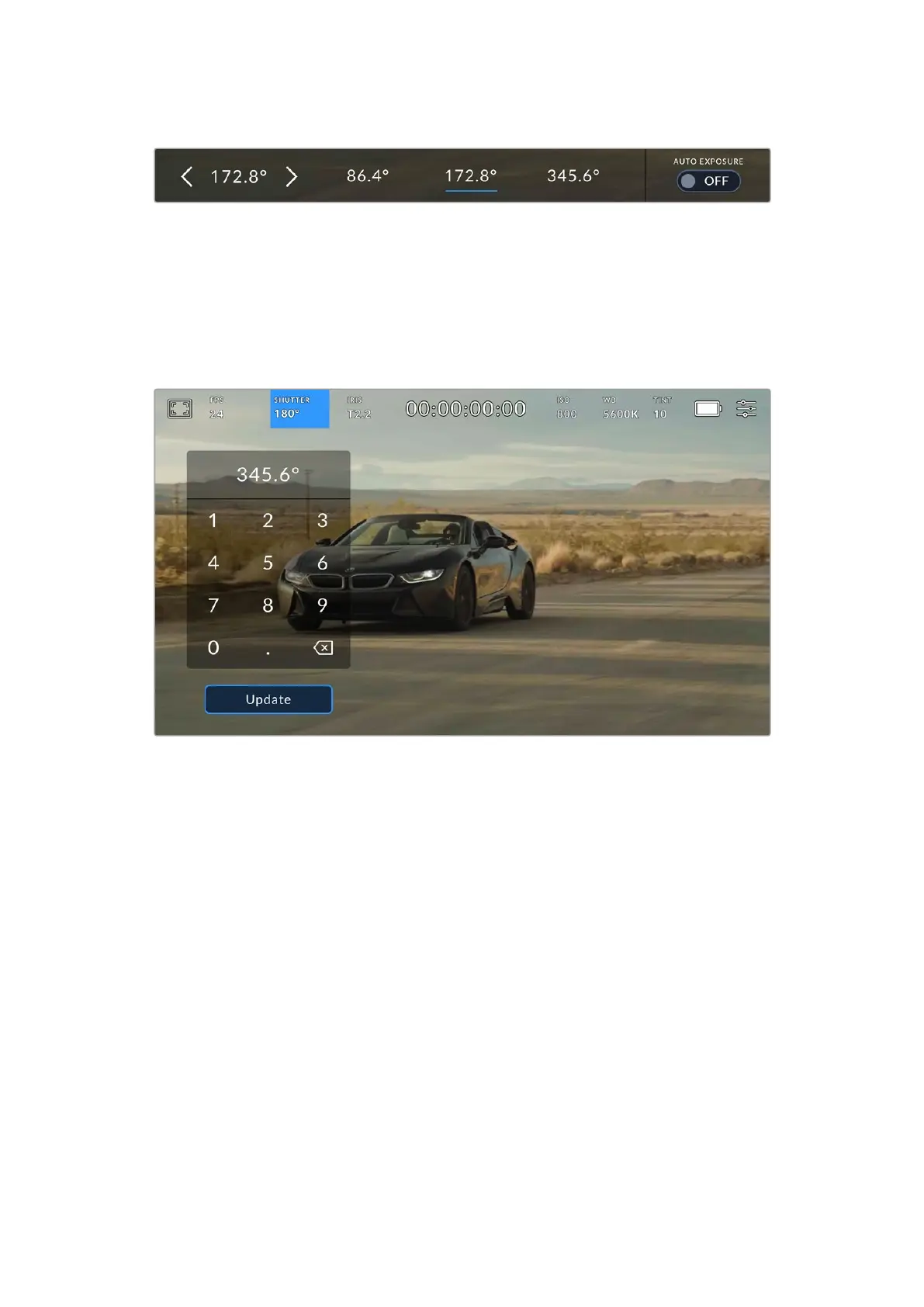
Your URSA Cine will suggest flicker free shutter values based on the mains power frequency you choose in the
‘setup’ menu
If you would like to choose a specific shutter value, you can do so by double tapping the current
shutter indicator at the bottom left of your screen. This opens a keypad that allows you to type
in any shutter value with up to two decimal places.
If you type in a shutter speed that is incompatible with your current frame rate, the nearest
achievable shutter speed will be used.
The manual shutter keypad allows you to type in any shutter value you wish
Your URSA Cine has three shutter based auto exposure modes. To select one of these, tapthe
‘auto exposure’ button in the far right of the shutter menu.
Shutter
This setting automatically adjusts shutter value to maintain a constant exposure while keeping
iris aperture constant. If you want to maintain a fixed depth of field, this is the setting to choose.
It’s worth mentioning that the subtle automatic adjustments of the shutter may have an effect
on motion blur. It’s also worth keeping an eye out for any flicker that may be introduced from
various light fixtures on indoor shoots. URSA Cine’s auto iris feature is not available when the
‘shutter’ auto exposure mode is selected.
Shutter + Iris
Maintains the correct exposure levels by adjusting the shutter, then the aperture. If the
maximum or minimum available shutter value is reached and exposure still cannot be
maintained, URSA Cine will begin adjusting the aperture to keep exposure constant.
91Touchscreen Controls



 To Next Page