140 S850 Operation & Maintenance Manual
ELECTRICAL SYSTEM (CONT’D)
Removing And Installing Battery
AVOID INJURY OR DEATH
Batteries contain acid which burns eyes and skin on
contact. Wear goggles, protective clothing and
rubber gloves to keep acid off body.
In case of acid contact, wash immediately with water.
In case of eye contact get prompt medical attention
and wash eye with clean, cool water for at least 15
minutes.
If electrolyte is taken internally drink large quantities
of water or milk! DO NOT induce vomiting. Get
prompt medical attention.
W-2065-0807
Open the rear door.
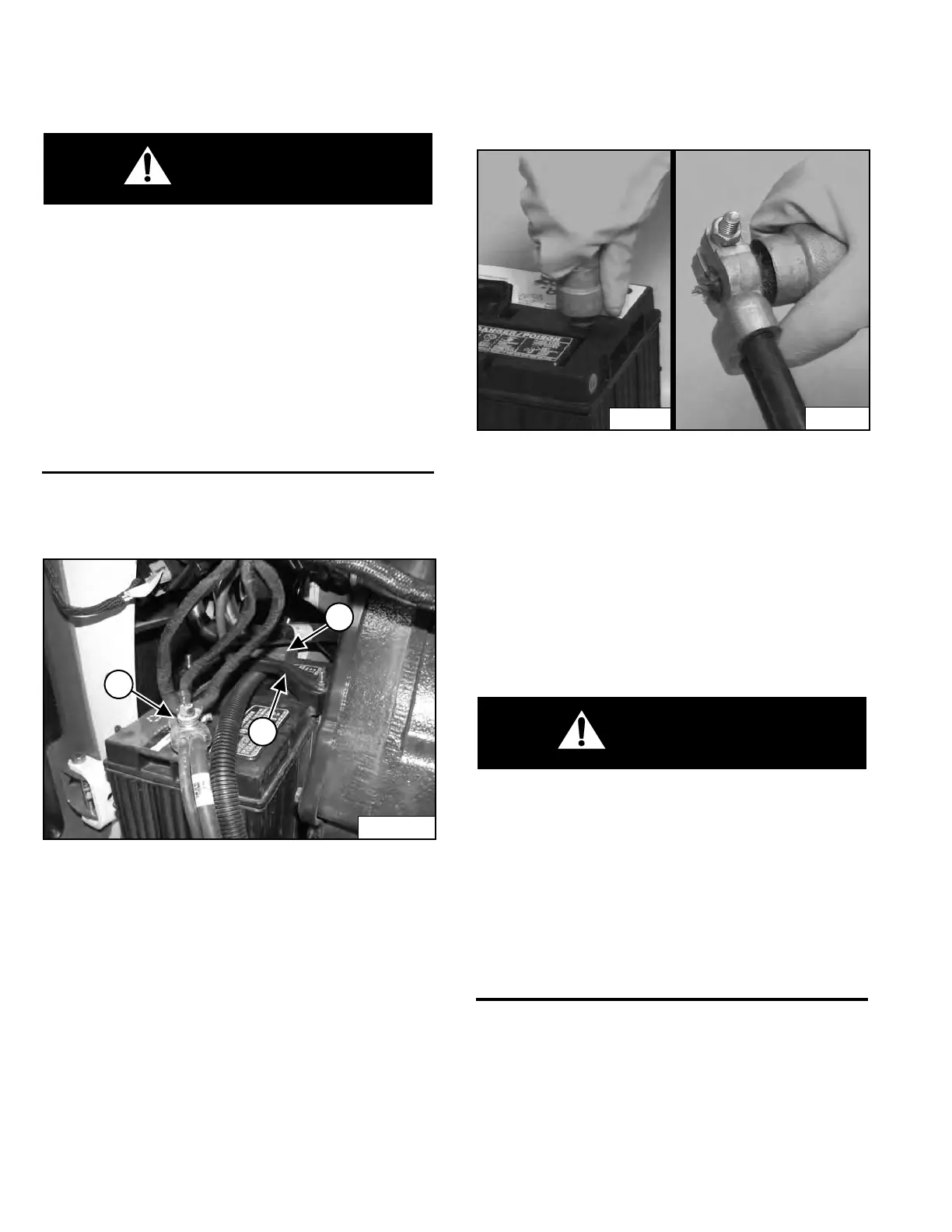
Figure 224
Disconnect the negative (-) cable (Item 1) [Figure 224].
Remove the battery hold-down clamp (Item 2)
[Figure 224].
Disconnect the positive (+) cable (Item 3) [Figure 224]
from the battery.
Remove the battery from the loader.
Figure 225
Always clean the battery terminals and cable ends when
installing a ne
w or used battery [Figure 225].
When installing the batter
y in the loader, do not touch any
metal parts with the battery terminals.
Connect the negative (-) cable last to prevent sparks.
Connect and tighten the battery cables.
Install and tighten the battery hold-down.
BATTERY GAS CAN EXPLODE AND CAUSE
SERIOUS INJURY OR DEATH
Keep arcs, sparks, flames and lighted tobacco away
from batteries. When jumping from booster battery
make final connection (negative) at machine frame.
Do not jump start or charge a frozen or damaged
battery. Warm battery to 16°C (60°F) before
connecting to a charger. Unplug charger before
connecting or disconnecting cables to battery. Never
lean over battery while boosting, testing or charging.
W-2066-0910
Dealer Copy -- Not for Resale



 To Next Page