71 S850 Operation & Maintenance Manual
HYDRAULIC CONTROLS (CONT’D)
REAR Auxiliary Hydraulics Operation
This machine may be equipped with Rear Auxiliary Hydraulics.
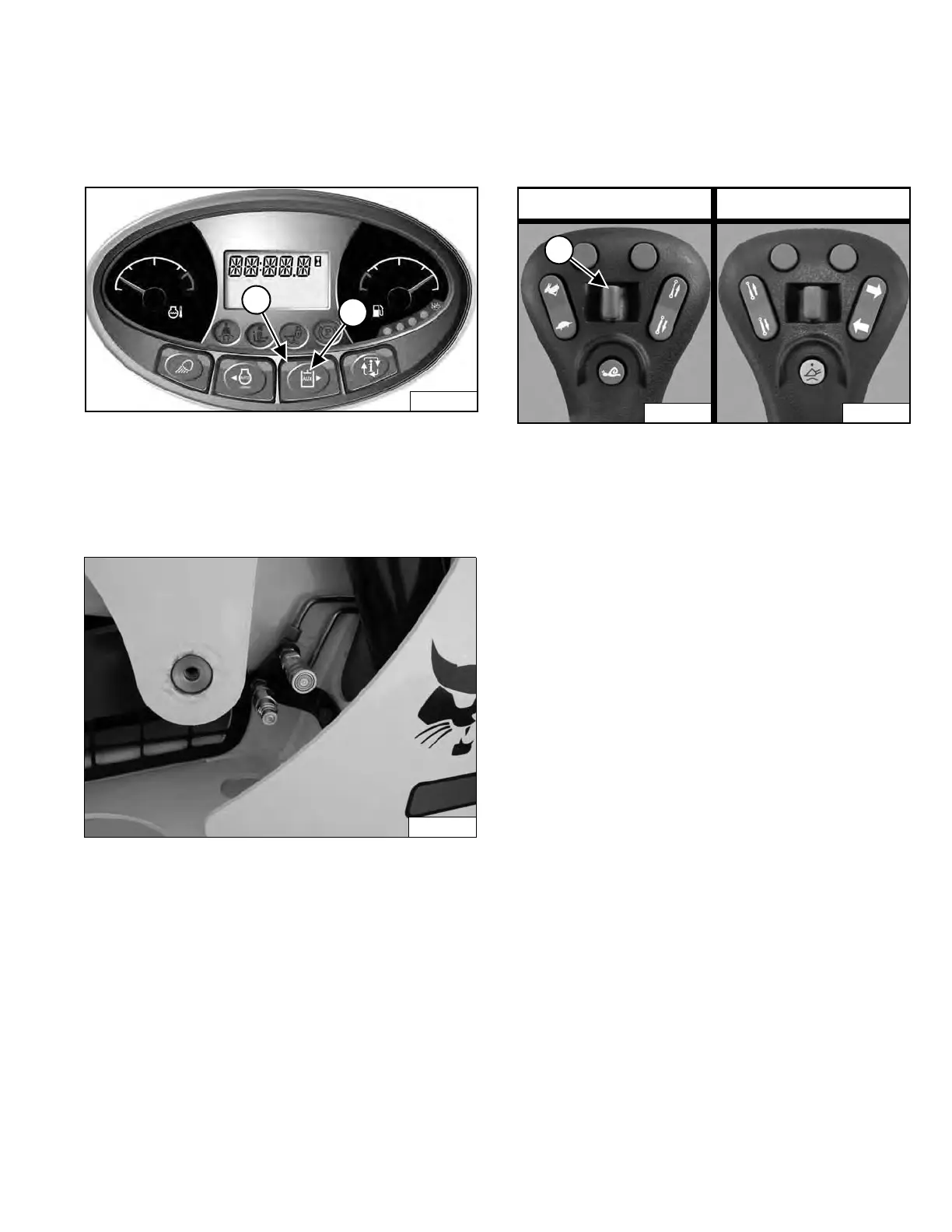
Figure 85
Press the Auxiliary Hydraulics button (Item 2) [Figure 85]
once to activate the auxiliary hydraulics.
The light (Item 1) [Figure 85] is ON.
Figure 86
Figur
e 87
Move the Rear Auxiliary Hydr
aulic switch (Item 1)
[Figure 87] to the right or left to change direction of the
auxiliary hydraulic fluid flow to the rear quick couplers
[Figure 86]. (EXAMPLE: Raise and lower rear
stabilizers.) Release the switch
to stop fluid flow.
Loaders Without High-Flow Hydraulics
To deactivate the auxiliary hydr
aulics, press the Auxiliary
Hydraulics button (Item 2) [Figure 85] again.
Loaders With High-Flow Hydraulics
To deactivate the auxiliary hydr
aulics, press the Auxiliary
Hydraulics button (Item 2) [Figure 85] two times.
All Loaders
The light (Item 1) [Figure 85] is OFF.
NOTE: When the operator is seated and raises the
seat bar, the Auxiliary Hydraulic System
(Front and Rear) will deactivate.
Left Joystick Right Joystick
Dealer Copy -- Not for Resale



 To Next Page