36 S850 Operation & Maintenance Manual
INSTRUMENT PANEL IDENTIFICATION (CONT’D)
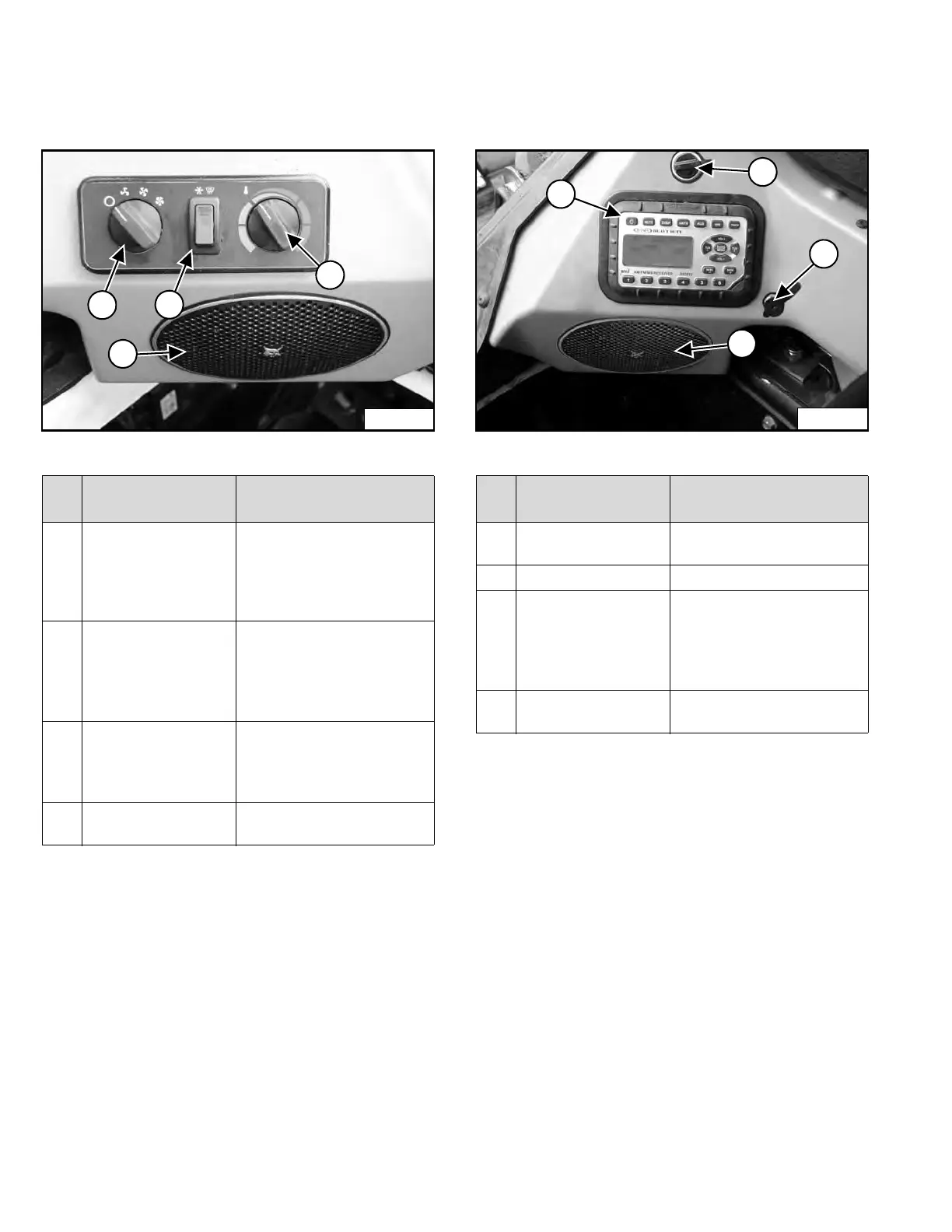
Left Side Lower Panel
Figure 21
Right Side Lower Panel
Figure 22
REF.
NO.
DESCRIPTION FUNCTION / OPERATION
1 FAN MOTOR
(Option)
Turn clockwise to increase
fan speed;
counterclockwise to
decrease. There are four
positions; OFF-1-2-3.
2 AIR CONDITIONING
/ DEFROST SWITCH
(Option)
Press top of switch to start;
bottom to stop. Switch will
light when started. Fan
Motor (Item 1) must be ON
for A/C to operate.
3 TEMPERATURE
CONTROL (Option)
Turn clockwise to increase
the temperature;
counterclockwise to
decrease.
4 SPEAKER (Option) Left speaker used with
optional radio.
REF.
NO.
DESCRIPTION FUNCTION / OPERATION
1 POWER PORT Provides a 12 volt
receptacle for accessories.
2 RADIO (Option) See Radio in this manual.
3 HEADPHONE JACK
(Option)
Used to connect
headphones to the optional
radio output. Automatically
silences speakers when
used.
4 SPEAKER (Option) Right speaker used with
optional radio.
Dealer Copy -- Not for Resale



 To Next Page