35 S850 Operation & Maintenance Manual
INSTRUMENT PANEL IDENTIFICATION (CONT’D)
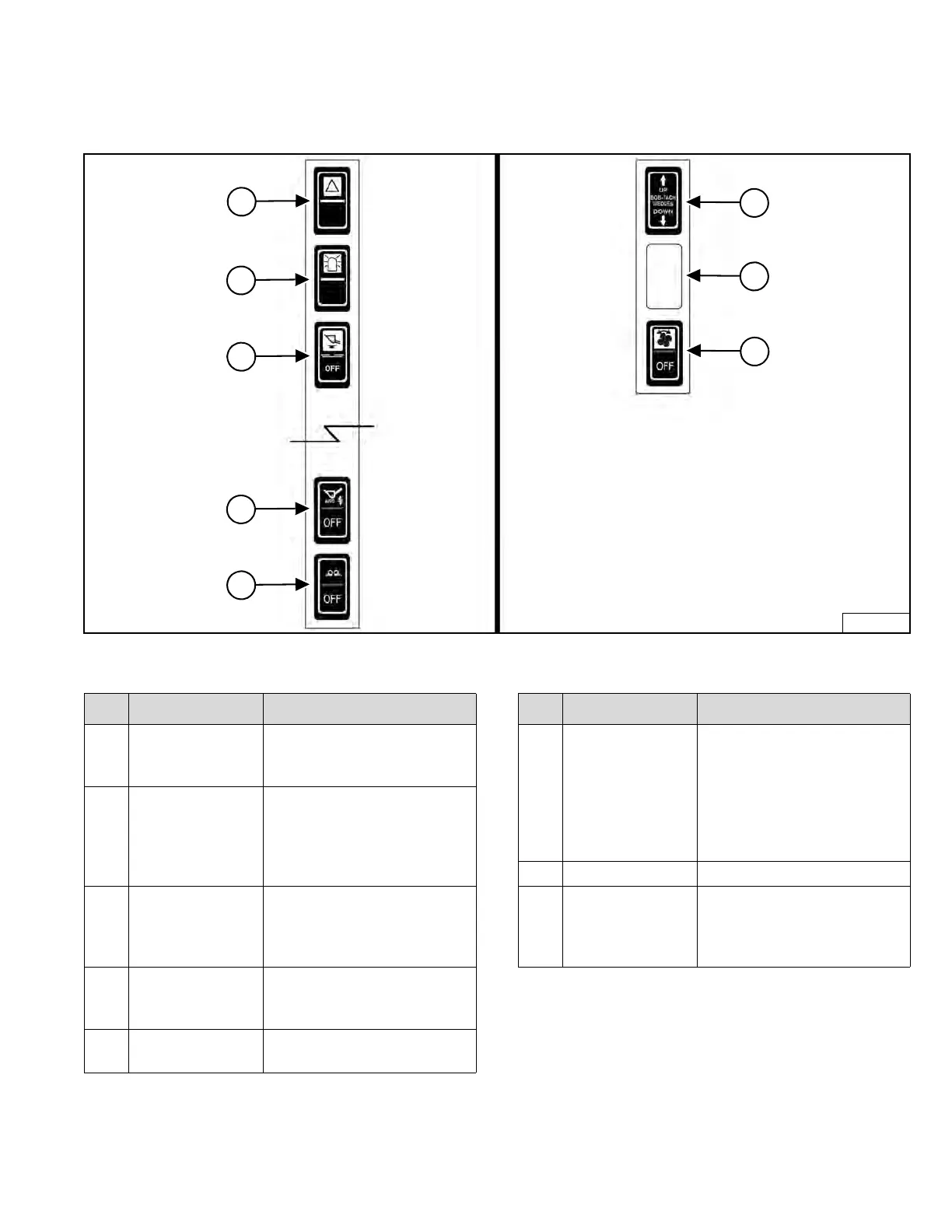
Left Switch Panel Right Switch Panel
Figure 20
NOTE: Earlier models did not have switch locations
f
our and five on the left switch panel.
ITEM DESCRIPTION FUNCTION / OPERATION
1
FOUR-WAY
FLASHER
LIGHTS (Option)
Press the top to turn lights
ON; bottom to turn OFF.
2
ROTATING
BEACON (Option)
OR
STROBE LIGHT
(Option)
Press the top to turn light ON;
bottom to turn OFF.
3
HYDRAULIC
BUCKET
POSITIONING
(Option)
Press the top to engage
Hydraulic Bucket Positioning;
bottom to disengage.
4
AUTOMATIC
RIDE CONTROL
(Option)
Press the top to engage
Automatic Ride Control;
bottom to disengage.
5
SIDE LIGHTING
(Option)
Press the top to turn lights
ON; bottom to turn OFF.
ITEM DESCRIPTION FUNCTION / OPERATION
1
POWER
BOB-TACH
(Option)
Press and hold the up arrow
to disengage the Bob-Tach
wedges. Press and hold the
down arrow to engage the
Bob-Tach wedges into the
attachment mounting frame
holes.
2 NOT USED – – –
3
REVERSING FAN
(Option)
Automatic Operation - middle
position; Manual Operation -
press top momentarily; press
bottom to disengage.
Dealer Copy -- Not for Resale



 To Next Page