69 S850 Operation & Maintenance Manual
HYDRAULIC CONTROLS (CONT’D)
FRONT Auxiliary Hydraulics Operation
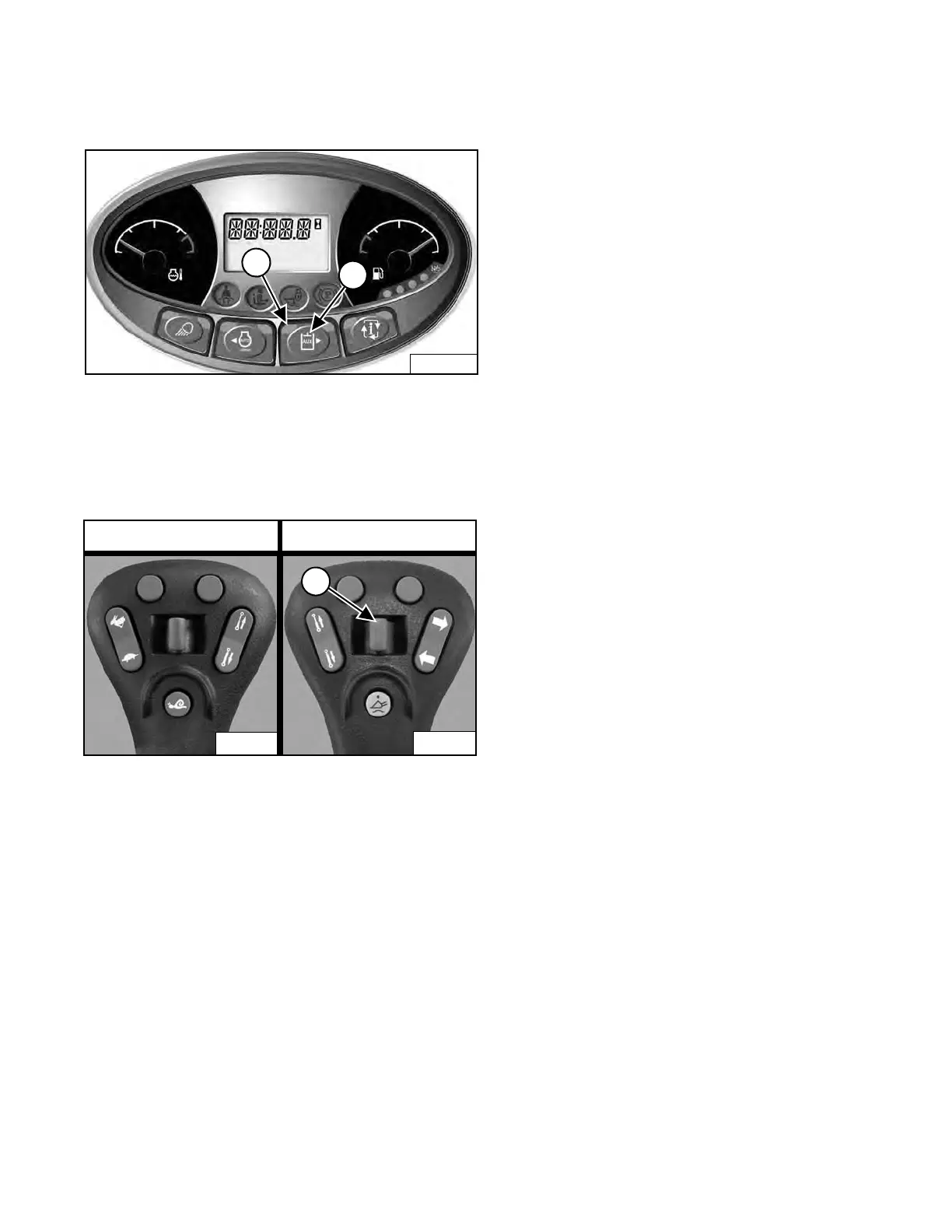
Figure 82
Press the Auxiliary Hydraulics button (Item 2) [Figure 82]
once to activate the auxiliary hydraulics.
The light (Item 1) [Figure 82] is ON.
Figure 83
Move the Front Auxiliary Hydraulic switch (Item 1)
[Figure 83] to the right or left to change direction of the
auxiliary hydraulic fluid flow to the
front quick couplers. If
you move the switch halfway, the auxiliary functions move
at approximately one-half speed. (EXAMPLE: Open and
close grapple teeth.)
Release the Front Auxiliary Hydr
aulic switch to stop
hydraulic fluid flow to the front quick couplers.
Loaders Without High-Flow Hydraulics
To deactivate the auxiliary hydr
aulics, press the Auxiliary
Hydraulics button (Item 2) [Figure 82] again.
Loaders With High-Flow Hydraulics
To deactivate the auxiliary hydr
aulics, press the Auxiliary
Hydraulics button (Item 2) [Figure 82] two times.
All Loaders
The light (Item 1) [Figure 82] is OFF.
NOTE: When the operator is seated and raises the
seat bar, the Auxiliary Hydraulic System
(Front and Rear) will deactivate.
Left Joystick Right Joystick
Dealer Copy -- Not for Resale



 To Next Page