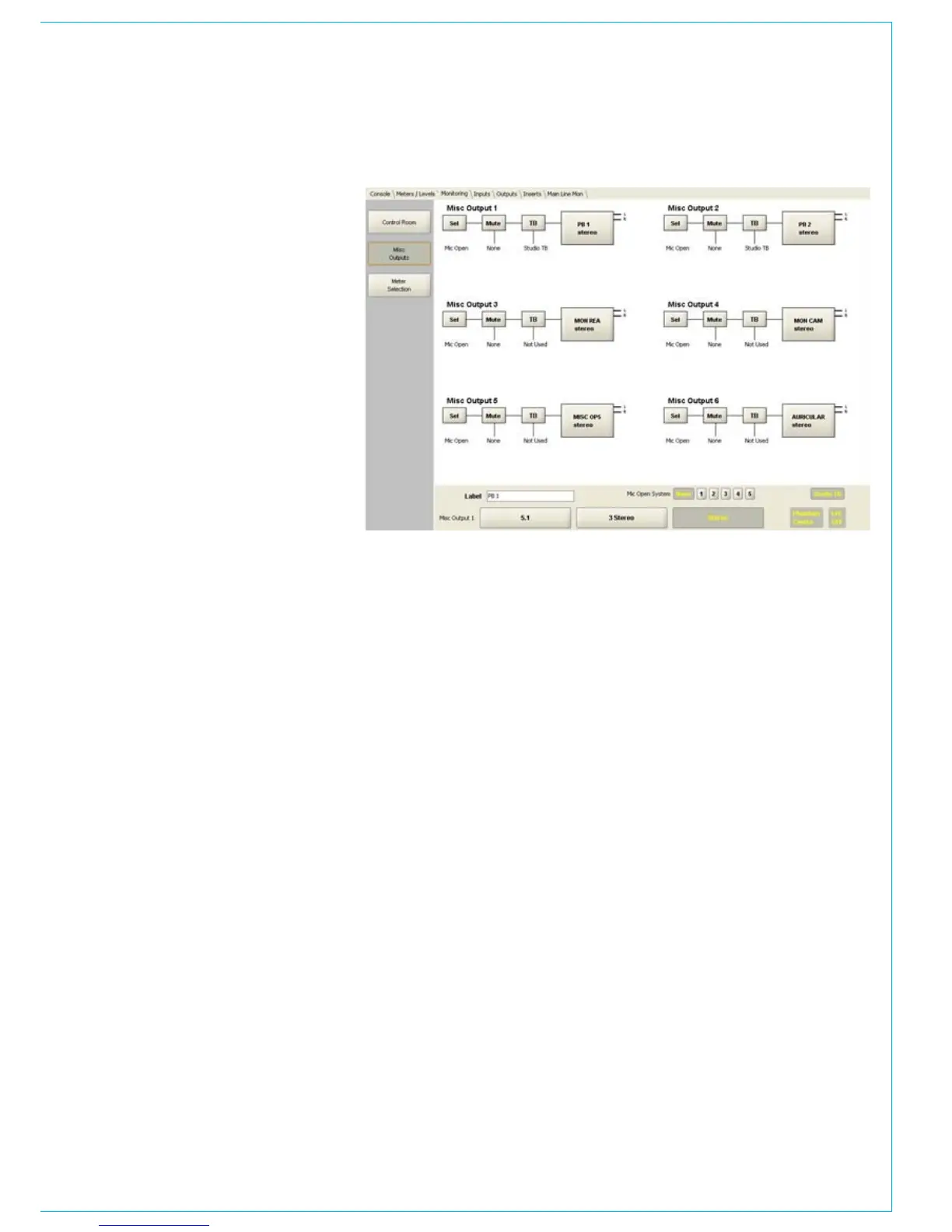
Misc outputs
The assignable monitoring system has six
miscellaneous loudspeaker outputs. The
functionality of each misc loudspeaker
can be set using the monitoring/misc
output page.
To change the settings click on the
relevant misc output and then use the
button at the bottom of the screen to set
the functionality.
The option buttons allow the user to
set the label of each misc loudspeaker
output, such as CR LS (control room
headphones). That label will appear on the
control surface displays and the PC’s Main
Application. Each misc output speaker can
be automatically muted when assigned to
a mic open system, for example to mute
loudspeakers on the studio floor, when
microphones on the studio floor are active,
to avoid feedback / howl round. The
inputs which will activate the loudspeaker
mute, when assigned to an open fader, are
determined in the PC Main application.
If studio talkback is enabled, the mixers
talkback will replace the normal audio
output when the studio TB button is
selected on the mixer control surface.
The width of each misc output speaker
can also be set, as is done with the main
and small LS outputs.



 To Next Page