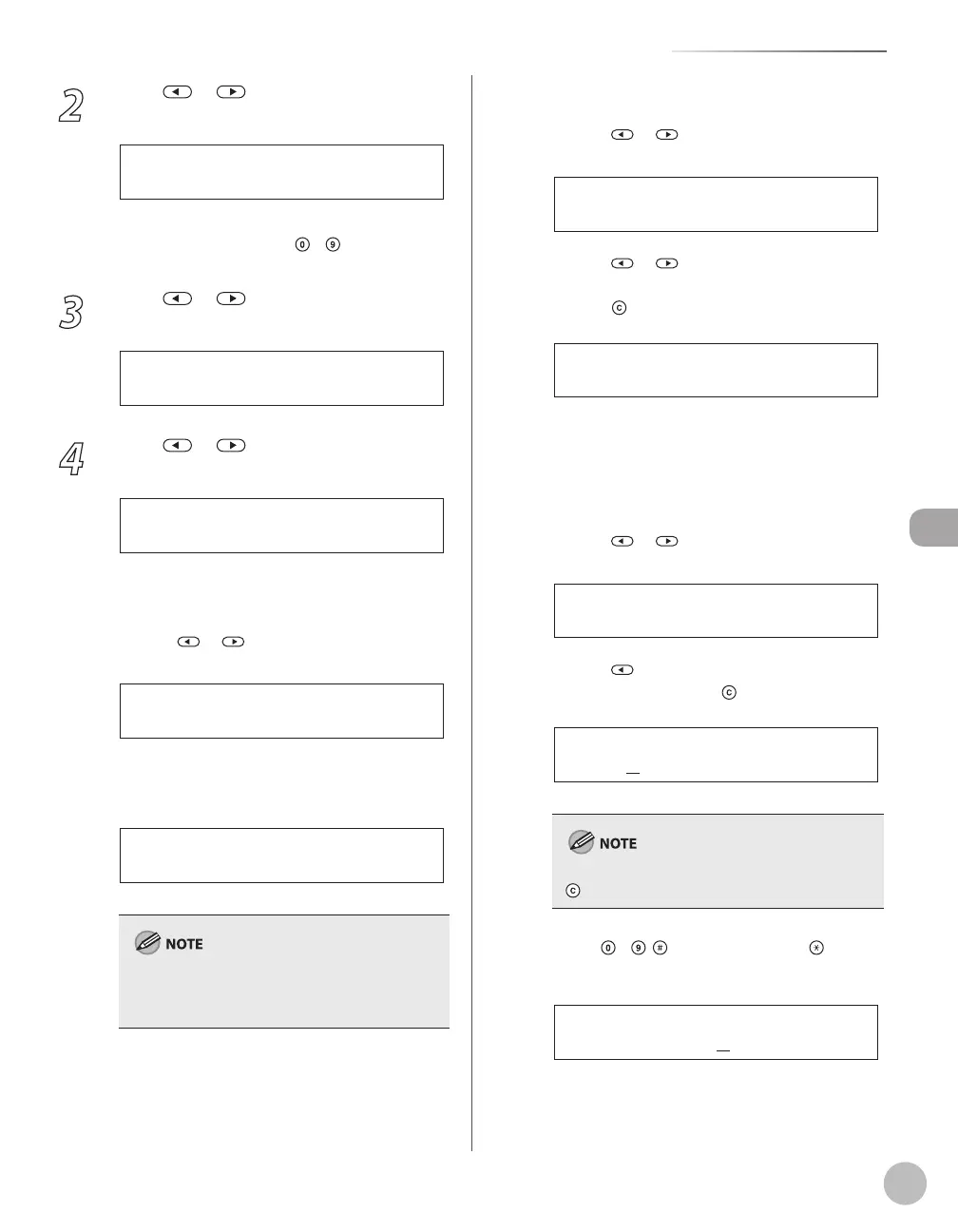
Registering Destinations in the Address Book (D1180/D1170/D1150)
5-9
Storing/Editing One-Touch Keys
2
Press or to select <ADDRESS
BOOK SET.>, then press [OK].
5 . A D D R E S S B O O K S E T .
M E N U
If a password has been set for the Address Book,
enter the password using
–
[numeric keys],
then press [OK].
3
Press or to select <GROUP DIAL>,
then press [OK].
3 . G R O U P D I A L
A D D R E S S B O O K S E T .
4
Press or to select a group to edit,
then press [OK].
[ 1 0 ] G R O U P D I A L
G R O U P D I A L
■If you want to add a new destination to the
group:
①Press
or to select <SELECT ADD/TEL
NO>, then press [OK].
1 . S E L E C T A D D / T E L N O
G R O U P D I A L
②Select the destination you want to add to
the group, then press [OK].
[ 0 2 ] s a l e s
= 2 3 4 X X X X X X X
Ex.
For details on specifying a destination from
Address Book, see “Registering Group Addresses in
One-Touch Keys,” on p. 5-7.
■If you want to delete a destination from the
group:
①Press
or to select <SELECT ADD/TEL
NO>, then press [OK].
1 . S E L E C T A D D / T E L N O
G R O U P D I A L
②Press or to display the destination
you want to delete from the group, then
press
[Clear].
[ 0 1 ] J o h n
= 1 2 3 X X X X X X X
Ex.
③Repeat step ② if you want to delete
another destination.
④Press [OK].
■If you want to change the group name:
①Press
or to select <NAME>, then
press [OK].
2 . N A M E
G R O U P D I A L
②Press repeatedly to go back to a wrong
character, then press
[Clear].
C a n o n G r o u p
N A M E : a
Ex.
To delete the entire name, press and hold
[Clear].
③Use
–
, [numeric keys] and [Tone]
to enter a new character, then press [OK].
S a l e s G r o u p
N A M E : a
Ex.






 To Next Page