11-4
Maintenance
Cleaning the Machine
3
Press or to select <FEEDER
CLEANING>, then press [OK].
2 . F E E D E R C L E A N I N G
A D J U S T . / C L E A N I N G
4
Load 10 sheets of blank LTR paper into
the ADF, then press [OK].
P R E S S O K K E Y
S E T 1 0 S H E E T S I N A D F
ADF cleaning starts. When finished, the display
returns to the standby mode.
Scanning Area
Keep the scanning area clean to avoid dirty copies
or faxes to be sent.
Platen Glass
Clean the platen glass and the underside of the ADF
by following the procedure below.
1
Turn OFF the main power switch and
disconnect the power cord.
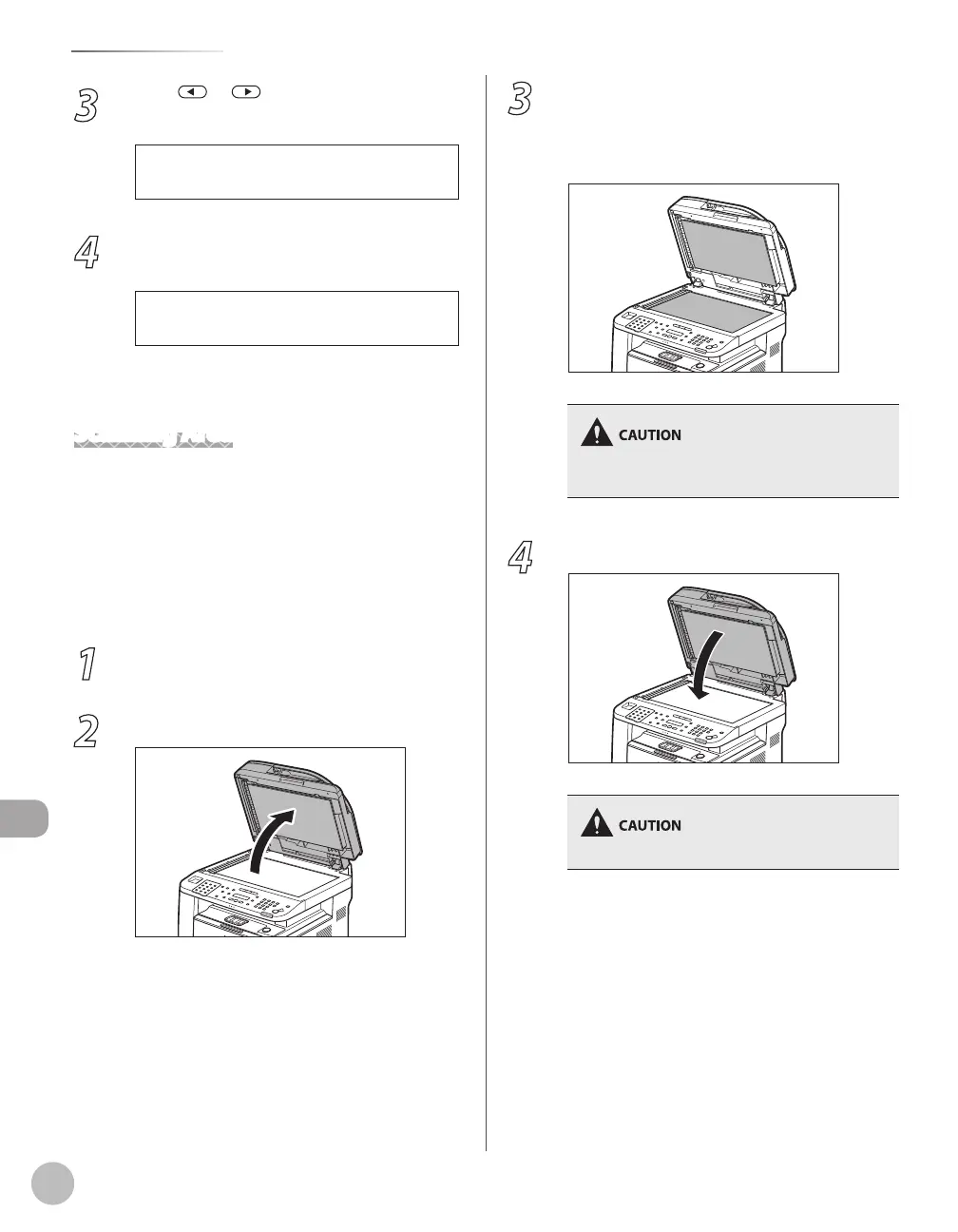
2
Open the ADF.
●
3
Clean the platen glass and the underside
of the ADF with a cloth dampened with
water. Then, wipe the area with a soft, dry
cloth.
Do not dampen the cloth too much, as this may
tear the document or damage the machine.
4
Close the ADF.
Be careful not to get your fingers caught.















 To Next Page