Copying
3-7
Selecting Paper Source
Selecting Paper Source
You can manually specify a paper source (paper cassette (1 or 2) or multi-purpose tray) by
pressing
[Paper Select].
The suffix <R> (such as in LTRR), used in paper size designations, indicates that the paper is loaded in the paper cassette or the
multi-purpose tray horizontally.
Copying on Papers in Paper
Cassettes
You need to set up the paper size and type for each
paper source in advance. For details about
configuring the paper size and type, see “Setting
Paper Size and Type,” on p. 2-17.
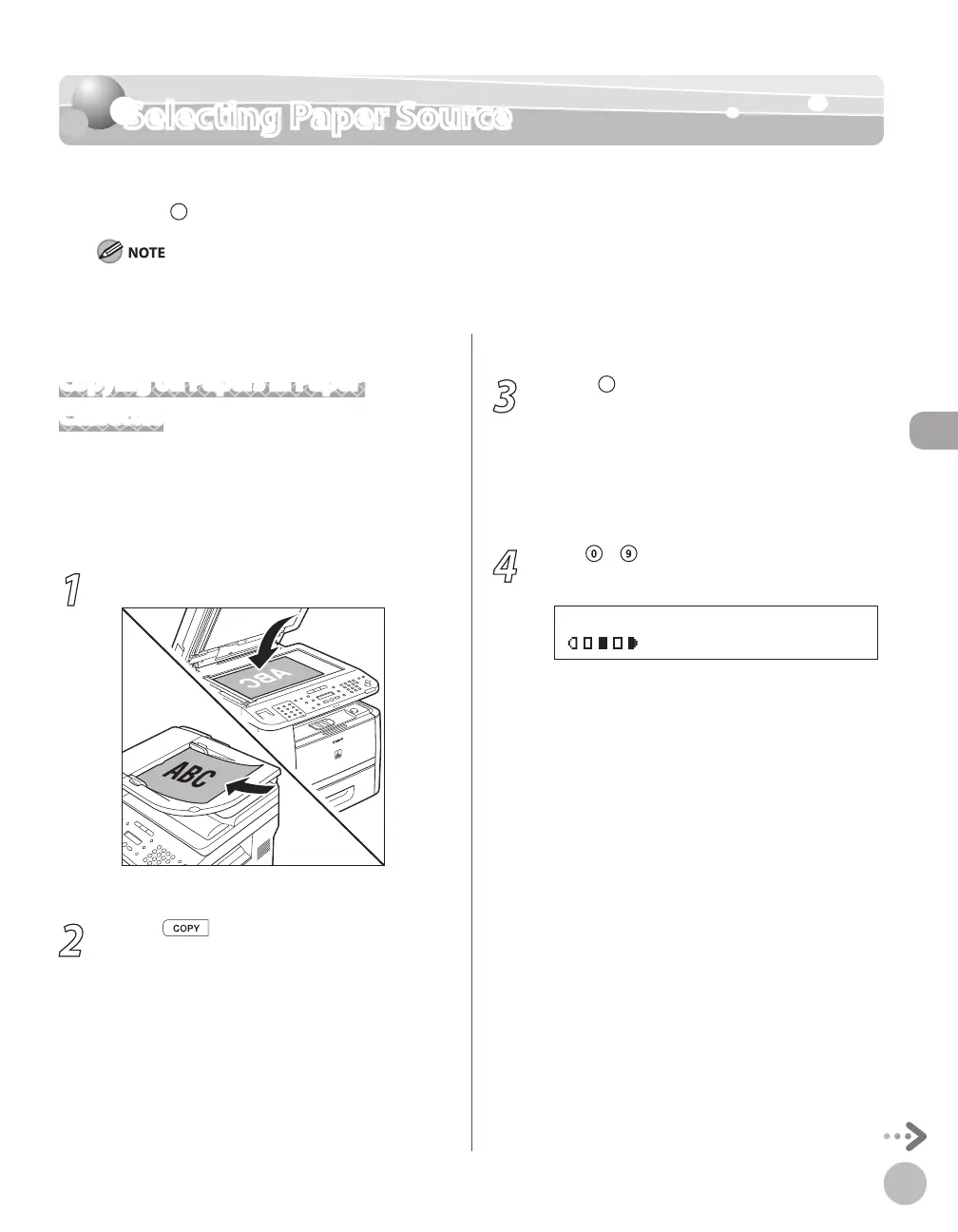
1
Place documents.
For details, see “Placing Documents,” on p. 2-4.
2
Press [COPY].
3
Press [Paper Select] repeatedly to
select the paper cassette 1 or the paper
cassette 2*.
The paper select indicator of the selected paper
source lights up. (See “Operation Panel,
” on p. 1-
6.)
* The paper cassette 2 is optional.
4
Use – [numeric keys] to enter the
desired copy quantity (1 to 99).
T E X T / P H O T O
1 0 0 % L T R
0 1















 To Next Page