Before Using the Machine
1-4
Machine Components
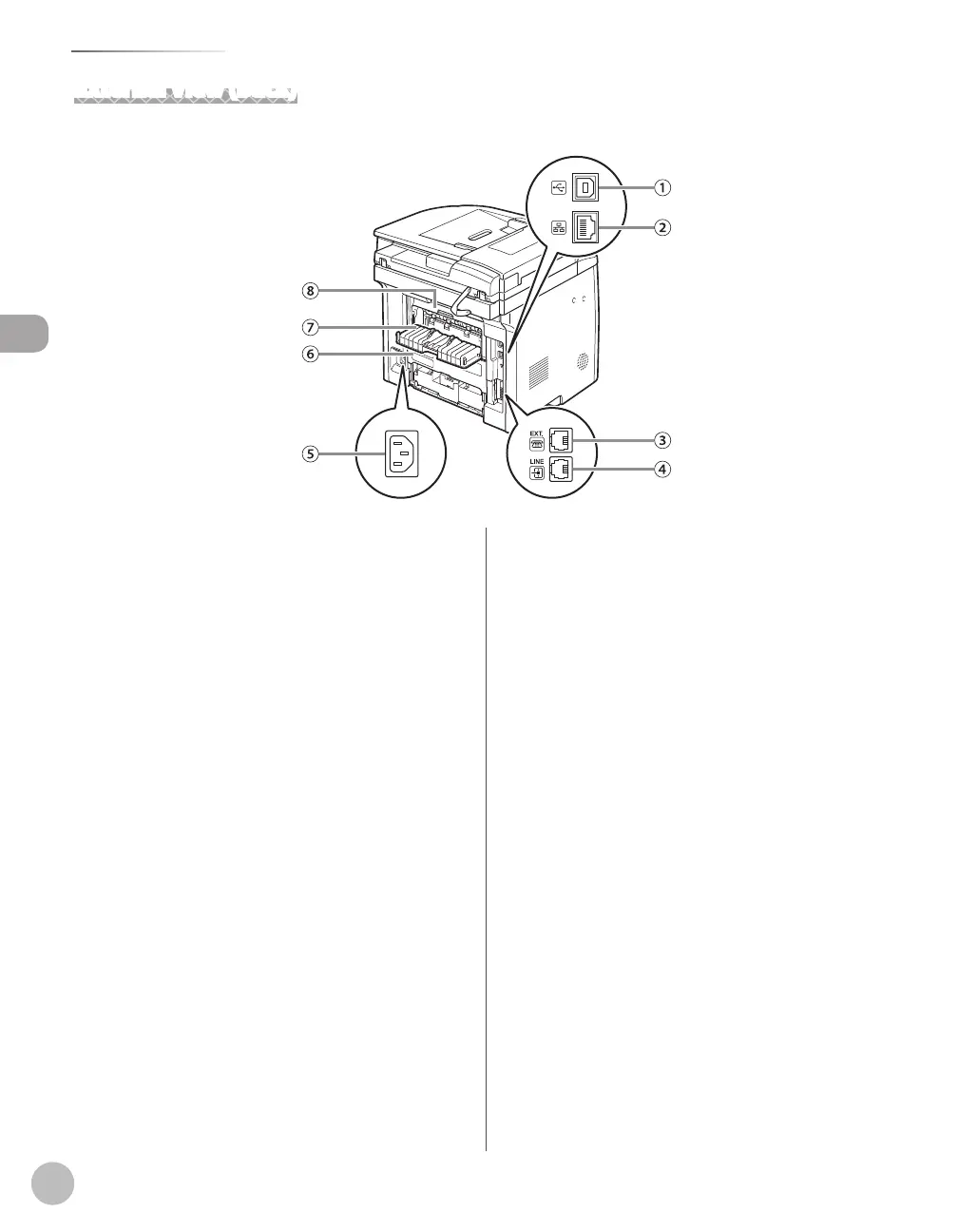
External View (Back)
①USB port
Connect the USB (Universal Serial Bus) cable.
②Ethernet port
Connect the network cable.
③ Ex
ternal device jack (For the D1180/D1170/
D1150)
Connect an external device.
④ T
elephone line jack (For the D1180/D1170/
D1150)
Connect the external telephone cable.
⑤Power socket
Connect the power cord.
⑥Duplex unit cover
Open this cover to clear paper jams.
⑦Sub-output tray
Outputs paper with the printed side facing up.
⑧Rear cover
Open this cover to clear paper jams.















 To Next Page