Documents and Print Media
2-20
Setting Paper Size and Type
Sub-output Tray
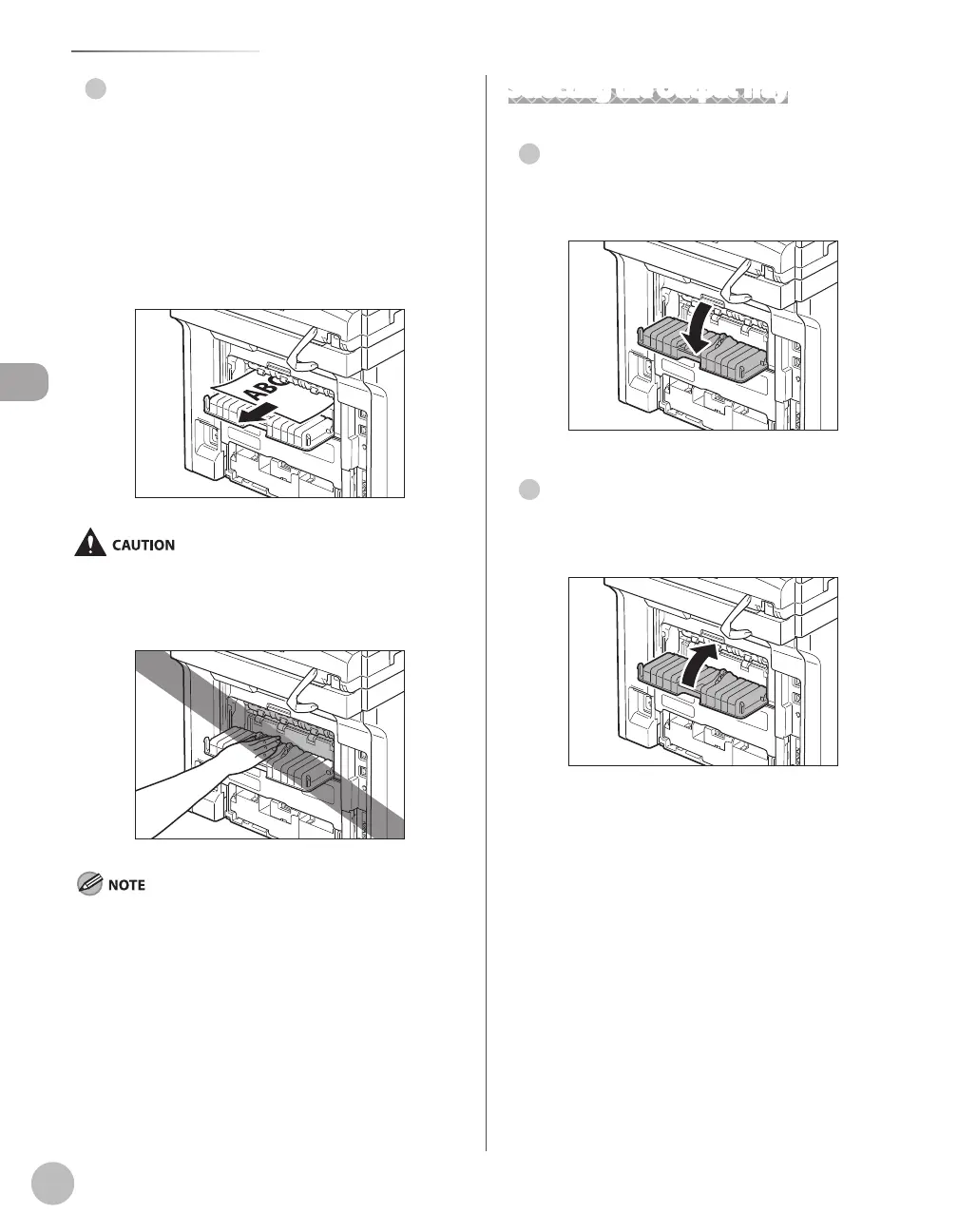
Printed paper is output to the sub-output tray on
the rear side of the machine with the printed side
facing up. Printed paper is stacked in reverse page
order. The sub-output tray is suitable for use when
printing transparencies, labels, or envelopes that
curl easily, because the printed paper remains flat
when output.
The surroundings of the sub-output tray are hot during printing
or immediately after printing. When taking out of the paper or
removing jammed paper, do not touch the surroundings of the
sub-output tray.
Make sure to close the sub-output tray before performing 2-
sided copying or printing.
Do not open the sub-output tray during 2-sided copying or
printing.
●
–
–
Selecting the Output Tray
Switching to the Sub-output Tray
To switch from the output tray to the sub-output
tray, open the sub-output tray.
Switching to the Output Tray
To switch from the sub-output tray to the output
tray, close the sub-output tray.
●
●















 To Next Page