Documents and Print Media
2-5
Placing Documents
4
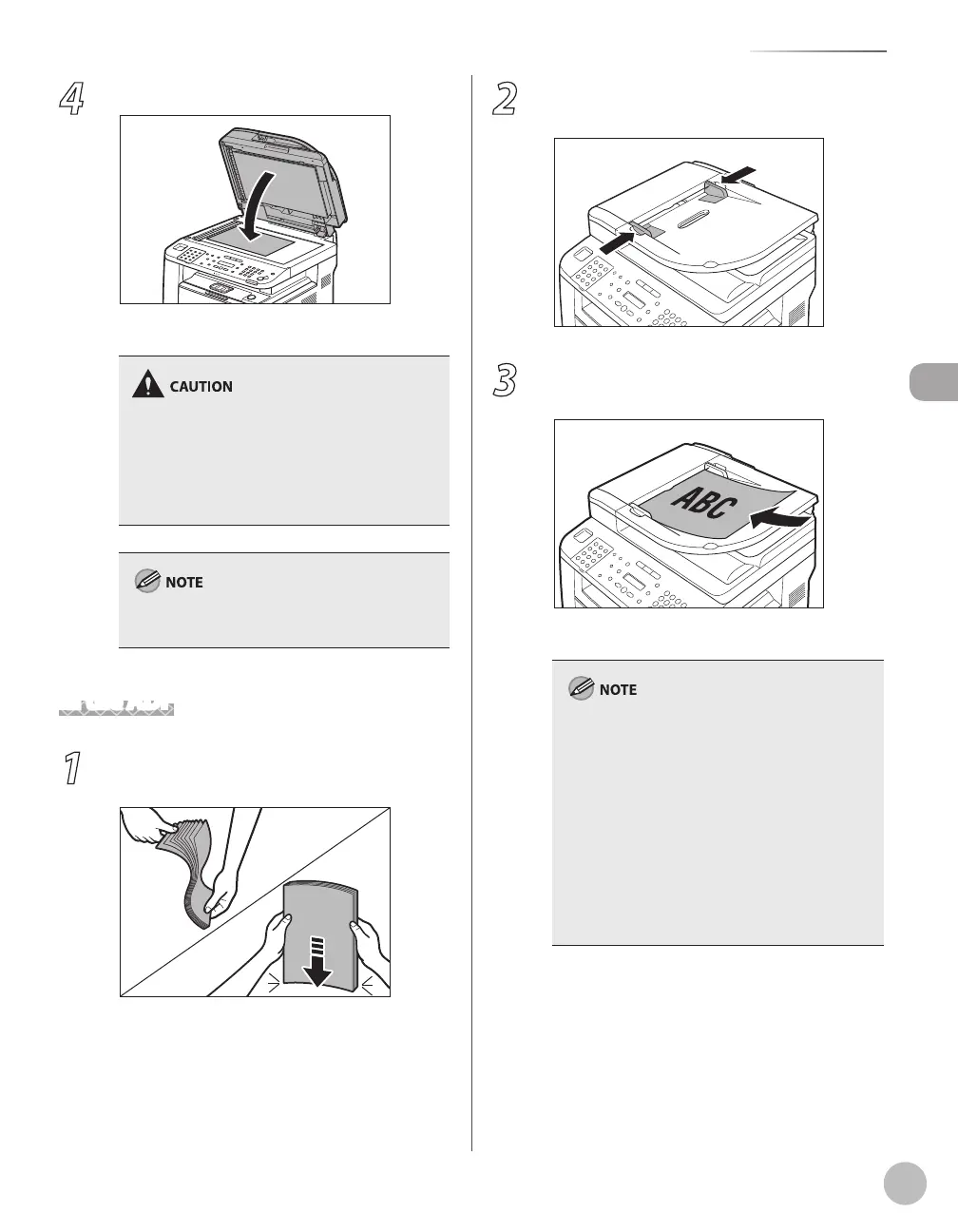
Close the ADF.
The document is ready for scanning.
When closing the ADF, be careful not to get
your fingers caught, as this may result in
personal injury.
Do not press down the ADF forcefully, as this
may damage the platen glass and cause
personal injury.
–
–
Remove the document from the platen glass
when scanning is complete.
In the ADF
1
Fan the document stack and even the
edges.
2
Adjust the slide guides to the width of the
documents.
3
Neatly place the documents face up in
the document feeder tray.
The document is ready for scanning.
Do not add or remove documents while they
are being scanned.
When scanning is complete, remove the
documents from the document delivery tray to
avoid paper jams.
Avoid using ADF to scan the same document
more than 30 times. When scanned repeatedly,
documents can become folded or torn, which
may cause paper jams.
If the feeder rollers are soiled from scanning a
document written in pencil, clean them. (See
“Cleaning the Machine,” on p. 11-2.)
–
–
–
–















 To Next Page