Before Using the Machine
1-5
Machine Components
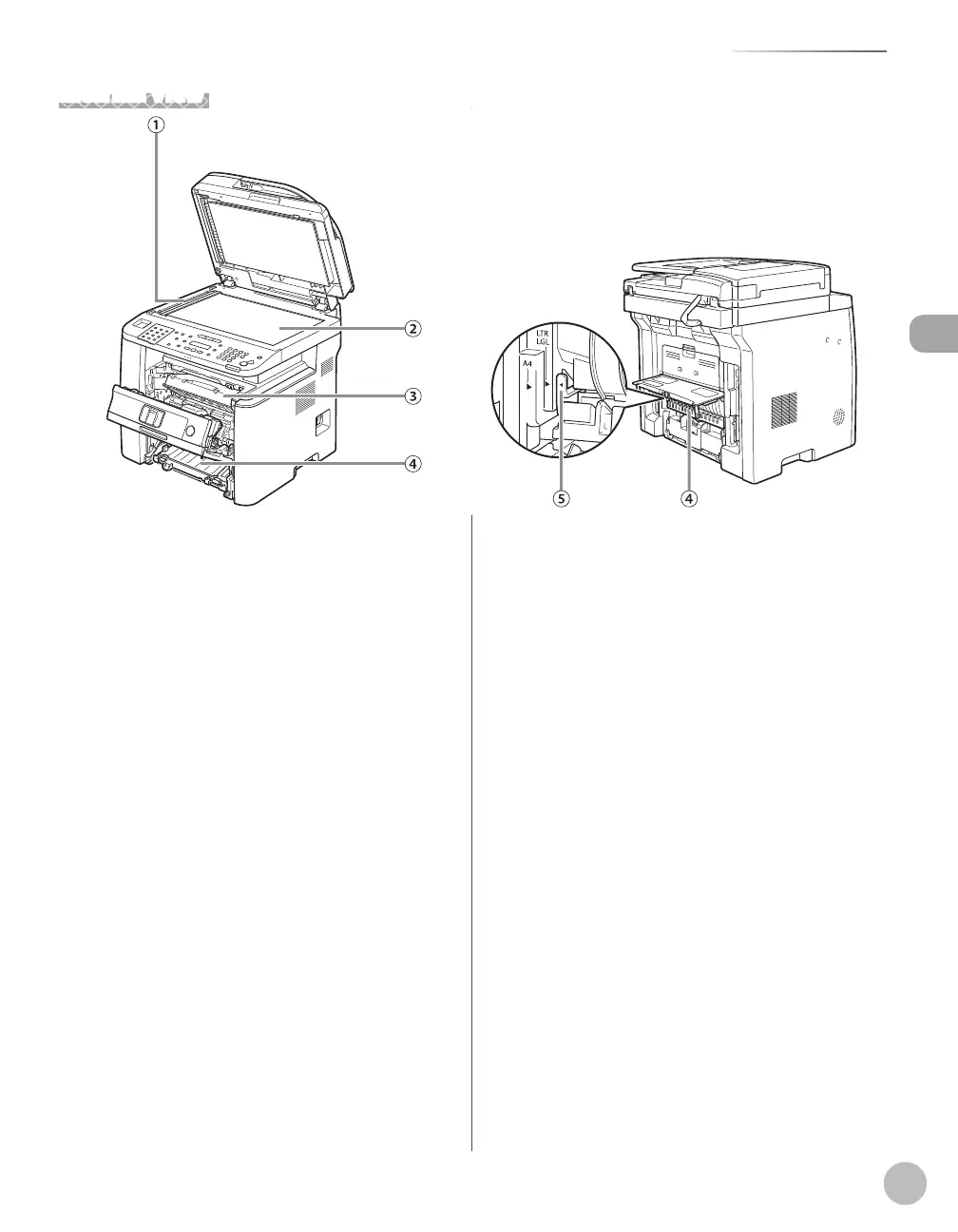
Internal View
①Scanning area
Scans documents from the ADF.
②Platen glass
Place documents.
③Toner cartridge
When toner runs out, pull out the empty toner
cartridge, and replace it with a new one.
④Duplex unit
Enables you to use the 2-Sided mode for copying,
faxing, sending, or scanning.
⑤Paper size switch lever
Switch the lever according to the paper size for 2-
sided copying or 2-sided printing.















 To Next Page