Fax (D1180/D1170/D1150)
6-61
Printing All Documents Stored in the Memory Lock Reception Mode
Printing All Documents Stored in the
Memory Lock Reception Mode
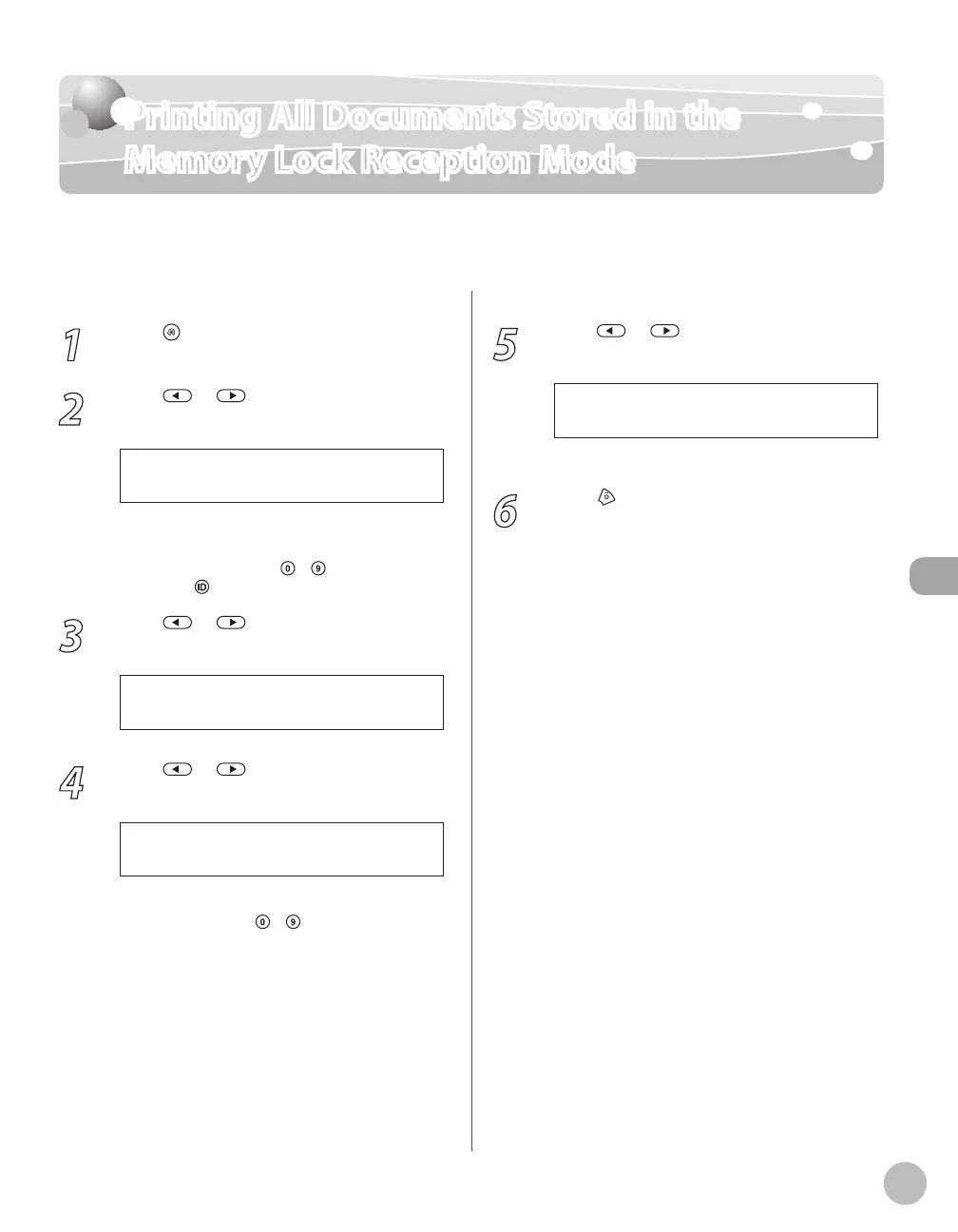
Follow this procedure to print documents received when the machine is in the memory lock
reception mode.
1
Press [Menu].
2
Press or to select <SYSTEM
SETTINGS>, then press [OK].
1 0 . S Y S T E M S E T T I N G S
M E N U
If the System Manager ID and System Password
have been set, enter the System Manager ID and
System Password using
–
[numeric keys],
then press
[Log In/Out].
3
Press or to select
<COMMUNICATIONS>, then press [OK].
6 . C O M M U N I C A T I O N S
S Y S T E M S E T T I N G S
4
Press or to select <MEMORY
LOCK>, then press [OK].
4 . M E M O R Y L O C K
C O M M U N I C A T I O N S
If the memory lock password has been set, enter
the password using
–
[numeric keys], then
press [OK].
5
Press or to select <OFF>, then
press [OK].
The received documents are printed.
6
Press [Stop/Reset] to return to the
standby mode.














 To Next Page