Fax (D1180/D1170/D1150)
6-34
Changing Density Level
Changing Density Level
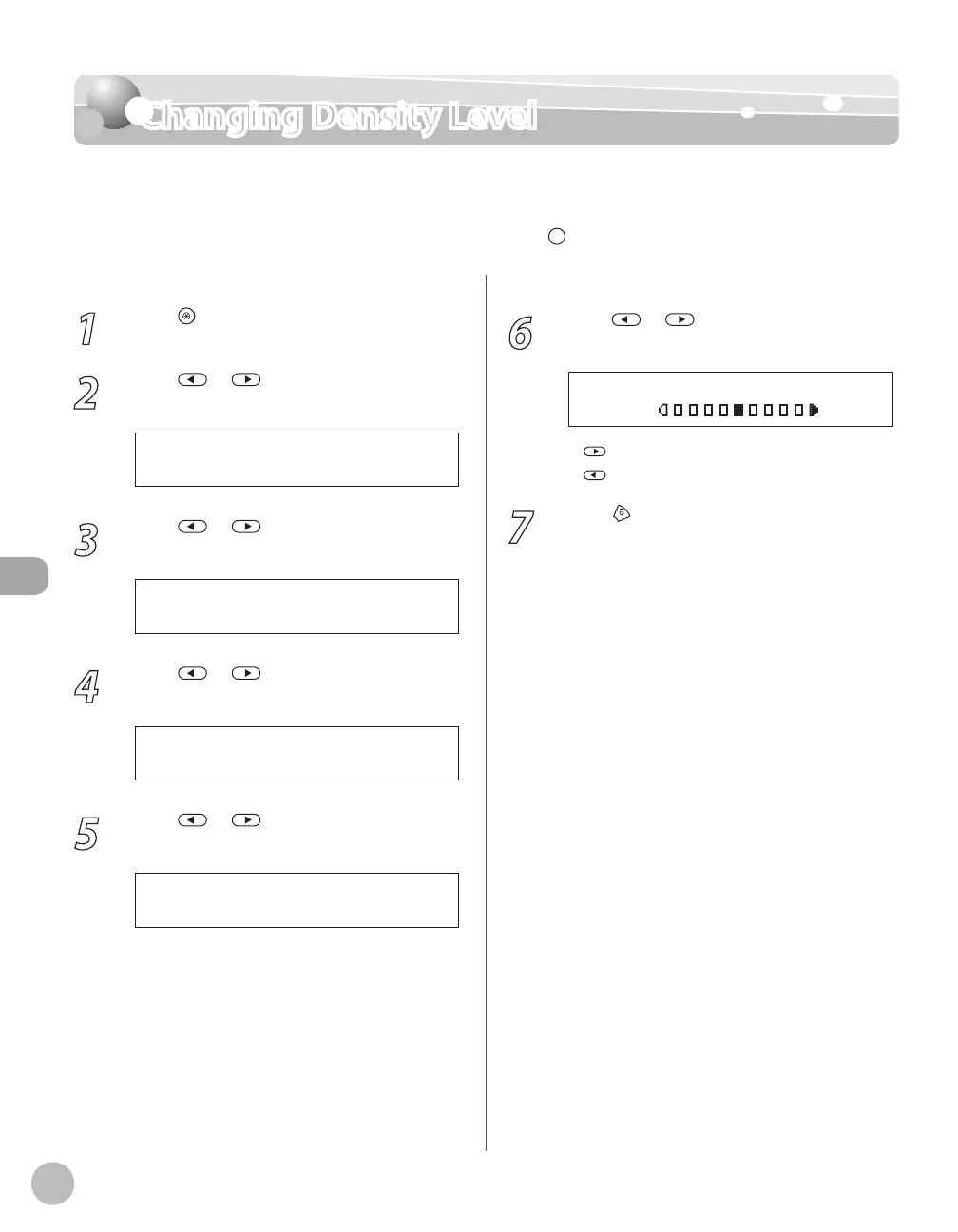
This setting enables you to preset the standard density level on a nine-step scale. The
default setting is <5> on a scale of 1 to 9. The level you define here applies when you select
the “standard” level (in the middle of the scale) using
[Density] on the operation panel.
1
Press [Menu].
2
Press or to select <TX/RX
SETTINGS>, then press [OK].
4 . T X / R X S E T T I N G S
M E N U
3
Press or to select <TX/RX
COMMON SET.>, then press [OK].
2 . T X / R X C O M M O N S E T .
T X / R X S E T T I N G S
4
Press or to select <TX SETTINGS>,
then press [OK].
1 . T X S E T T I N G S
T X / R X C O M M O N S E T .
5
Press or to select <SCANNING
DENSITY>, then press [OK].
4 . S C A N N I N G D E N S I T Y
T X S E T T I N G S
6
Press or to adjust the density,
then press [OK].
- L T D K +
S C A N N I N G D E N S I T Y
: to make light documents darker
: to make documents lighter
7
Press [Stop/Reset] to return to the
standby mode.
–
–















 To Next Page