Fax (D1180/D1170/D1150)
6-25
Redialing When the Line Is Busy
Redialing When the Line Is Busy
If the recipient’s line is busy or if there is no answer, you can redial the same fax number
manually or set the machine to redial automatically.
Redialing Manually
You can specify the last three destinations that were
dialed using
– , [numeric keys] and
[Tone].
This feature is available for the D1150.
For directions on how to recall the last three destinations for
the D1180/D1170, see “Using the Send History to Resend
Faxes (Job Recall),” on p. 6-28.
If <REST. REDIAL/CALL> in <ACCESS TO DEST.> in <SYSTEM
SETTINGS> is set to <ON>,
[Redial/Pause] is not available.
(See “Restricting Job Recall,” in the e-Manual.)
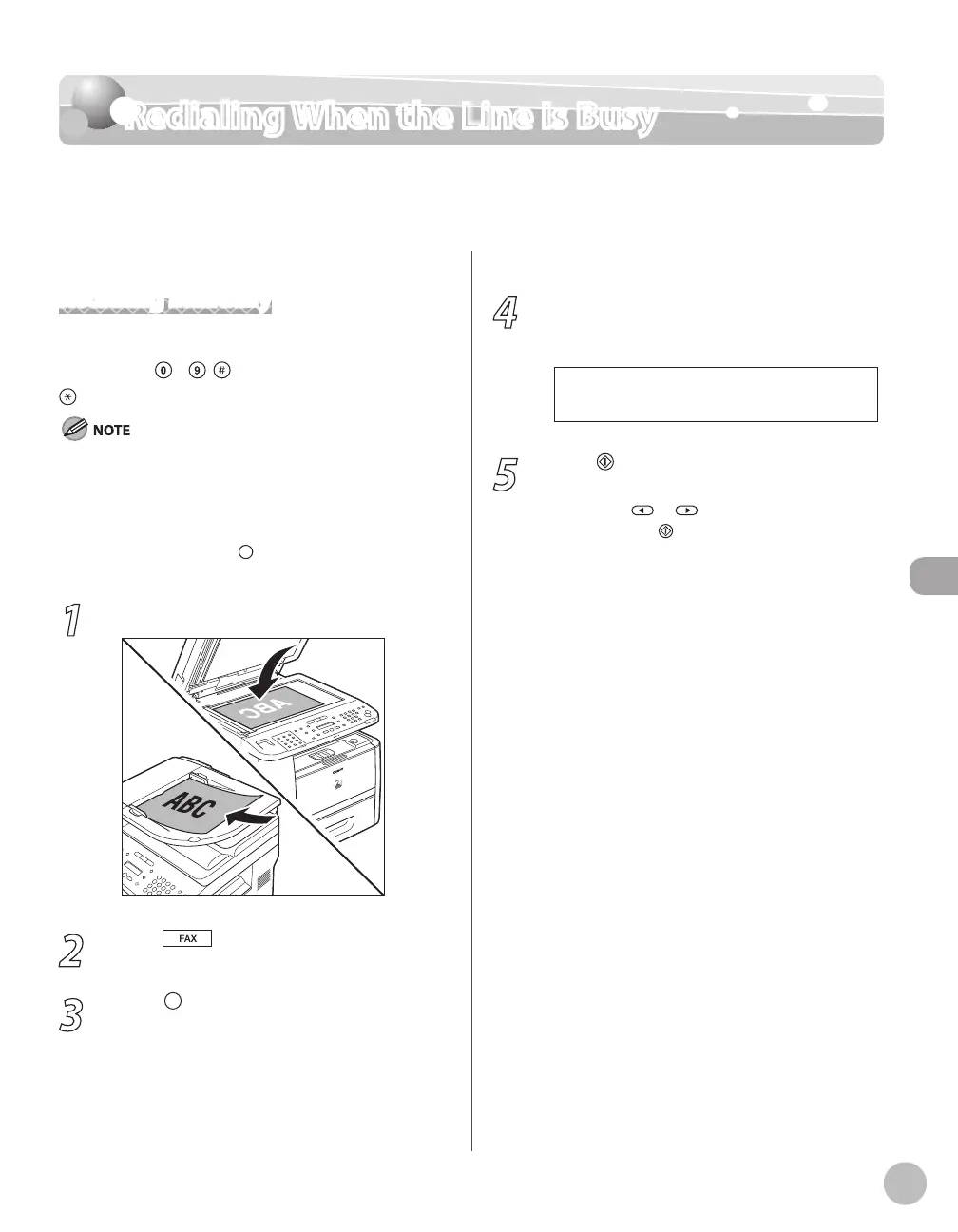
1
Place documents.
2
Press [FAX].
3
Press [Redial/Pause] repeatedly.
–
–
–
4
Confirm that the desired recipient is
displayed.
T E L = 1 2 3 X X X X X X X
Ex.
5
Press [Start].
When you place the documents on the platen
glass, press
or to select the document
size, then press
[Start] for each document.
When scanning is complete, press [OK] to start
sending.














 To Next Page