11-8
Maintenance
Replacing the Toner Cartridge
Redistributing Toner
When the toner is running low and the message
<TONER LOW/PREPARE NEW TONER> appears on
the display, redistribute toner in the toner cartridge.
We recommend that you prepare a new toner
cartridge for future replacement with ease.
When <KEEP PRINTING> is set, the printed documents may be
light or blurred because of lack of toner. The data is erased when
the documents are printed out, so you can not print the same
documents again. (See “TX/RX SETTINGS ,” on p. 13-6.)
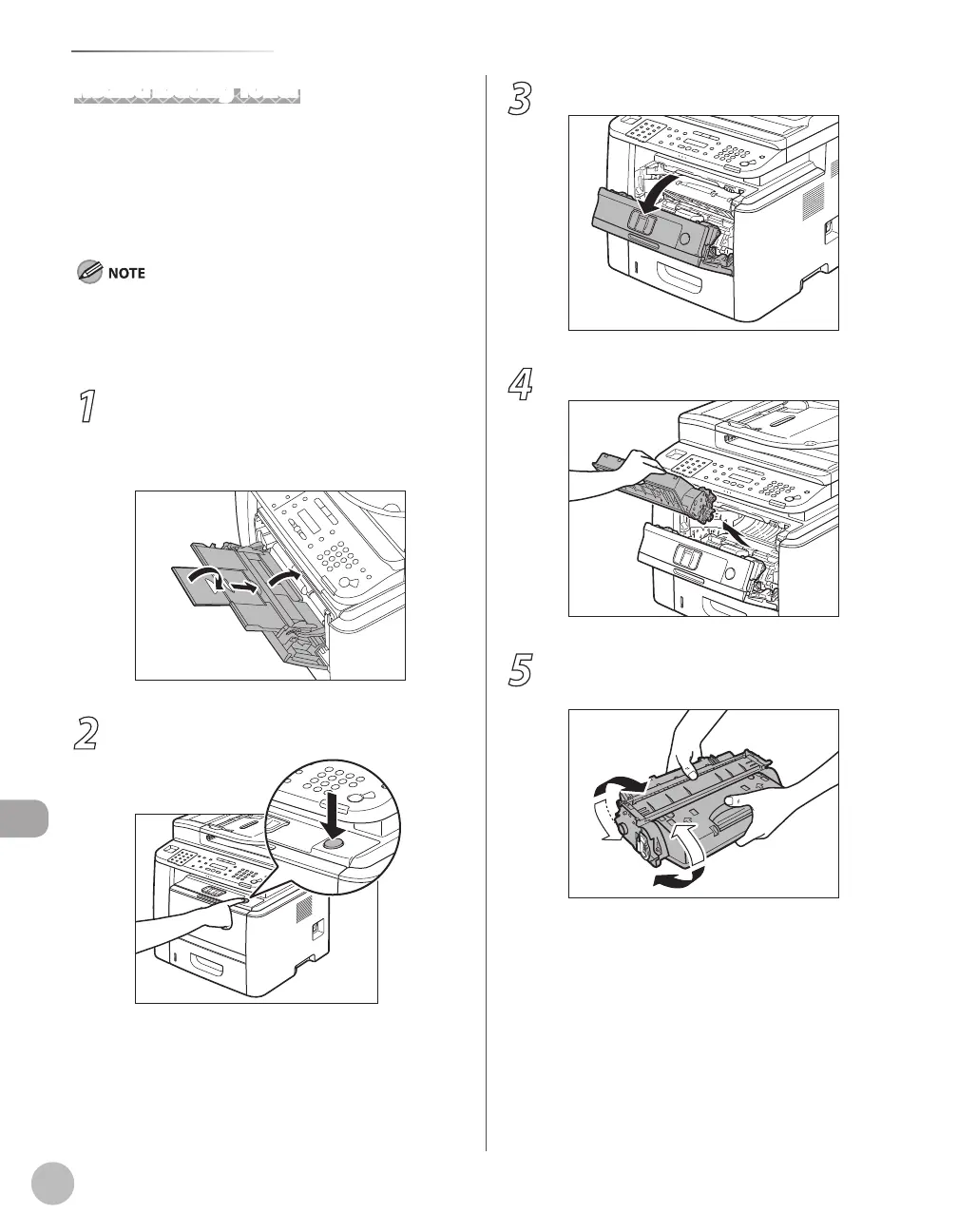
1
If you are using the multi-purpose tray,
fold multi-purpose tray extension, push
back the auxiliary tray into place, and
then close the multi-purpose tray.
2
Push the open button.
3
Open the front cover.
4
Remove the toner cartridge.
5
Gently rock the toner cartridge several
times to evenly distribute toner inside.















 To Next Page