Registering Destinations in the Address Book (D1180/D1170/D1150)
5-15
Storing/Editing Coded Dial Codes
3
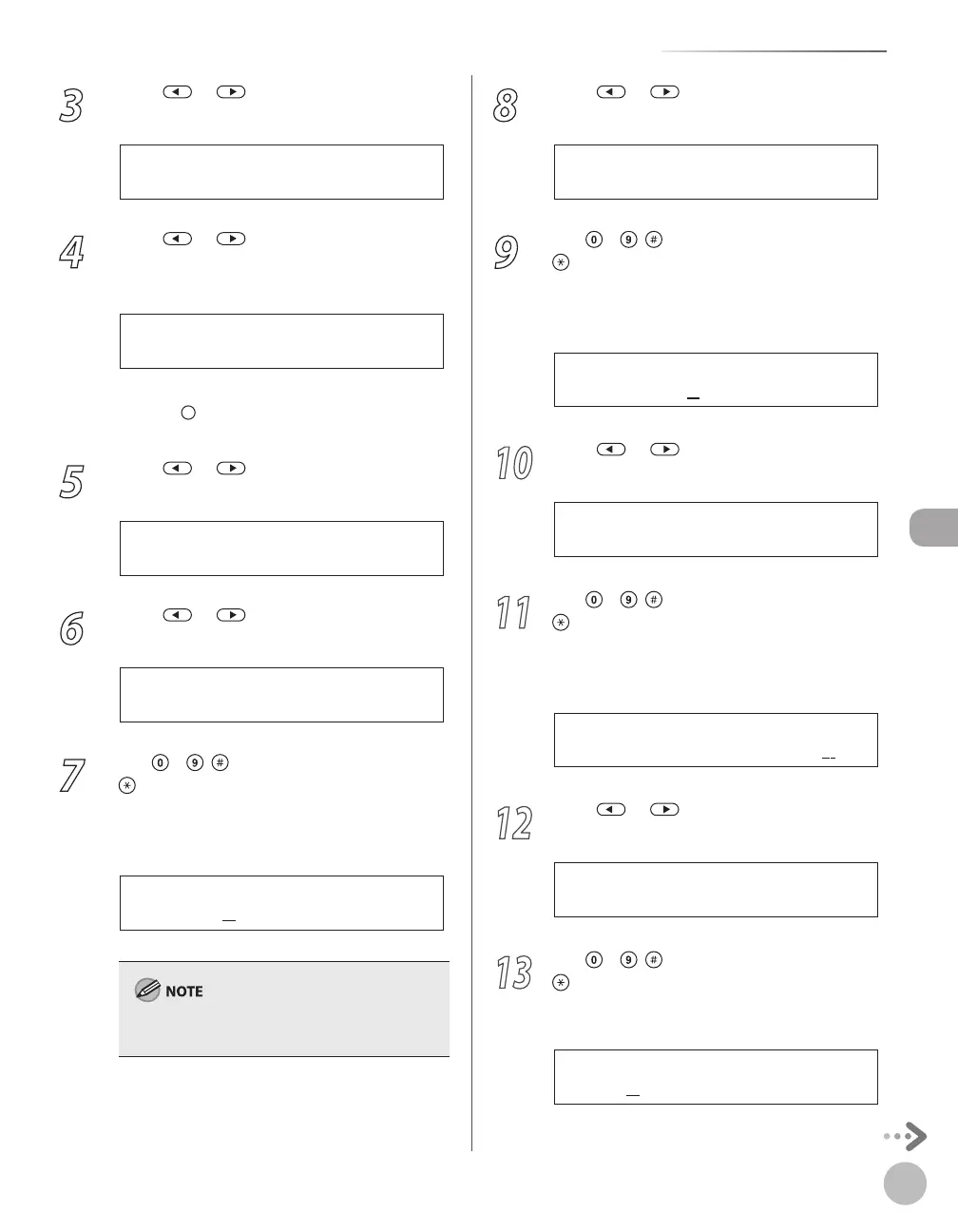
Press or to select <CODED SPD
DIAL>, then press [OK].
2 . C O D E D S P D D I A L
A D D R E S S B O O K S E T .
4
Press or to select a coded dial
code (000 to 179) for which you want to
register the address, then press [OK].
[ * 0 0 0 ] N O T R E G I S T E R E D
C O D E D S P D D I A L
You can also select a coded dial code by
pressing
[Coded Dial] followed by the desired
three-digit code.
5
Press or to select <SMB>, then
press [OK].
S M B
C O D E D S P D D I A L
6
Press or to select <HOST NAME>,
then press [OK].
1 . H O S T N A M E
C O D E D S P D D I A L
7
Use
– , [numeric keys] and
[Tone] to enter the name of the file
server on the network (120 characters
maximum), then press [OK].
s e r v e r 1
H O S T N A M E : 1
Ex.
For information on how to enter characters, see
“Entering Characters,” on p. 1-16.
8
Press or to select <NAME>, then
press [OK].
2 . N A M E
C O D E D S P D D I A L
9
Use
– , [numeric keys] and
[Tone] to enter the destination’s name
(16 characters maximum), then press
[OK].
S E R V E R 1
N A M E : 1
Ex.
10
Press or to select <FILE PATH>,
then press [OK].
3 . F I L E P A T H
C O D E D S P D D I A L
11
Use
– , [numeric keys] and
[Tone] to specify the folder to which
the job is to be sent (120 characters
maximum), then press [OK].
s e r v e r 1 / h o m e / s h a r e
F I L E P A T H : a
Ex.
12
Press or to select <LOGIN NAME>,
then press [OK].
4 . L O G I N N A M E
C O D E D S P D D I A L
13
Use
– , [numeric keys] and
[Tone] to enter the login name (24
characters maximum), then press [OK].
C a n o n
L O G I N N A M E : a
Ex.















 To Next Page