11-10
Maintenance
Replacing the Toner Cartridge
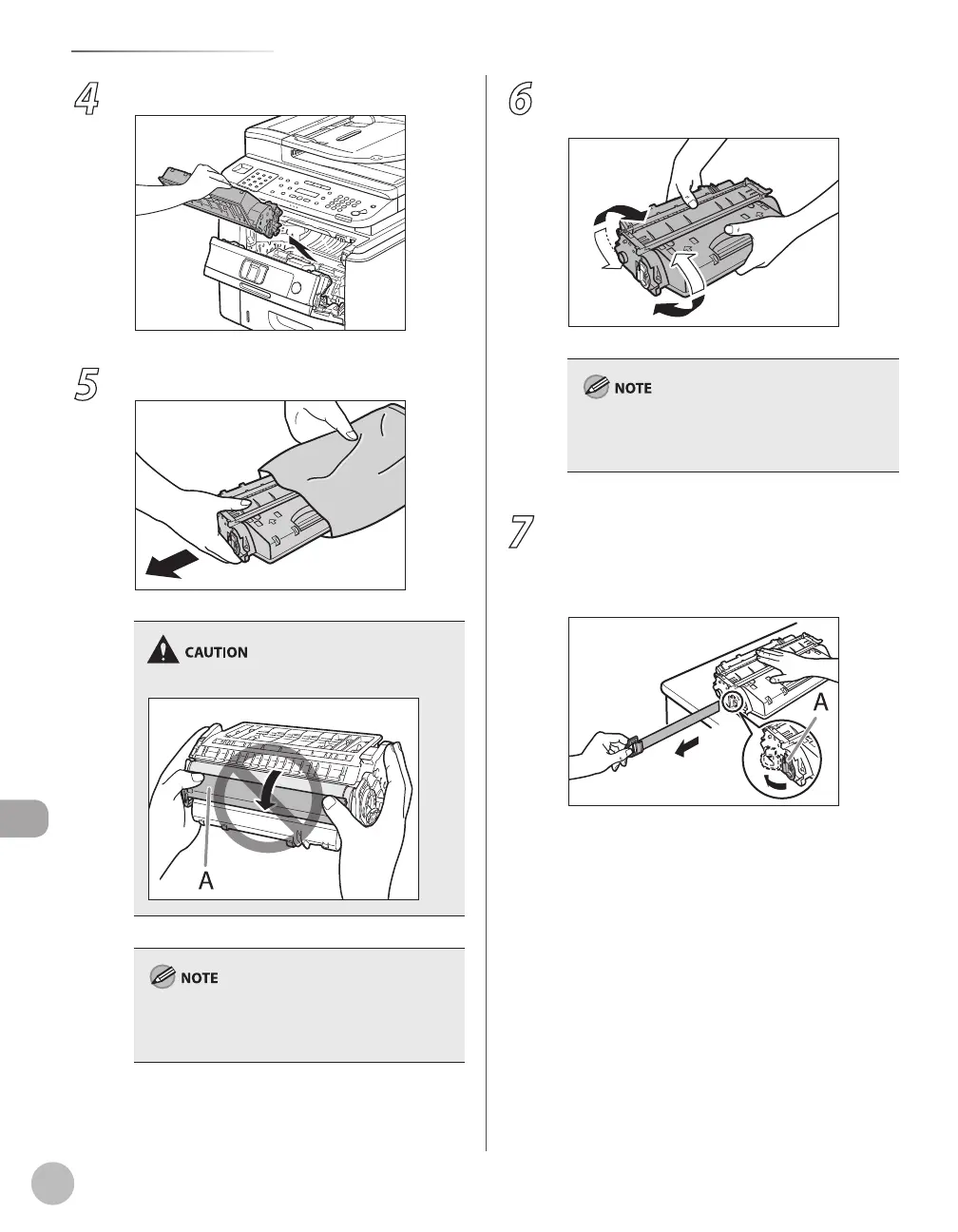
4
Remove the toner cartridge.
5
Take out the toner cartridge from the bag.
Do not open the drum protective shutter (A).
Save the protective bag. You may need it later
when you remove the toner cartridge from the
machine.
6
Gently rock the toner cartridge several
times to evenly distribute toner inside.
If toner is not distributed evenly, this may result in
deterioration in print quality. Make sure to carry
out this procedure properly.
7
Place the toner cartridge on a flat surface,
fold back the tab of the sealing tape (A)
located at left side of the toner cartridge,
then pull the seal completely out.















 To Next Page