12-12
Troubleshooting
Clearing Jams
4
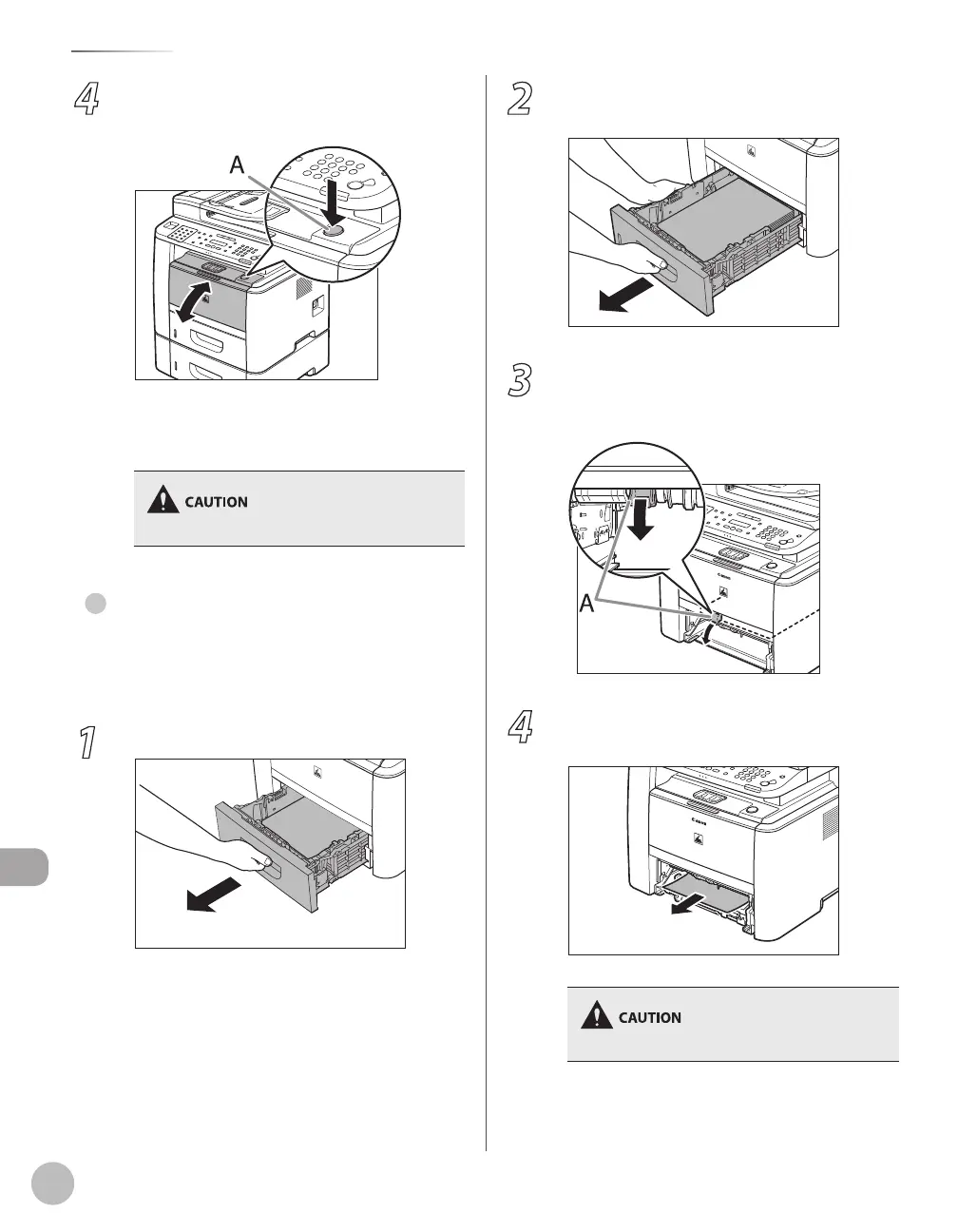
Open and close the front cover to reset
the machine.
If you are using the multi-purpose tray, close it
before opening the front cover. To open the
front cover, push the open button (A).
Be careful not to get your fingers caught.
Duplex Unit
When <OPEN PRINTER COVER> or <PAPER JAM/LIFT
PANEL TO OPEN> appears on the display, remove
jammed paper from the duplex unit.
1
Pull out the paper cassette.
●
2
Hold the paper cassette with both hands
and remove it from the machine.
3
Open the duplex print transport guide,
holding its tab (A) on the left side inside
of the machine.
4
Hold both sides of any jammed paper and
gently pull it out.
Do not force a jammed paper out of the machine.















 To Next Page