12-24
Troubleshooting
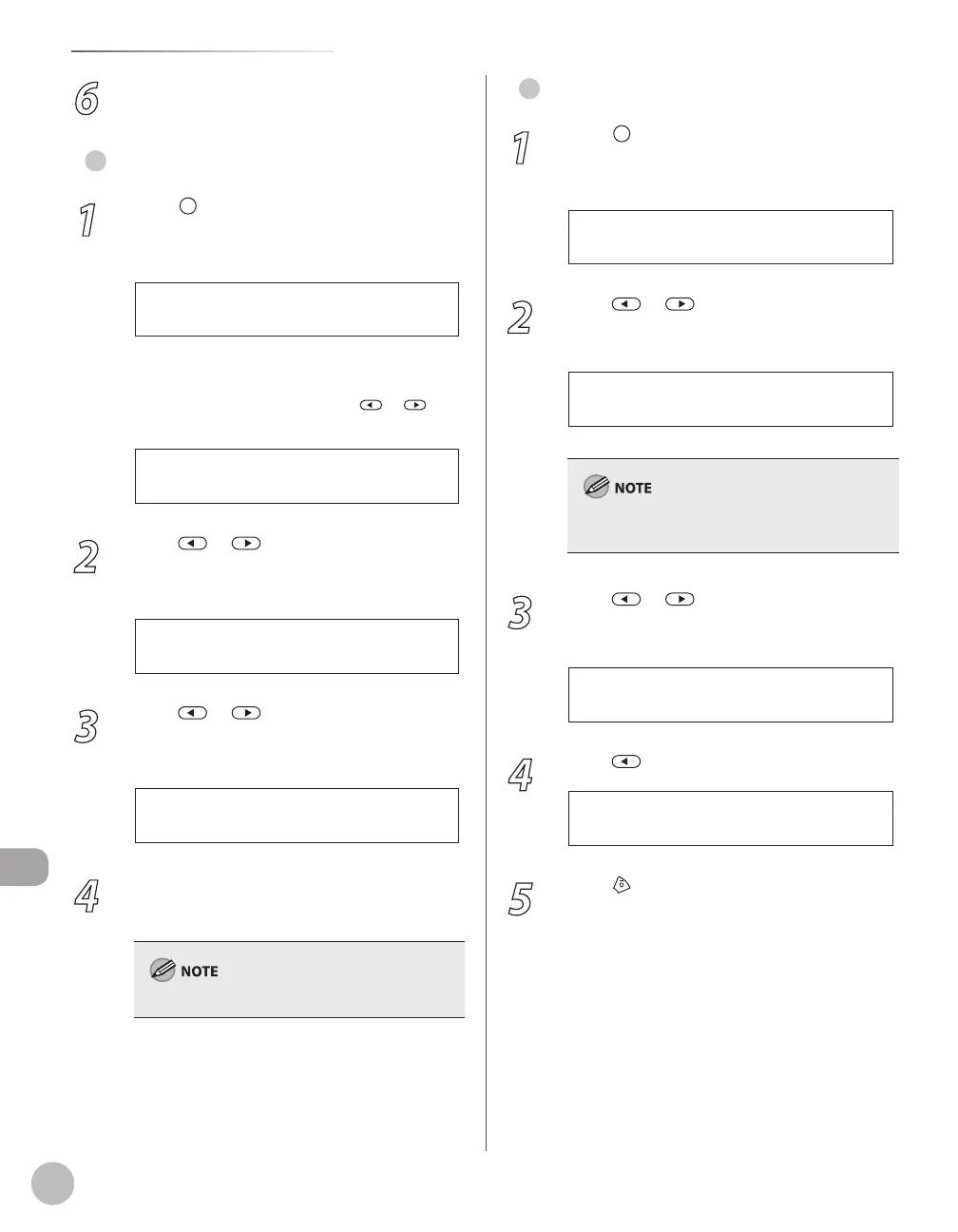
If <LOAD CORRECT PAPER> is displayed
6
Resume the copy job.
For Fax Job
1
Press [Paper Settings] repeatedly to
select <CASSETTE 1>, <CASSETTE 2> or
<MP TRAY>, then press [OK].
<CASSETTE 2> is displayed only if the
optional paper cassette is attached.
If you select <MP TRAY>, press
or to
select <ON>, then press [OK].
O N
M P T R A Y S T D S E T
2
Press or to select the size of the
paper loaded into the machine, then
press [OK].
L T R
P A P E R S I Z E ( C A S S )
3
Press or to select the type of the
paper loaded into the machine, then
press [OK].
P L A I N P A P E R
P A P E R T Y P E ( C A S S )
4
Open and close the paper cassette that
you set in step 1 to resume the fax job.
For the multi-purpose tray, skip this step.
●
–
–
For Report/List Job
1
Press [Job Cancel/Status Monitor]
repeatedly to select <REPORT STATUS>,
then press [OK].
2
Press or to select the job to
cancel, then press [OK].
A C T I V I T Y R E P O R T
0 0 0 3 1 5 : 5 0 *
Ex.
The displayed job varies depending on the job
that you select.
3
Press or to select <CANCEL>,
then press [OK].
4
Press to select <YES>.
< Y E S N O >
C A N C E L ?
5
Press [Stop/Reset] to return to the
standby mode.
●















 To Next Page