Documents and Print Media
2-10
Loading Paper
4
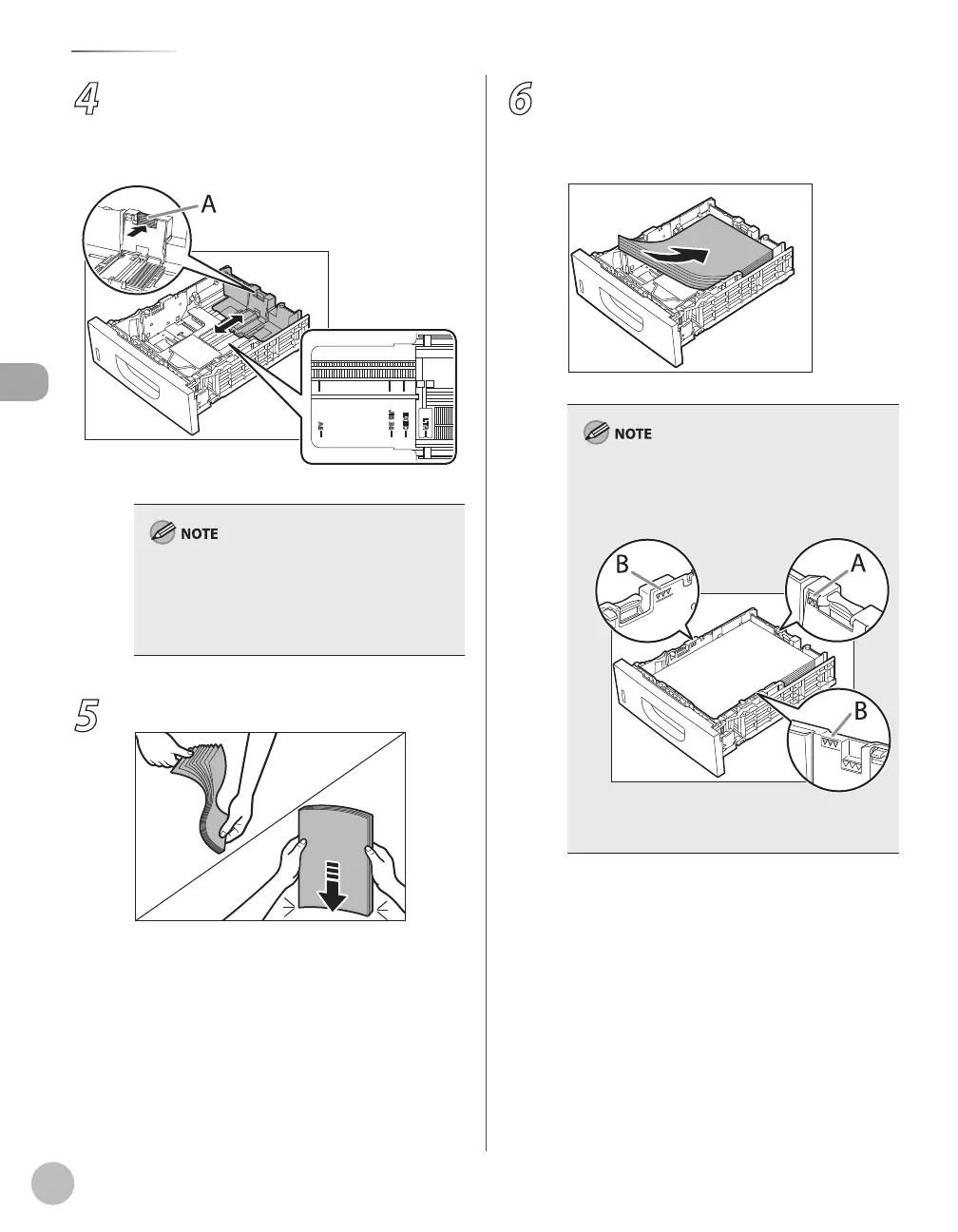
Hold the lock release lever of the rear
paper guides (A) and slide the guides to
the mark for the size of the paper to be
loaded.
Make sure to set the guides to the mark for the
size of the paper to be loaded correctly. If the
guides are positioned incorrectly, it may cause
paper jams, dirty prints, etc.
A6 size paper cannot be loaded.
–
–
5
Fan the paper stack and even the edges.
6
Load the paper stack of the appropriate
size with the print side facing up. Align
the rear edge of the paper stack with the
rear paper guide.
When loading paper, be careful not to cut your
fingers on the edges of the paper.
Make sure the paper stack does not exceed the
load limit mark (A) and (B).
The paper cassette holds approximately 500
sheets of paper (21 lb (80 g/m
2
)).
–
–
–















 To Next Page